

System Settings: Build and CI #
The Build System & CI Configuration category sets how BuildPiper builds, tags and scans artifacts, and the limits on builds. It has 16 settings.
1. Open the Category #
- 1
Open System Settings.
- 2
Select Build System & CI Configuration.
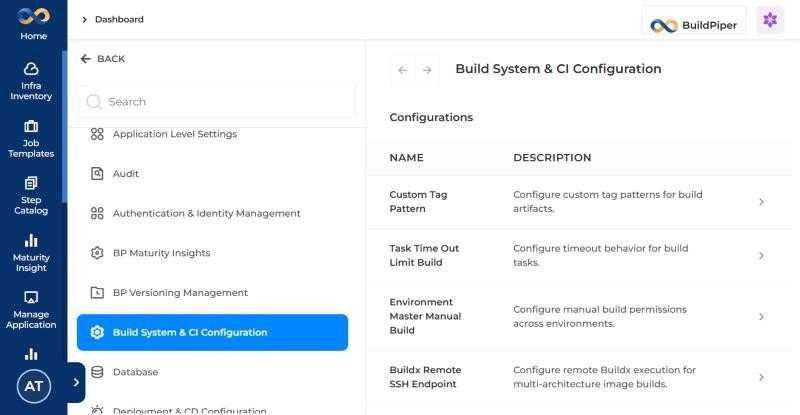
Figure 1: Build System & CI Configuration category
2. Settings #
Custom Tag Pattern #
Sets a custom tagging pattern that is applied during CI builds, for consistent artifact versioning.
| Field | What it does |
|---|---|
| Custom Tag Pattern | Turns on custom Docker image tag rules for builds and artifacts. |
| Custom Build Tag Pattern | The tag patterns for services, repositories or environments, built from $BUILD_NUMBER and $DATE_TIME. |
| Application Custom Tag Pattern | Application-level JSON that overrides the default image tag patterns. |
| Custom Build Tag Pattern for V3 | The tag pattern used by Version 3 job templates ($BUILD_NUMBER, $DATE_TIME). |
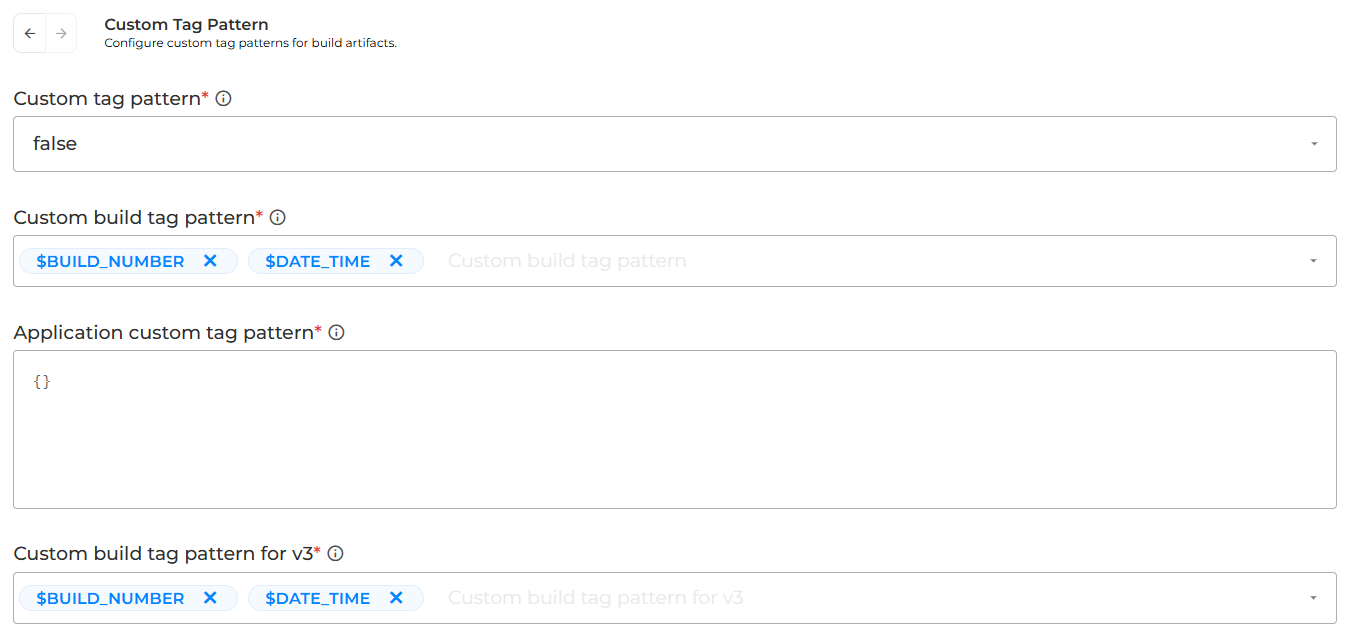
Figure 2: Custom Tag Pattern setting
Task Time Out Limit Build #
Sets the timeouts of build, deploy and promote tasks, so that long-running jobs do not block the pipeline.
| Field | What it does |
|---|---|
| Build Task Time Out Limit in Seconds | The maximum run time of a build task. A longer task is terminated. |
| Deploy Task Time Out Limit in Seconds | The maximum run time of a deployment task. |
| Promote Task Time Out Limit in Seconds | The maximum run time of a promotion task. |
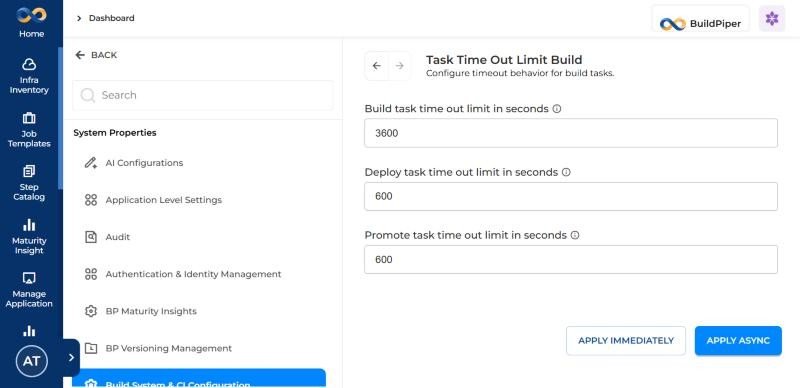
Figure 3: Task Time Out Limit Build setting
Environment Master Manual Build #
Sets the default manual build and deploy flags of each environment type, which gives teams explicit control over deployments.
| Field | What it does |
|---|---|
| DEV / QA / STAGING / UAT / PROD Environment Manual Build | The default for “Allow Manual Build” for each environment type. An individual environment can override it. |
| DEV / QA / STAGING / UAT / PROD Environment Manual Deploy | The default for “Allow Manual Deploy” for each environment type. An individual environment can override it. |
Buildx Remote SSH Endpoint #
Sets up a remote SSH endpoint for Docker Buildx, to build multi-architecture images across remote nodes.
| Field | What it does |
|---|---|
| Buildx Remote SSH Endpoint for Multi Arch Image Build | The SSH endpoint of the remote Docker Buildx builder. |
| Buildx Architecture and Node Label Mapping | The Kubernetes node labels that select the build node for each target architecture. |
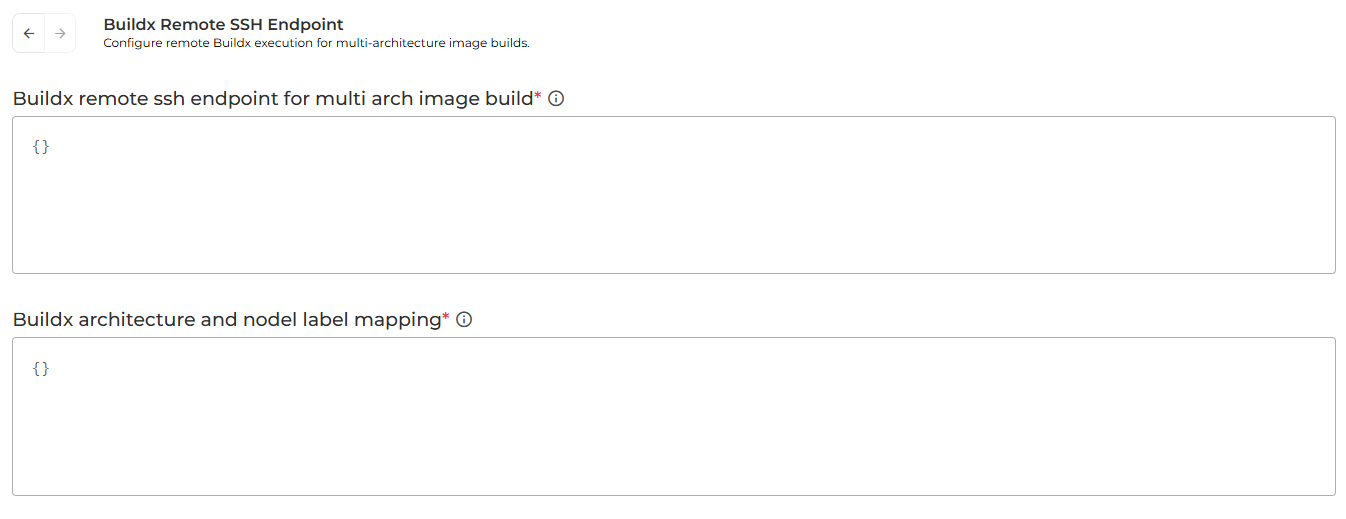
Figure 4: Buildx Remote SSH Endpoint setting
Multiple Architecture #
Allows several target architectures in build pipelines, for cross-platform image generation.
| Field | What it does |
|---|---|
| Multiple Architecture List | The CPU architectures, for example amd64 and arm64, that are available for multi-platform builds. |
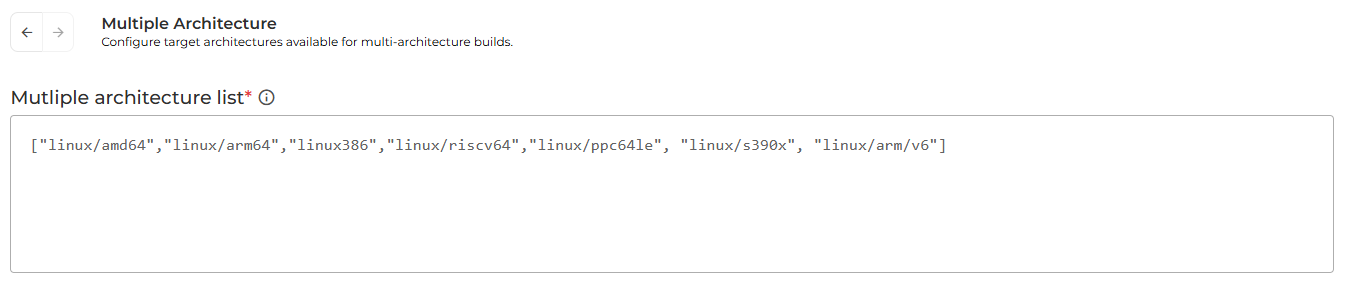
Figure 5: Multiple Architecture setting
Parallel Build Restriction #
Restricts parallel builds of a service.
| Field | What it does |
|---|---|
| Disable Parallel Build | Stops builds of the same service from running at the same time. |
| Parallel Build Restriction Config | JSON rules, global or per service, that control concurrent builds. |
Buildx Support #
Sets up container image builds with Docker Buildx.
| Field | What it does |
|---|---|
| Enable Buildx | Turns on Docker Buildx for multi-platform builds and build caching. |
| Support Architecture List | The platforms that Buildx supports, for example linux/amd64 and linux/arm64. |
| Default Architecture | The platform used when a build does not specify one. |
Hyperbuild Enable #
Controls whether the Hyperbuild capability is available.
No editable fields are shown here. The switch is Enable Hyperboost, under Domain Regular Expression For User Email, in the Authentication document.
Concurrent Build #
Sets up workspace isolation for concurrent builds.
| Field | What it does |
|---|---|
| Concurrent Build Enable | Allows concurrent builds of the same service, each in its own isolated workspace. |

Figure 6: Concurrent Build setting
Shallow Cloning #
Sets up shallow Git cloning of source repositories.
| Field | What it does |
|---|---|
| Shallow Cloning Flag | Enables shallow Git cloning to reduce repository checkout time by fetching only the recent commit history. |
| Define Depth Value | Specifies the number of recent commits to retrieve when a shallow Git clone is performed. |
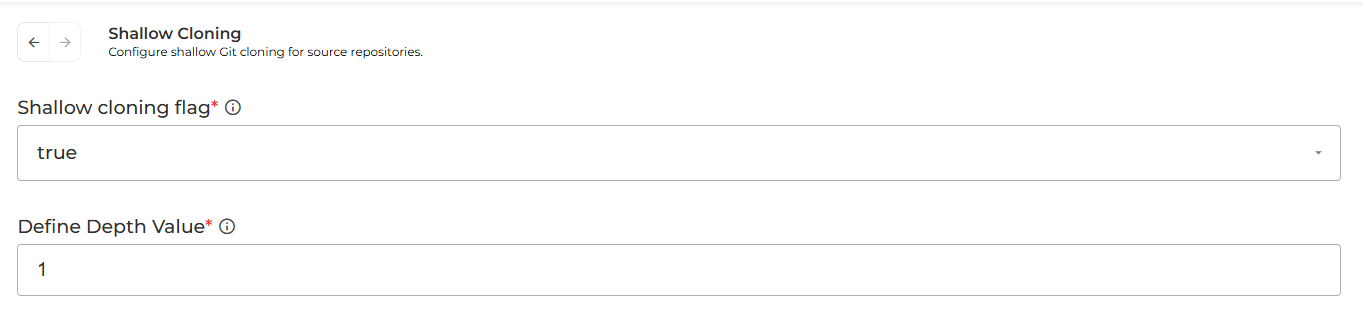
Figure 7: Shallow Cloning setting
Build Tag Pattern #
Sets how BuildPiper generates tags for build artifacts.
| Field | What it does |
|---|---|
| Build Tag Format Pattern | The suffix that is added to the generated artifact tags. |
| Build Branch Name Suffix Flag | Adds the Git branch name to the Docker build tag. |
Secondary Build Branch Same As Primary Build #
Sets the branch used by secondary builds.
| Field | What it does |
|---|---|
| Enable Secondary Build Branch Same as Primary Build | Makes secondary builds use the branch of the primary build automatically. |
Custom Scan Tool #
Lists the custom security scanning tools that pipelines can use.
| Field | What it does |
|---|---|
| Support Scan Tool List | The custom security and vulnerability scanners that are available in build pipelines. |
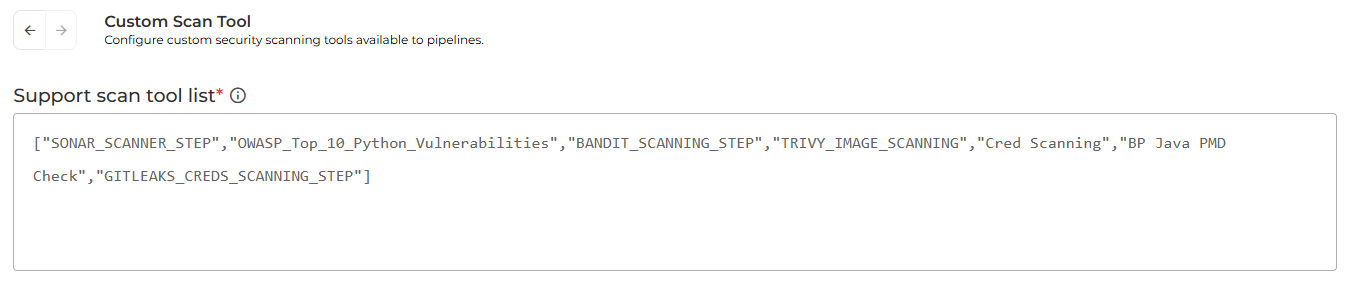
Figure 8: Custom Scan Tool setting
Service Build #
Sets the behavior and runtime options of service builds.
| Field | What it does |
|---|---|
| Build Runtime Env Variable | The runtime environment variable option for service builds. The UI gives no further tooltip text for this field. |
Support External Repo Configuration #
Controls support for externally hosted source repositories.
| Field | What it does |
|---|---|
| Support External Repo Configuration | Allows externally hosted repositories, such as Helm chart and manifest repositories. |
Stop Concurrent Build #
Prevents overlapping builds of the same service and environment.
| Field | What it does |
|---|---|
| Prevent Concurrent Builds | Controls whether multiple builds of the same service and environment can run at the same time. When it is on, a new build waits until the running build finishes. |