

Pipeline Jobs for Cron jobs #
1. Overview #
An extensive pipeline for a CronJob is created, configured, and executed in the same way as a stateless microservice pipeline. However, a CronJob pipeline includes three types of jobs:
Build Job: Builds the application and generates the required artifact.
Deploy Job: Deploys the application to the target environment.
CronJob Execution/Suspend Job: Executes or pauses the CronJob, controlling its scheduled execution.
This document explains how CronJob jobs are configured and represented within a pipeline. For instructions on creating a pipeline, adding stages, and configuring jobs, refer to the stateless Pipeline Definition document for stateless deployments.
Read more: Stateless Pipeline Definition
To learn how to create a pipeline and how to configure its stages and jobs, see the following documents.
Read more: Pipeline Configuration
Stage Configuration
2. Cron Jobs in a Pipeline #
The following example shows how cron jobs appear in a pipeline. The pipeline extensive-ci-pipeline has three stages. Job 3 and Job 4 of the second stage are cron jobs.
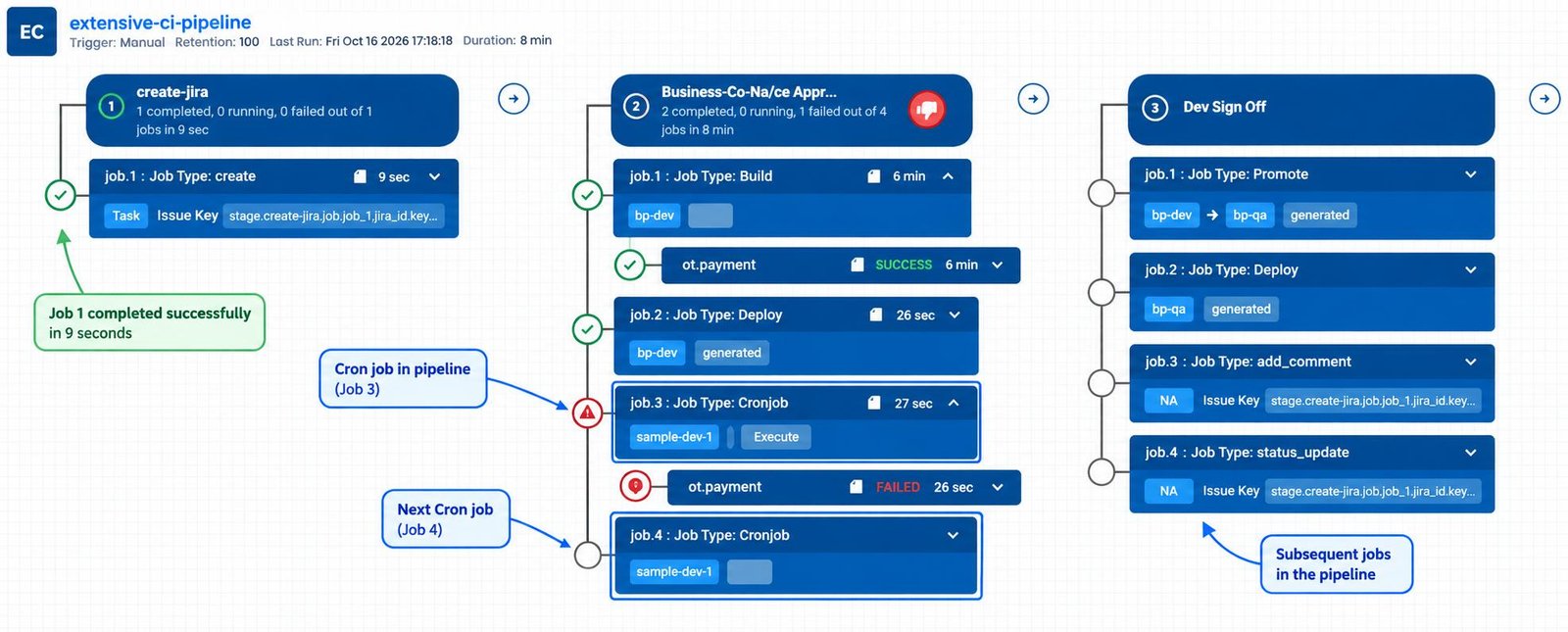
Figure 1: Cron jobs in an extensive pipeline
| Item | Description |
|---|---|
| Job Type: Cronjob | The job runs a cron job of the service. In the example, Job 3 and Job 4 of the stage Business-Co-Na/ce Appr… are of this type. |
| Environment tag | Shows the environment in which the cron job runs, for example sample-dev-1. |
| Execute | Shows the action that the job performs on the cron job. |
Add a cron job to a pipeline
When creating a pipeline and adding a job to a stage, select Cronjob as the job type in the JOB FORM. Then, choose the action to perform on the CronJob: Execute to run the scheduled task or Suspend to pause future scheduled executions.
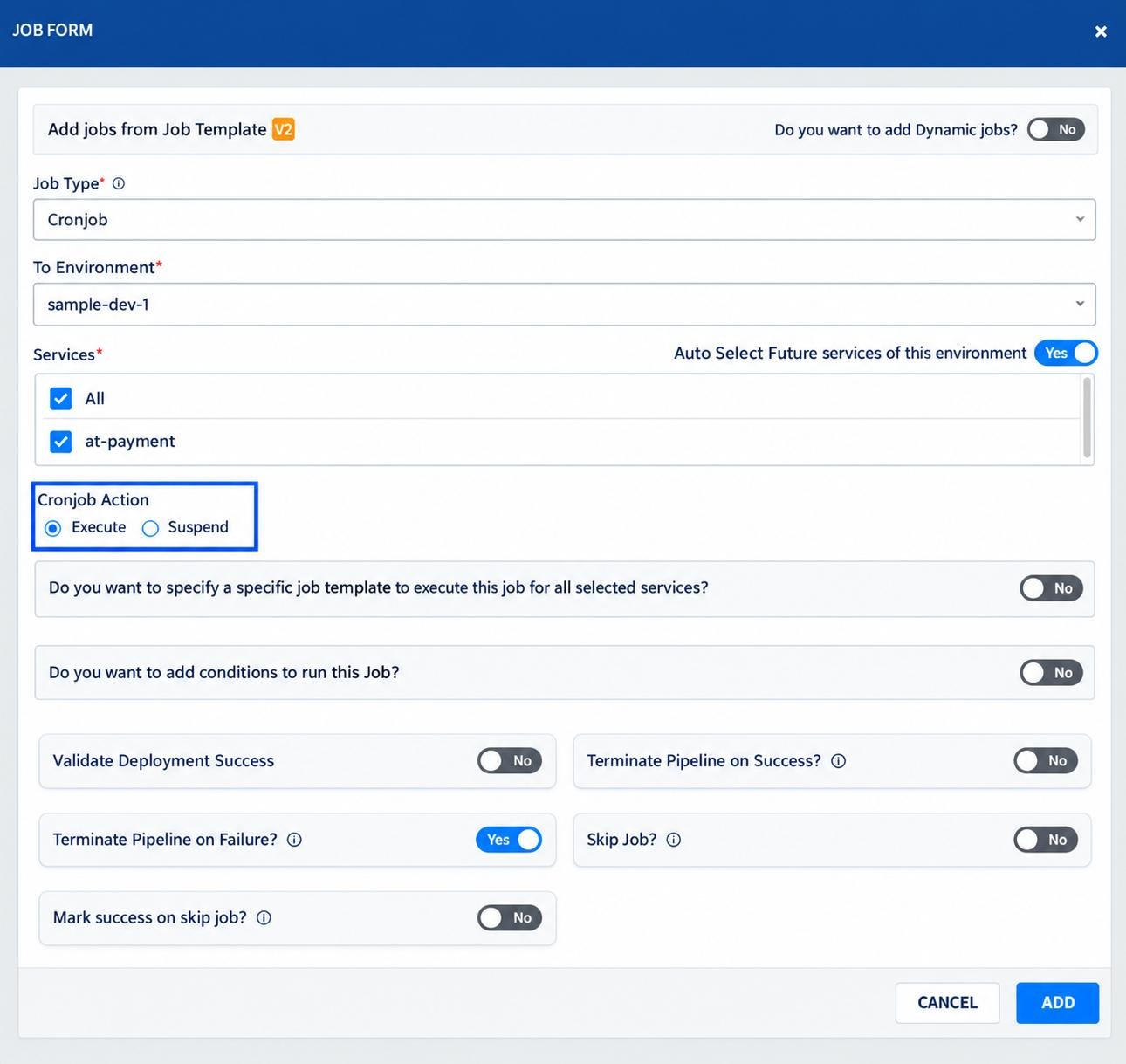
Figure 2: Job form with the Cronjob Action
- 1
In Job Type, select Cronjob.
- 2
In To Environment, select the environment, for example sample-dev-1.
- 3
In Services, select the services. Select All to include every service.
- 4
In Cronjob Action, select Execute or Suspend.
- 5
Click ADD.
| Action | What It Does | When to Use |
|---|---|---|
| Execute | Starts one run immediately, without waiting for the next scheduled time. The schedule does not change. | To test a new cron job, re-run a failed job or run a one-off task outside the normal schedule. |
| Suspend | Pauses the schedule. The cron job stays in the cluster, but no new runs are created at the scheduled times. Runs already in progress are not stopped. | During maintenance or an incident, or when a job should not run for a while. You keep the cron job and its configuration instead of deleting it. |