This guide walks you through onboarding a Kubernetes cluster onto BuildPiper using BP UI. By the end of this tutorial, your cluster will be registered, validated, and ready for service deployments.
Outbound internet access enabled (for agent communication)
kubectl installed locally (optional, for validation)
ℹ️
BuildPiper K8s Version Compatibility
BuildPiper is compatible with Kubernetes versions 1.25 through 1.32.
BuildPiper is compatible with managed Kubernetes services from all leading cloud providers, ensuring unified DevOps workflows across your cloud infrastructure.
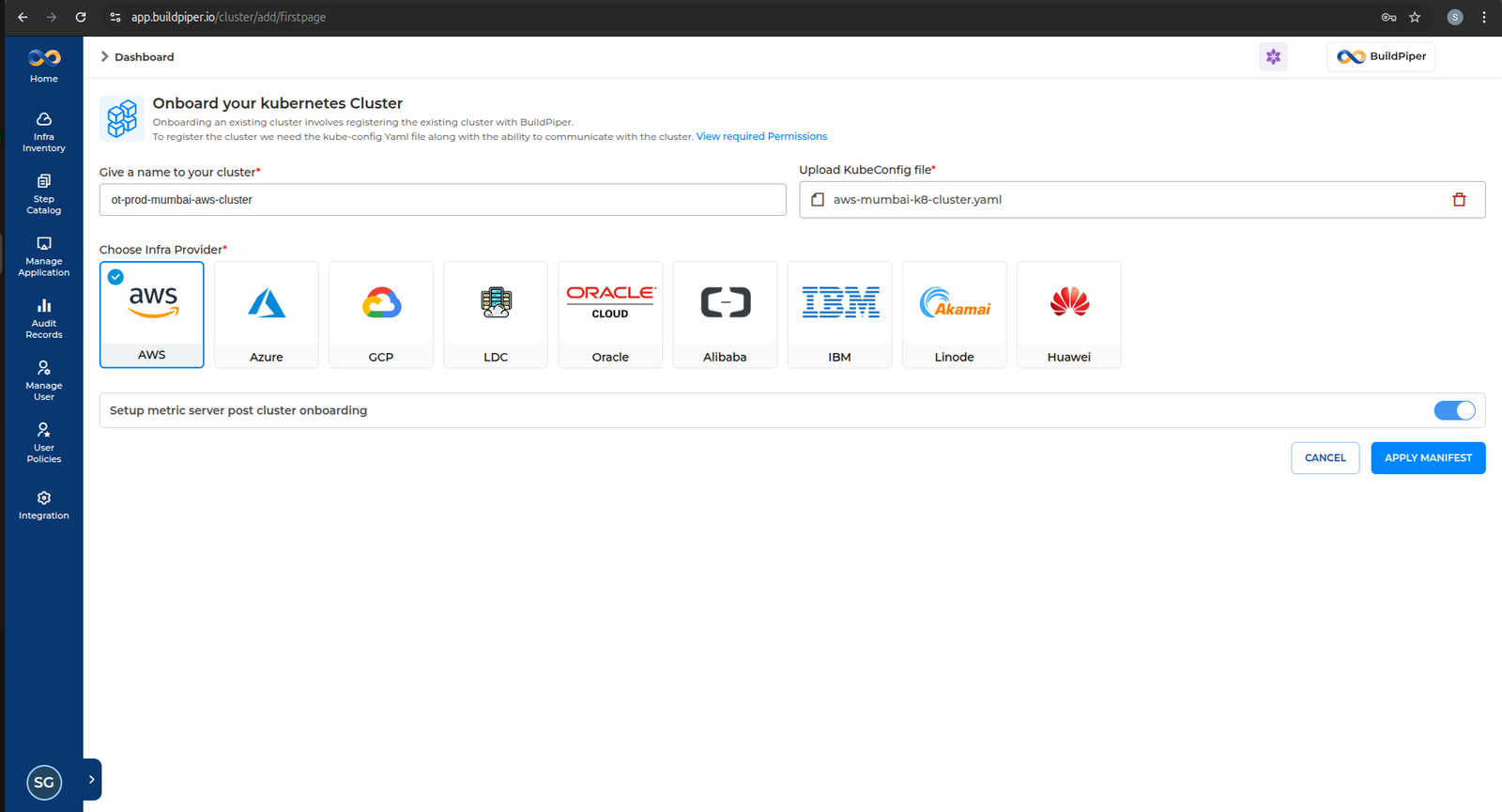
Click on Infra Inventory → Add Cluster from the left navigation menu.
📌
Note Upload the relevant KUBECONFIG file, select the corresponding cloud provider, and click Apply Manifest.
3
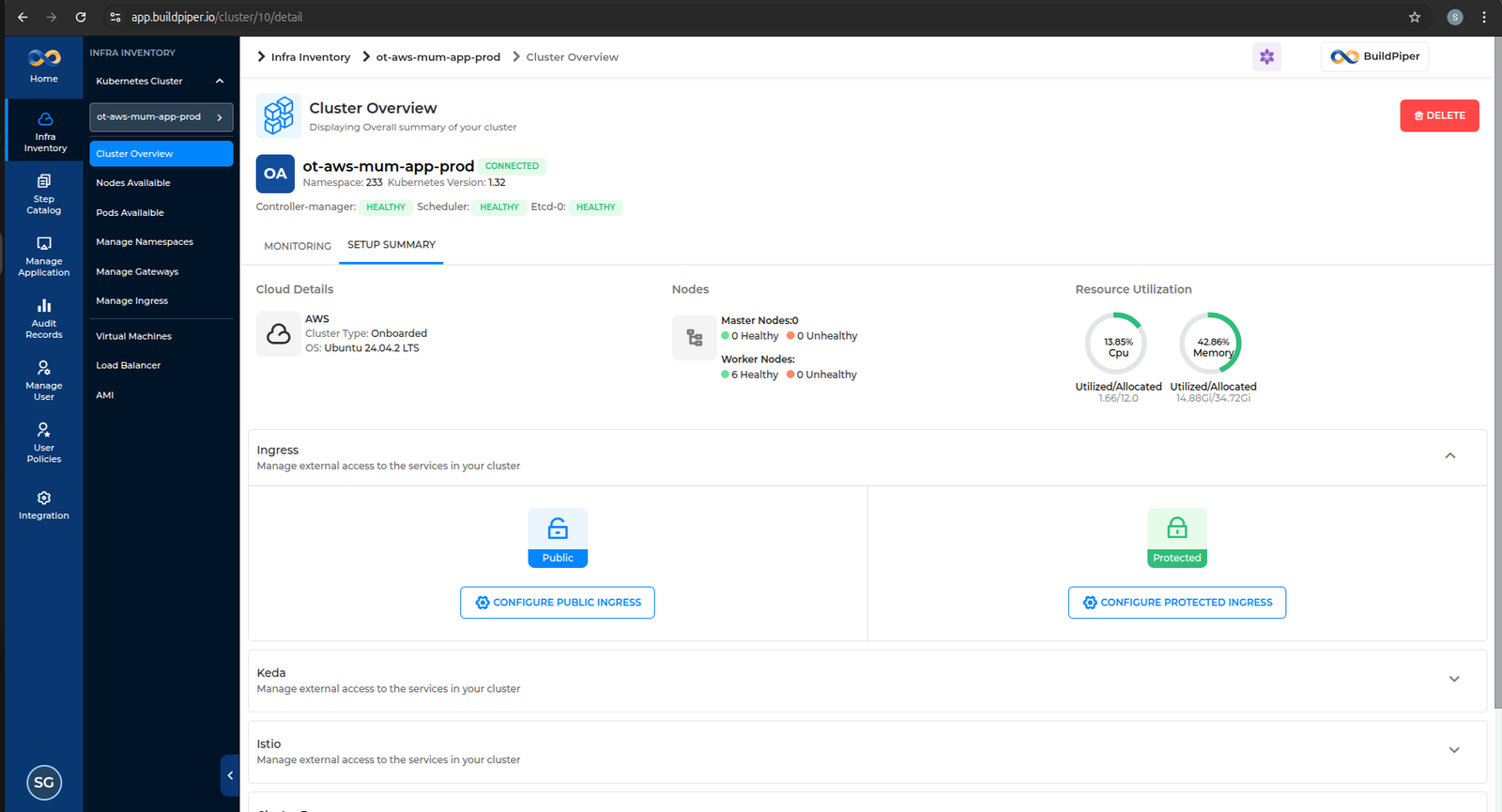
Once the manifest is applied, you will be able to see the onboarded cluster on the UI.
2 Validate BP VM Communication with Kubernetes Cluster
1
Export the valid KUBECONFIG file.
2
Execute the kubectl command to fetch the cluster version.
BASH Example — Verify client & server version
buildpiper@prod-hanuman-app-bpproduct-siddharthgupta-bp:~/deploy_buildpiper$ kubectl version --short

Client Version: v1.23.6
Server Version: v1.32.6
⚠️ The version skew warning is expected when the kubectl client version differs from the server by more than one minor version. This does not block cluster operations in BuildPiper.
3
Verify all cluster nodes are Ready.
BASH Example — Set KUBECONFIG and verify nodes
buildpiper@prod-hanuman-app-bpproduct-siddharthgupta-bp:~$ export KUBECONFIG=~/.kube/prod-noida-app-cluster/config
buildpiper@prod-hanuman-app-bpproduct-siddharthgupta-bp:~$ kubectl get nodes

NAME                             STATUS   ROLES           AGE    VERSION
k8s-master1.prd.bp.opstree.net   Ready    control-plane   236d   v1.32.6
k8s-master2.prd.bp.opstree.net   Ready    control-plane   236d   v1.32.6
k8s-master3.prd.bp.opstree.net   Ready    control-plane   236d   v1.32.6
k8s-worker1.prd.bp.opstree.net   Ready    worker          236d   v1.32.6
k8s-worker2.prd.bp.opstree.net   Ready    worker          236d   v1.32.6
k8s-worker3.prd.bp.opstree.net   Ready    worker          236d   v1.32.6
✅ If all nodes show Ready status, your cluster is successfully connected to BuildPiper.
The KUBECONFIG file generated by the cloud provider typically contains dynamic credentials (such as short-lived tokens or auto-rotating authentication data).
However, BuildPiper references a KUBECONFIG file configured with static credentials to ensure consistent and uninterrupted cluster access. Refer to the SOP below to apply static KUBECONFIG credentials.
GCP Network Policy — Namespace Ingress Impact
When using GCP as the cloud provider, it tends to automatically create a network policy for the namespace when it is created. This will impact ingress communication and will need to be deleted to restore proper connectivity.