

Canary

2 min read

KubeOps
Canary
Deployment

Canary Analysis & Deployment #

Mapping Canary Analysis Template to Job Templates. Once the analysis template is configured, validate if the canary analysis step exists in the job template.

Job Template Validation #
Once the analysis template is configured, go to the job template and validate if the canary analysis step exists in the template that you are using or not.

BP Snapshot: Job template with canary analysis step

Creating a Sample Baseline and Canary Pipeline #

Now we will progress onto the last setup wherein we will be configuring the baseline and canary pipeline and have a look at the canary execution in the real-time. The baseline execution can be done manually or via pipeline.

Baseline Pipeline: We will create a standard production pipeline where the artifact is built and deployed in the development environment first. After receiving sign-off from the development team, the same artifact will be promoted and deployed to production using a rolling deployment strategy.
BP Snapshot: Baseline pipeline execution

Canary Pipeline #

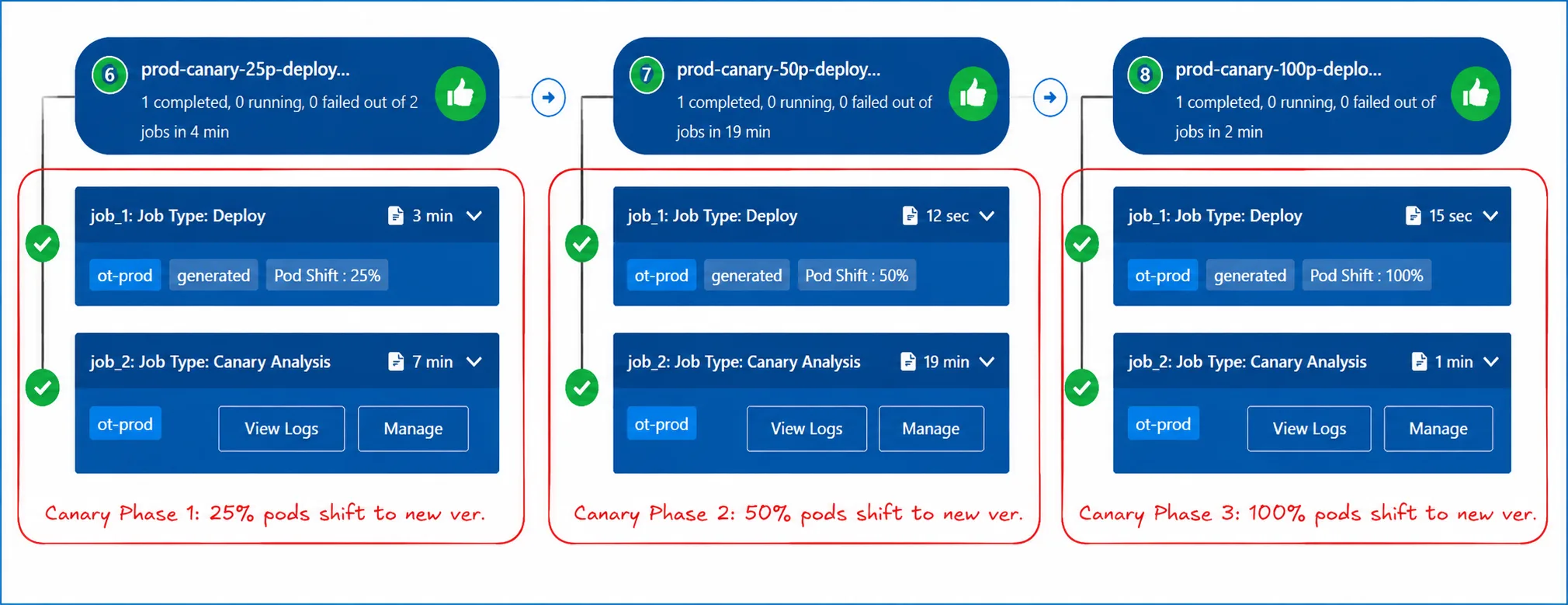
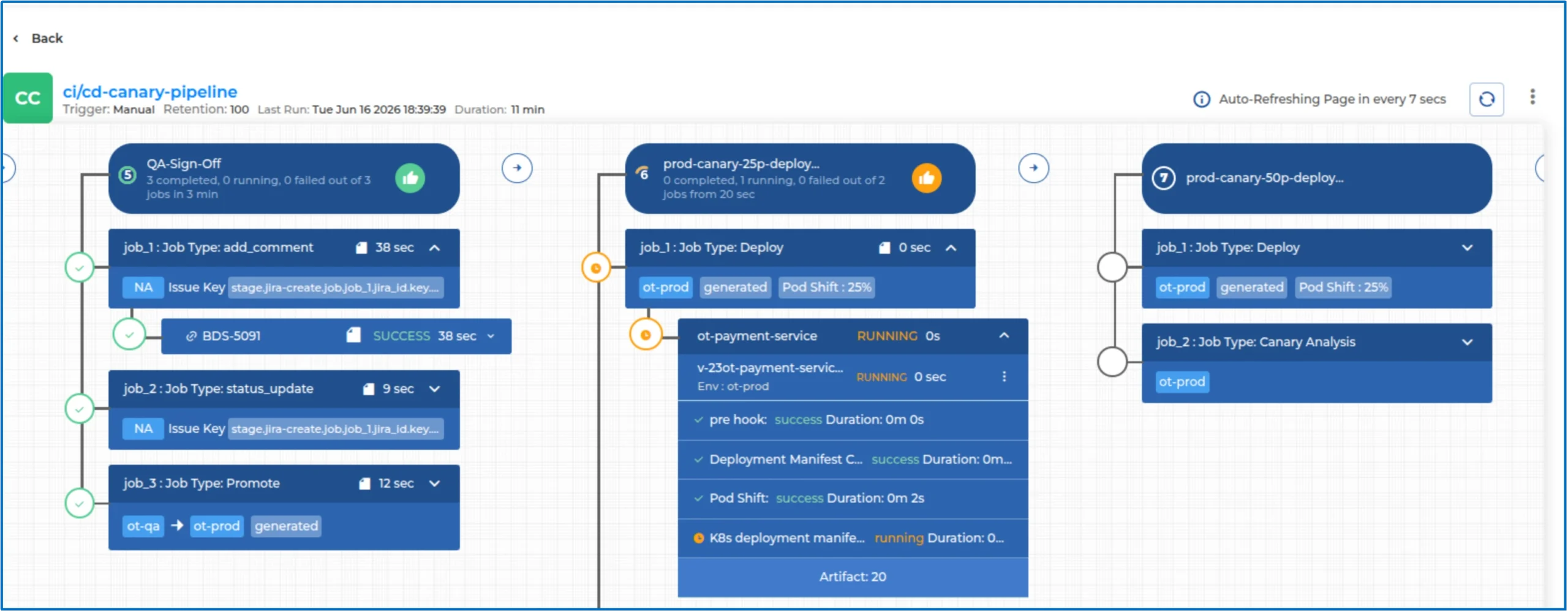
After the baseline pipeline execution, we will then trigger the canary pipeline for the production environment. The pipeline configuration will be tuned for the canary and a canary analysis template also needs to be added.
BP Snapshot: Canary pipeline execution

Pipeline Level Fine Tuning for Canary #
A
Deployment Configuration Change

The deployment configuration needs to be changed from Rolling Update to Canary for canary deployments.

BP Snapshot: Deployment configuration - Rolling Update to Canary

B
Canary Analysis Step Addition

An additional step of Canary Analysis will be added so that the metric analysis can happen after the canary deployment for safe and stable application rollouts.

BP Snapshot: Canary analysis step added

C
AND Operator Configuration

The AND operator requires every individual metric to pass for a successful result. If any single metric fails to meet the threshold, the entire Canary Analysis is flagged as FAILED.

BP Snapshot: AND operator configuration

Canary Reports #

RAM Resources Graph

BP Snapshot: Canary RAM Resources Graph

CPU Resources Graph

BP Snapshot: Canary CPU Resources Graph

Pod Shift in Canary #

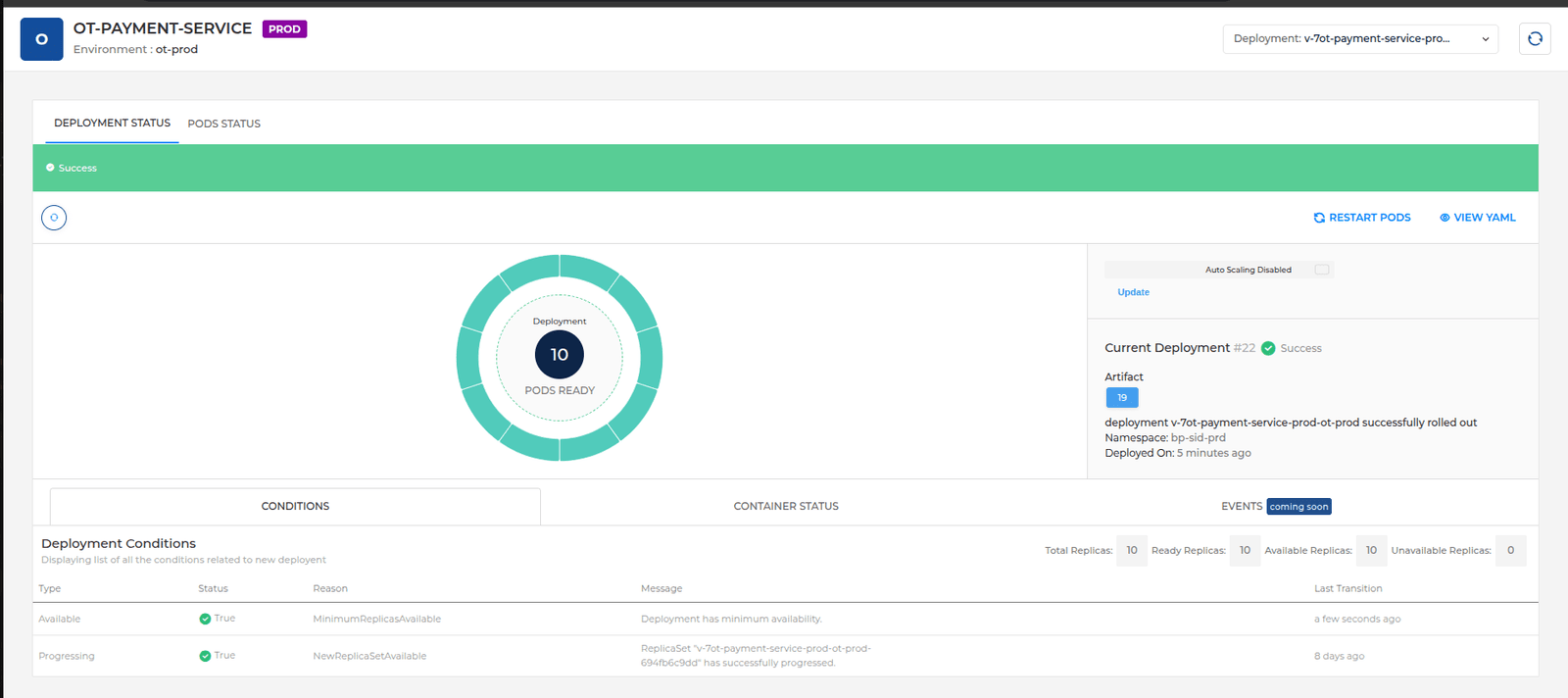
Displaying different pod versions during the canary deployment. Here we see extra pods as BP is using the ceiling value to compute the pod shift percentage.

BP Snapshot: Pod shift displaying different pod versions

Validating Pod Versions from Deployment Analytics #

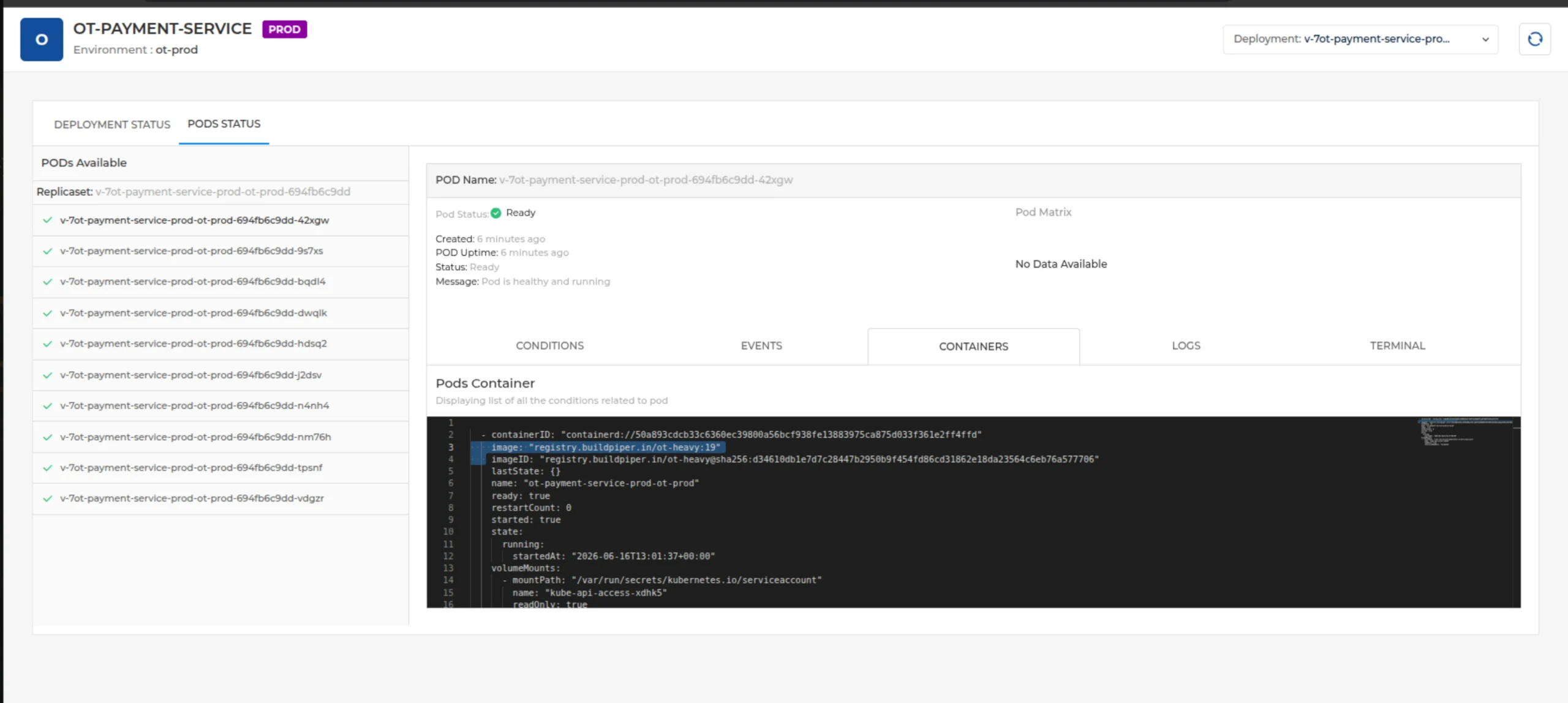
After the canary has been proceeded, users can use the deployment analytics screen to view and troubleshoot their applications running on the canary version.

✓ Canary Version Selected
Pod name starting with v-ot

BP Snapshot: Canary version selected - pod name starting with v-ot

✓ Baseline Pod Version Selected
Pod name starting with ot-payment (with the initial service name configured)

BP Snapshot: Baseline pod version selected - pod name starting with ot-payment

Providing Exceptional Approval #

In BuildPiper, when the Canary Analysis job is marked as FAILED (for instance, due to the AND operator not being satisfied during metric analysis), the system does not perform an automated rollback. Instead, it enters a state of mandatory human intervention.

1
Analysis Failure

The Canary Analysis job finishes with a “Failed” status because the metrics did not meet the required thresholds.

2
Manual Review

The dev or application team now needs to review the metric data to determine if the failure is “genuine” (a real issue) or an “exception” (expected behaviour or a false positive).

3
Decision Point
  • Exceptional Approval: If non-critical, ignores the failure and allows the pipeline to progress.
  • Manual Rollback: If genuine, denies progress and reverts to the stable Baseline Version.
✓ User Triggering Exceptional Approval

BP Snapshot: User triggering Exceptional Approval

✓ Exceptional Approval Comment Added

BP Snapshot: Exceptional Approval comment added

✓ Execution Marked for Next Phase

BP Snapshot: Execution marked for next phase

Canary Rollback Execution #

Canary Rollback in BuildPiper is a controlled rollback mechanism used during canary deployments to revert the application to the last stable version when the canary release is determined to be unhealthy.

Automated Validation: Canary analysis based on the configured canary analysis template.

Manual Validation: Performed by the development or operations team.

↺ User Triggering Canary Rollback

BP Snapshot: User triggering Canary Rollback - 1

↺ Canary Rollback Confirmation

BP Snapshot: User triggering Canary Rollback - 2

↺ Pipeline Marked as Revoked

BP Snapshot: Pipeline marked as revoked

✓ All Canary Pods Rolled Back to Baseline

BP Snapshot: All canary pods rolled back to baseline in deployment analytics

BuildPiper Documentation · Canary Analysis & Deployment

Last updated: May 2026