

Audit Trail
Security & Compliance
BP’s Audit Trail #
The BuildPiper Audit Trail feature provides complete visibility into user and system activities across the platform. It records key actions such as login events, configuration changes, pipeline updates, deployment activities, permission modifications, and integration changes — ensuring transparency, accountability, and traceability for all operations performed within BP.
Audit Trail Configurations #
Set up and configure the Audit Trail feature within BuildPiper to begin capturing platform activity.
Before using the Audit Trail feature, the following system-level flag must be enabled by an administrator.
GET POST PUT DELETE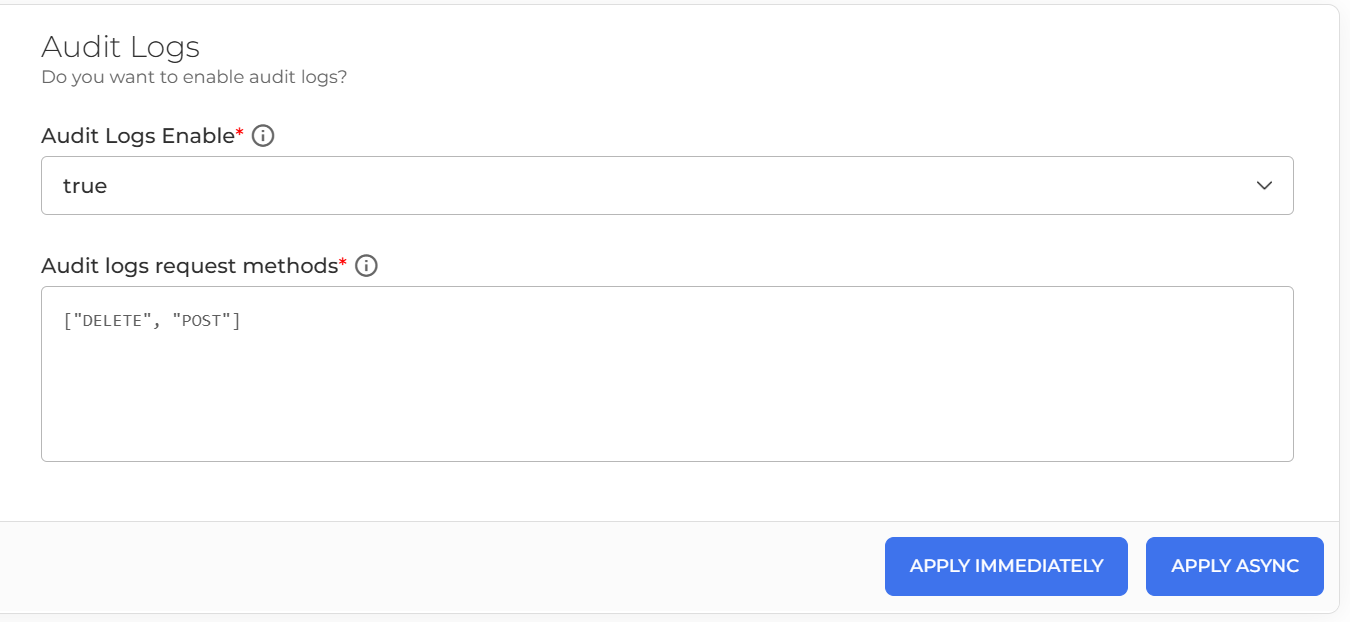
How the Feature Works #
Navigate to System Settings → Audit Logs and enable the Audit Logs Enable option. Select the HTTP request methods (GET, POST, PUT, DELETE, etc.) that should be tracked.
Once enabled, BP starts monitoring user and system actions automatically.
For every tracked activity, BP generates a structured log entry in the following format:
Log Format
[Timestamp] [HTTP METHOD] [LEVEL] [USER_NAME] [URL] [BODY] [OTHER_PARAMETERS]
All audit logs are stored in the following directory on the BuildPiper host:
Log Directory
/var/log/buildpiper/audit_trail/forensic_date.logs
The audit log storage is limited to 1 GB to ensure efficient disk utilization and prevent excessive storage consumption.
Administrators can review logs to maintain governance and meet compliance requirements.
BP Hands-On #
Practical guidance for accessing and using the Audit Trail feature inside BuildPiper.
Follow the steps below to access the Audit Trail inside BuildPiper:
Login to BP using Admin credentials
Select Audit Records from the left-side navigation panel
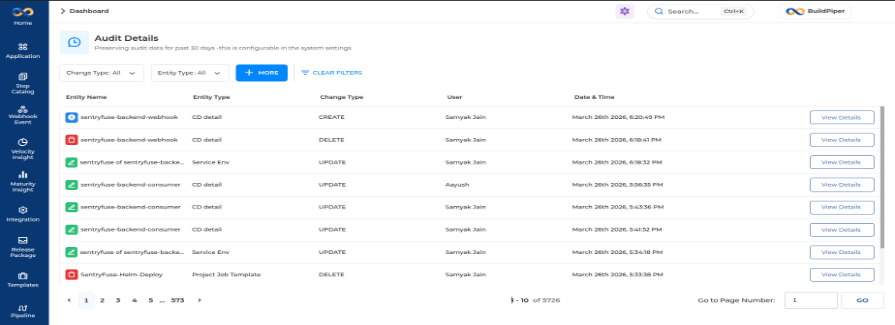
Users can apply various filters available in the UI to search and identify BuildPiper entities that have been modified or updated by users during day-to-day operations.
Filter activities performed by a specific user account.
Narrow down logs within a specific time window.
Filter by HTTP method — GET, POST, PUT, DELETE.
Search for changes to a specific pipeline, config, or resource.
📘 BuildPiper Documentation · Audit Trail
Last updated: March 2026