KubeOps
v3.2
Intermediate
Cluster Onboarding in KubeOps #
This guide walks you through onboarding a Kubernetes cluster onto BuildPiper using BP UI. By the end of this tutorial, your cluster will be registered, validated, and ready for service deployments.
When to Use This Guide #
Use this guide when:
- You are onboarding a new Kubernetes cluster in BuildPiper
- You are migrating workloads from Jenkins or a manual deployment model
Prerequisites #
Before you begin, ensure you have the following:
- Kubernetes cluster version 1.25+
- Cluster admin access
- BuildPiper Admin Console access
- Outbound internet access enabled (for agent communication)
kubectl installed locally (optional, for validation)
ℹ️
BuildPiper K8s Version Compatibility
- BuildPiper is compatible with Kubernetes versions 1.25 through 1.32.
- BuildPiper is compatible with managed Kubernetes services from all leading cloud providers, ensuring unified DevOps workflows across your cloud infrastructure.
Step-by-Step Guide #
1
Onboard a New K8s Cluster
1
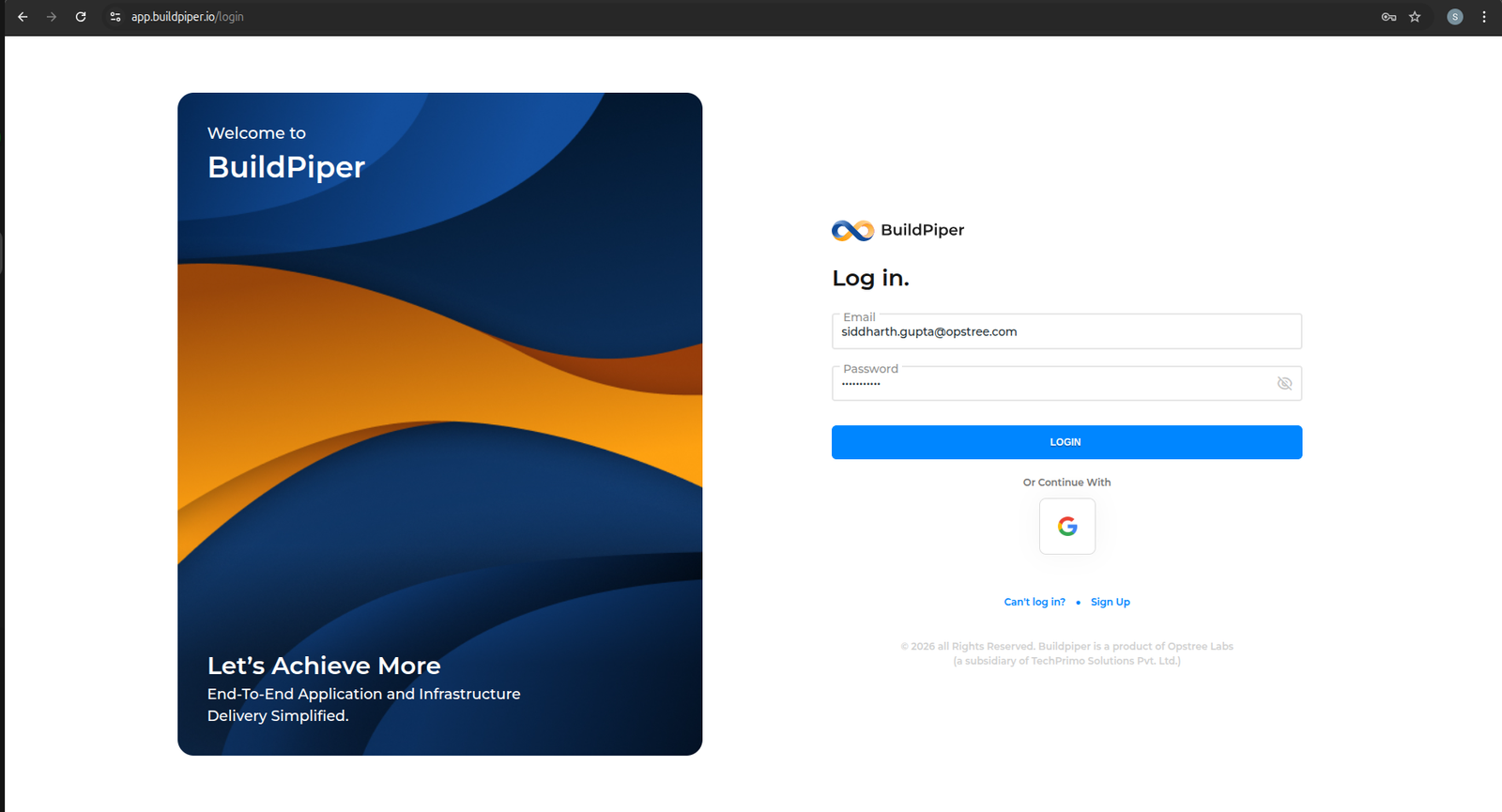
Log in to the BuildPiper Console.
2
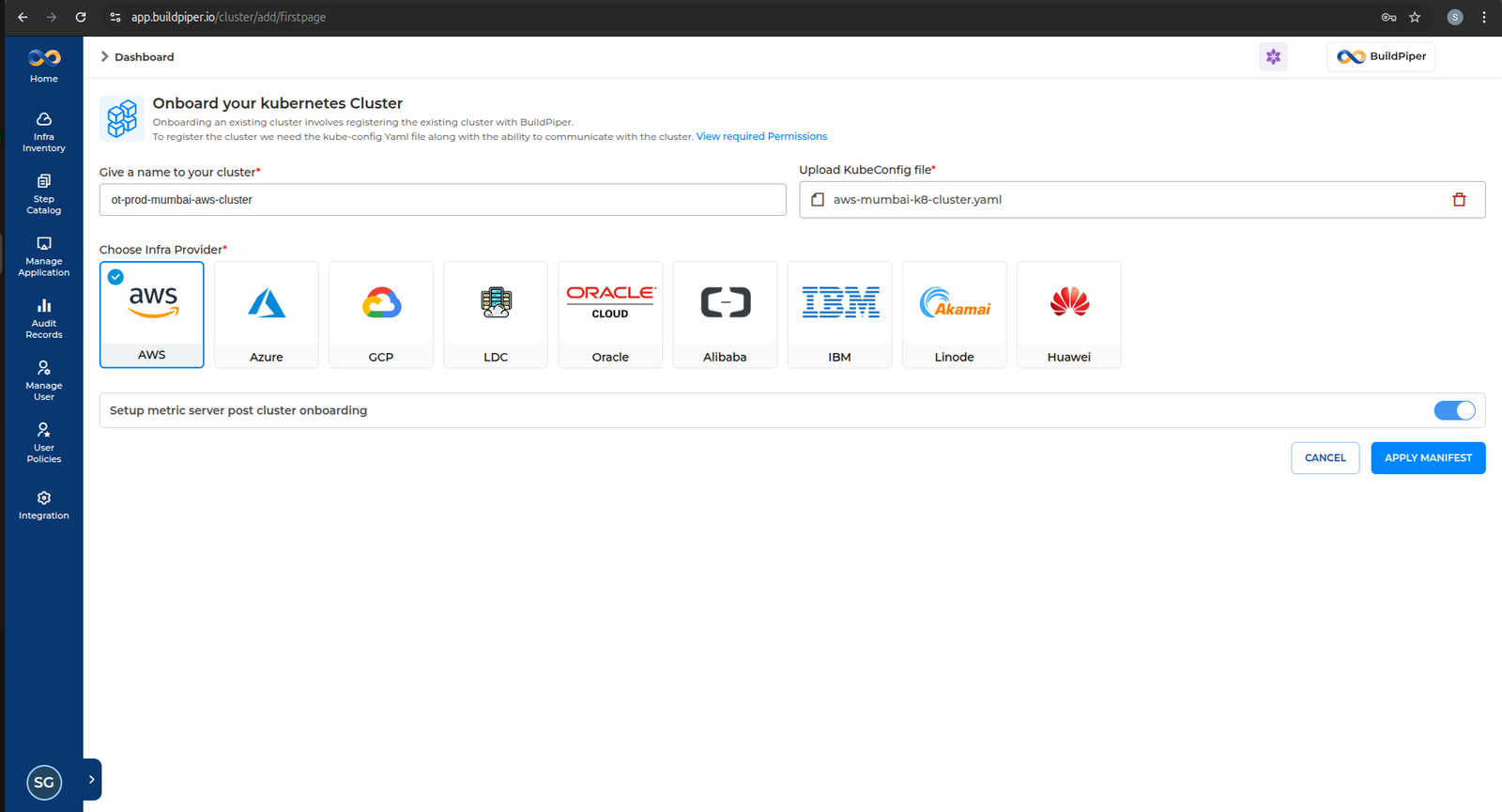
Click on Infra Inventory → Add Cluster from the left navigation menu.
📌
Note
Upload the relevant KUBECONFIG file, select the corresponding cloud provider, and click Apply Manifest.
3
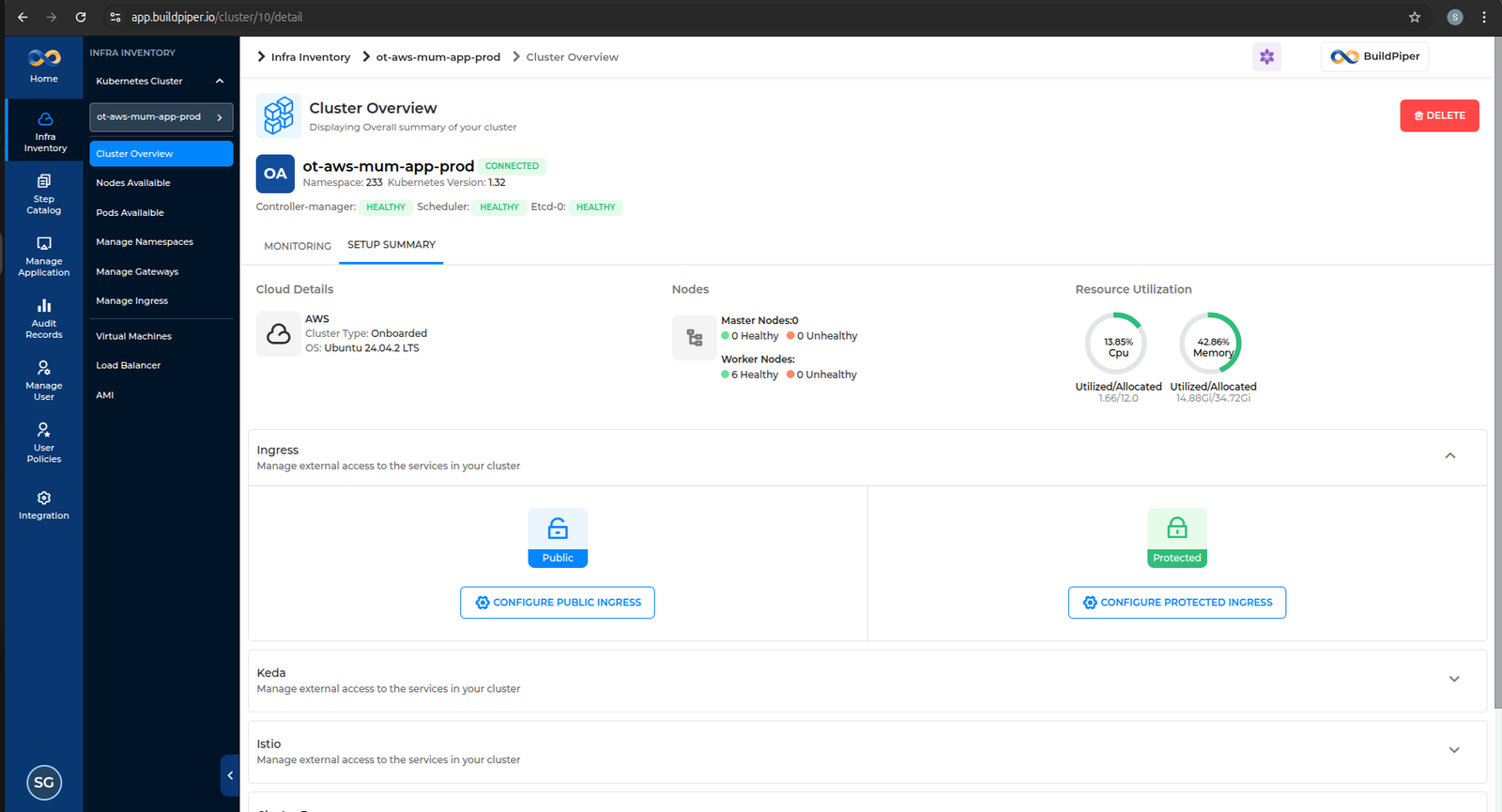
Once the manifest is applied, you will be able to see the onboarded cluster on the UI.
2
Validate BP VM Communication with Kubernetes Cluster
1
Export the valid KUBECONFIG file.
2
Execute the kubectl command to fetch the cluster version.
BASH
Example — Verify client & server version
buildpiper@prod-hanuman-app-bpproduct-siddharthgupta-bp:~/deploy_buildpiper$ kubectl version --short

Client Version: v1.23.6
Server Version: v1.32.6
⚠️
The version skew warning is expected when the kubectl client version differs from the server by more than one minor version. This does not block cluster operations in BuildPiper.
3
Verify all cluster nodes are Ready.
BASH
Example — Set KUBECONFIG and verify nodes
buildpiper@prod-hanuman-app-bpproduct-siddharthgupta-bp:~$ export KUBECONFIG=~/.kube/prod-noida-app-cluster/config
buildpiper@prod-hanuman-app-bpproduct-siddharthgupta-bp:~$ kubectl get nodes

NAME                             STATUS   ROLES           AGE    VERSION
k8s-master1.prd.bp.opstree.net   Ready    control-plane   236d   v1.32.6
k8s-master2.prd.bp.opstree.net   Ready    control-plane   236d   v1.32.6
k8s-master3.prd.bp.opstree.net   Ready    control-plane   236d   v1.32.6
k8s-worker1.prd.bp.opstree.net   Ready    worker          236d   v1.32.6
k8s-worker2.prd.bp.opstree.net   Ready    worker          236d   v1.32.6
k8s-worker3.prd.bp.opstree.net   Ready    worker          236d   v1.32.6
✅
If all nodes show Ready status, your cluster is successfully connected to BuildPiper.
Important Notes #
KUBECONFIG
Static vs Dynamic Credentials
The KUBECONFIG file generated by the cloud provider typically contains dynamic credentials (such as short-lived tokens or auto-rotating authentication data).
However, BuildPiper references a KUBECONFIG file configured with static credentials to ensure consistent and uninterrupted cluster access. Refer to the SOP below to apply static KUBECONFIG credentials.
GCP
Network Policy — Namespace Ingress Impact
When using GCP as the cloud provider, it tends to automatically create a network policy for the namespace when it is created. This will impact ingress communication and will need to be deleted to restore proper connectivity.
Additional Notes #
OpenShift
setupAdminUser.sh — Use oc Instead of kubectl
In the case of an OpenShift cluster, the setupAdminUser.sh script may need to be updated. Replace all kubectl commands with the oc equivalent.
BASH
setupAdminUser.sh — Standard (kubectl)
rajat_vats@bp-ohio:~/k8s-ro-user/admin$ cat setupAdminUser.sh
#!/bin/bash

NAMESPACE="default"

sed -i "s|#NAMESPACE#|${NAMESPACE}|g" service-account.yaml
sed -i "s|#NAMESPACE#|${NAMESPACE}|g" cluster-role-binding.yaml

kubectl apply -f cluster-role.yaml
kubectl apply -f service-account.yaml
kubectl apply -f cluster-role-binding.yaml

TOKEN_NAME=$(kubectl get sa config-admin -o jsonpath='{.secrets[0].name}' -n ${NAMESPACE})
TOKEN=$(kubectl -n ${NAMESPACE} get secret $TOKEN_NAME -o jsonpath='{.data.token}'| base64 --decode)

cp ~/.kube/config ~/.kube/config-sa-config-admin
export KUBECONFIG=~/.kube/config-sa-config-admin

kubectl config set-credentials config-admin --token=$TOKEN
kubectl config set-context --current --user=config-admin
BASH
setupAdminUser.sh — OpenShift (oc variant)
cp cluster-role.yaml cluster-role.yaml.bak
cp service-account.yaml service-account.yaml.bak
cp cluster-role-binding.yaml cluster-role-binding.yaml.bak

sed -i "s|#NAMESPACE#|${NAMESPACE}|g" service-account.yaml
sed -i "s|#NAMESPACE#|${NAMESPACE}|g" cluster-role-binding.yaml

oc apply -f cluster-role.yaml
oc apply -f service-account.yaml
oc apply -f cluster-role-binding.yaml

mv cluster-role.yaml.bak cluster-role.yaml
mv service-account.yaml.bak service-account.yaml
mv cluster-role-binding.yaml.bak cluster-role-binding.yaml

TOKEN=$(oc -n ${NAMESPACE} get secret config-admin -o jsonpath='{.data.token}'| base64 --decode)

cp ~/.kube/config ~/.kube/config-sa-config-admin
export KUBECONFIG=~/.kube/config-sa-config-admin

oc config set-credentials config-admin --token=$TOKEN
Cluster Types
GCP Autopilot & LDC Cluster Support
- If your cloud provider is GCP, you can use both standard and Autopilot clusters.
- Clients can also onboard Kubernetes clusters running on LDC environments such as Proxmox, OpenShift, and other similar platforms.
Cluster Onboarding Troubleshooting #
- In case of cloud instances, ensure the KUBECONFIG has the relevant access to communicate with the Kubernetes cluster.
- To know more about BP permissions required for Kubernetes interaction, refer to the BuildPiper User Permission Details document below.
Reference
BuildPiper — Kubernetes Permission Details
| Functionality |
Sub Functionality |
Resources |
Verbs |
Additional Details |
| Deploy |
| Service UI |
Deployment |
deployments, apps |
get · list · create · update · patch · delete |
|
|
Service |
services, core |
get · list · create · update · patch · delete |
|
|
HPA |
hpa, autoscaling |
create · update · patch · delete |
|
|
Ingress |
ingress, networking.k8s.io |
get · list · create · update · patch · delete |
|
|
Secret (Tls secret) |
secret, core |
get · list · create · update · patch · delete |
Rarely used; UI details likely don’t include it |
|
Pod |
pods, core |
create · update · patch · delete |
|
|
Configmap |
configmap, core |
get · list |
Used as environment and/or volume |
|
Secret |
secret, core |
get · list |
Used as environment and/or volume |
| Service View |
|
Deployment |
deployments, apps |
get · list · update · patch |
Patch/update used when podscaling or restarting via UI |
|
Replicaset |
replicasets, apps |
get · list · update · patch |
Indirectly changed during podscaling |
|
Pods |
pods, core |
get · list · update · patch |
Indirectly changed during podscaling |
|
PodsLog |
pods/log, core |
get · list · update · patch |
|
|
Pods/Exec |
pods/exec, core |
get · list · create |
|
|
Event |
events, core |
get · list |
Not included in BuildPiper, can be skipped |
| Environment |
|
Configmap |
configmaps, core |
get · list · create · update · patch · delete |
|
|
Secret |
secrets, core |
get · list · create · update · patch · delete |
|
| Admin UI |
| Namespace |
Namespace |
namespace, core |
get · list · create · update · patch · delete |
|
|
ResourceQuota |
namespace, core |
get · list · create · update · patch · delete |
|
|
Secret |
secrets, core |
get · list · create · update · patch · delete |
Dockerconfig secret for private registry support |
|
NetworkPolicy |
networkpolicy, networking.k8s.io |
get · list · create · update · patch · delete |
|
| Ingress |
|
Namespace · ServiceAccount · ConfigMap · ClusterRole · ClusterRoleBinding · Role · RoleBinding · Service · DaemonSet · Deployment · Pod · IngressClass · ValidatingWebhookConfiguration · Job |
various (incl. rbac.authorization.k8s.io, admissionregistration.k8s.io) |
get · list · create · update · patch · delete |
|
| Log Monitoring |
|
Namespace · ConfigMap · Pod · Deployment · Service · Secret · PodDisruptionBudget · PersistentVolume · PersistentVolumeClaim · StatefulSet · ClusterRole · ClusterRoleBinding · DaemonSet · ServiceAccount · Ingress |
various |
get · list · update · patch / create · update · patch · delete |
|
| Infra Monitoring |
|
CustomResourceDefinition · ResourceQuota · ClusterRole · ClusterRoleBinding · Role · RoleBinding · ConfigMap · Deployment · Pods · HPA · PodDisruptionBudget · Service · StatefulSet · ServiceAccount · Alertmanager · Prometheus · ServiceMonitor · PrometheusRule · PodMonitor |
various (incl. monitoring.coreos.com) |
get · list · watch · create · update · patch · delete / deletecollection |
|
| Vault |
|
Namespace · ConfigMap · Pod · Deployment · PersistentVolume · PersistentVolumeClaim · StatefulSet · Ingress · Secret · Service |
various |
get · list / get · list · watch · create · update · patch · delete |
|
| Istio |
|
CustomResourceDefinition · ClusterRole · ClusterRoleBinding · Role · RoleBinding · MutatingWebhookConfiguration · ValidatingWebhookConfiguration · EnvoyFilter · ConfigMap · Deployment · Pods · HPA · PodDisruptionBudget · Service · Node |
various (incl. networking.istio.io, apiextensions.k8s.io) |
get · list · watch · create · update · patch · delete / deletecollection |
|
📘 BuildPiper Documentation · Module: KubeOps · Version 3.2
Last updated: 20 February 2026