

Building Blocks of Services Management #
To be able to manage Microservices via the product, it is imperative to understand the core constructs of the Microservices Management approach. In this documentation, you will be exposed to the core components for managing Microservices and their relevance in the overall operations.
📌
Core Concept
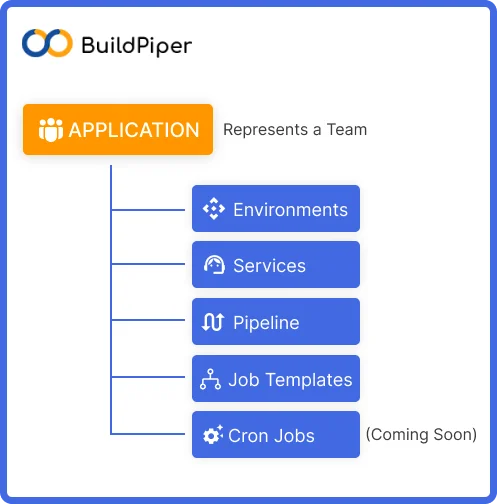
In BuildPiper, an Application is one of the core building blocks. An Application in BuildPiper is a segregated workspace for a small independent tech team to work on their microservices.
In order to deliver a specific functionality, an application encapsulates the following necessary constructs for a team:
Environments
Services
Pipelines
Job Templates
Cron Jobs (coming soon)
Application (Team) #
An enterprise comprises a number of technology teams that work together to deliver a specific functionality. Any enterprise would want to give segregated access to their teams. The resources within an application such as environments, pipelines, and services of one team should ideally be visible only to the members of that team and not to the other team members.
Organisations want to give restricted access to only those resources and areas that their developers want to have a view of. This avoids unnecessary confusion and helps to maintain the confidentiality of app components.
Benefits of Application-Level Segregation #
Reduces Complexity
Provides Clarity
Avoids Confusion
Establishes Compliance
Improves Security
💡
This ability to offer segregated access can be leveraged via an Application which is a Team.
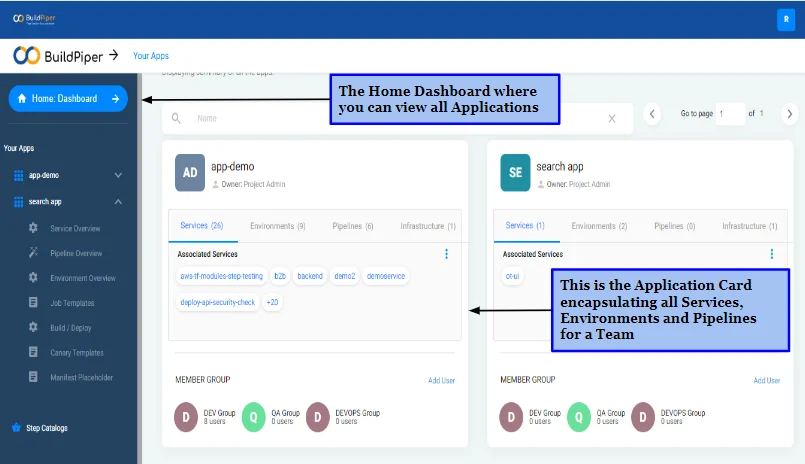
Read further to know how to add an application here in this documentation.
Environments #
After creating an application, you will need to onboard different services. Once the service is onboarded, a workspace is required where technology teams can work on these services. So, clearly, to set up or onboard a Service, there is a need for an environment. This environment can be considered a workspace where teams can build and deploy their services.
Tech teams generally require a combination of Dev, QA, Staging, UAT and Production environments to reliably release their code to end users. At the Application level, project administrators can create required environments, enabling their team members to work and test their services. BuildPiper enables creation of multiple named environments of a particular category. For example, 2 QA environments: one for Feature 1 testing and the other for Feature 2 testing.
☸️
Logical & Physical Construct
Environment in BuildPiper is both a logical and physical construct. When an environment is created, it asks for a Cluster and a Namespace in that cluster. It ensures that any service configured for this environment will be deployed in the provided namespace of the selected cluster only. Logically, the builds performed for an environment will be available for deployment in that environment only. If you want to build once and deploy in higher environments, then the builds will have to be promoted to higher environments.
Environment — Powerful Features #
▸
Deployment Workspace
Create a deployment workspace by adding a cluster and a namespace.
▸
Secret Management via Vault
Conduct transparent secret management in your config maps and secrets by providing a vault key at the environment level.
▸
Publish CI/CD Reports on Sonar
Sonar auth token can be provided at the environment level and all CI reports get automatically pushed to Sonar.
▸
Config Maps and Secrets
Very robust support for efficiently managing the config maps and secrets as a group at the environment level.
▸
Environment Downtime Scheduler
Schedule-based automated scale-down/scale-up of the complete Environment to save cloud costs.
▸
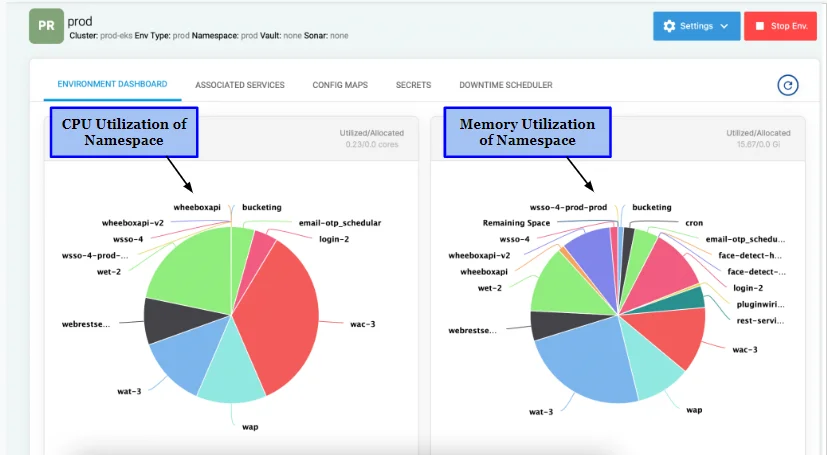
Environment Dashboards
Analyse the resource utilisation of all services deployed in a particular environment. Helps discover if namespace limits are adequately provisioned and gives a comprehensive view of the health status of all deployed services.
💡
BuildPiper is Environment-First — Not Pipeline-First
In the industry today, there are primarily Pipeline-first products available for CI/CD. Unlike these products, BuildPiper is not based on a pipeline-first approach. The metadata for how to build and deploy is not kept in the pipelines. It is captured at the environment level so that it becomes extremely easy to visualise the build and deploy configurations.
Even if the pipelines explode, the metadata is centrally stored at the environment level. Pipelines can burst but the configurations remain set at the central place. So, it is not difficult to visualise the metadata to build and deploy. This makes things extremely easy for the developers.
The configuration of Build and Deploy details is done at the Environment level while its execution can be carried out at the Pipeline level.
Read this documentation to know how to create a new Environment in an application.
Services #
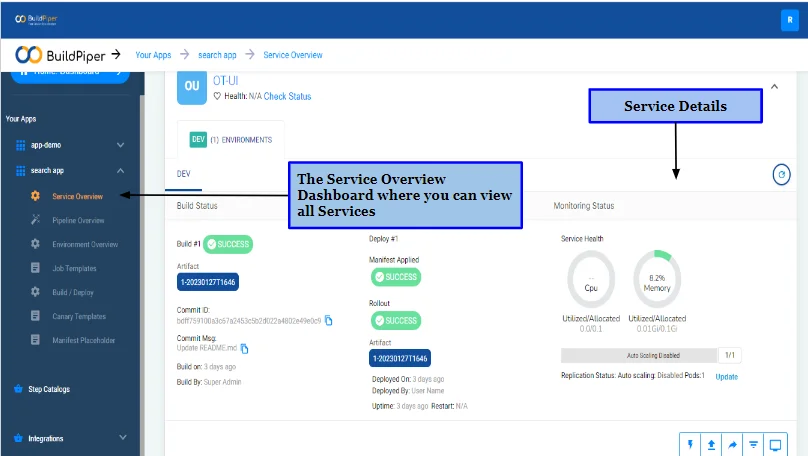
Every application team is focused on one or two functionalities of the Product. For instance, in the case of an eCommerce application, “search” can be a functionality. In order to render this functionality, generally multiple microservices will be required. Each of these microservices that ultimately group together to create a functionality, is a Service for the product.
📌
In BuildPiper, Service is a microservice that is deployed independently to make a functionality work.
For a service to work it has to be packaged (built) and then it has to be deployed in a workspace. So, whenever you configure a service, you have to configure:
An Environment
Build and Deploy Details
“Service” in BuildPiper has a logical construct. It helps technology teams in gaining a comprehensive overview of all its details. A Service along with the Service environment gives complete visibility of the:
▸
Build & Deployment History
Build and Deployment history of the service in that particular environment.
▸
Current Build & Deploy Status
Current Build and Deploy status of the Service at any given time.
▸
Current Health Status
Current Health Status of the service in a cluster.
▸
Deployment Analytics
Deployment Analytics to identify issues causing deployment failure.
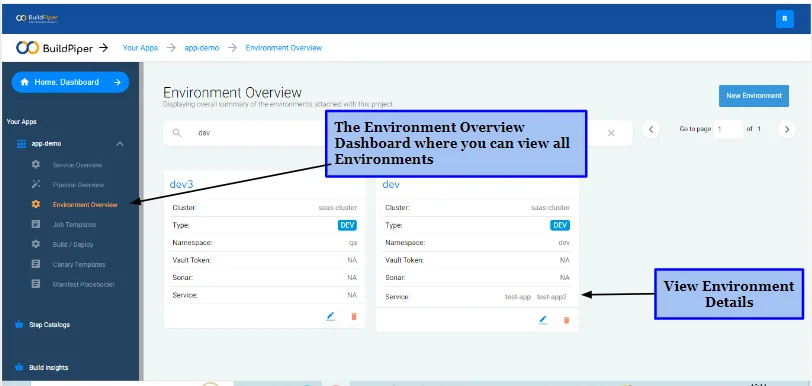
Read this documentation to know how to: Onboard a Service
Associate a Service with an Environment
Configure Build Details
Configure Deployment Details
Pipelines #
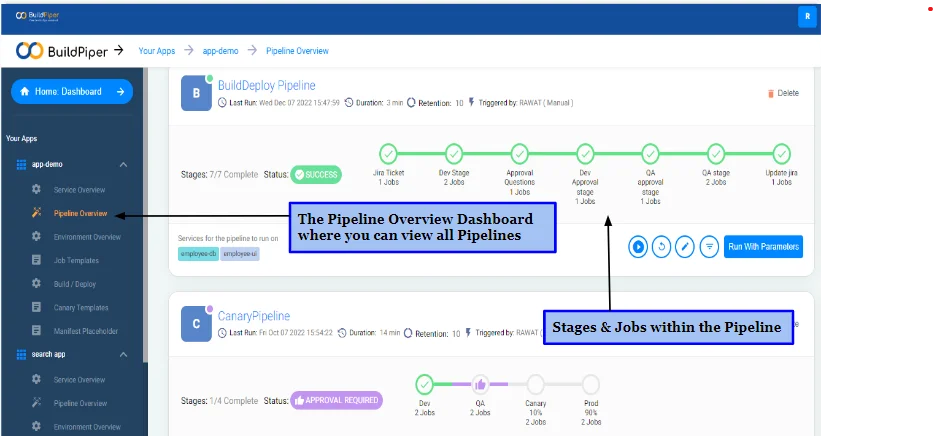
BuildPiper Pipelines are one of the most powerful and easily configurable constructs. It draws its power from its simplicity. The Pipelines are composed of Stages and Jobs.
① Stages #
Stage is a group of Jobs that defines different phases in a Pipeline workflow. Each stage contains one or more jobs. When you define multiple stages in a pipeline, by default, they run one after the other.
For instance, all dev environment related Deployment details can be in one stage, QA environment related Build Deployments can be in another stage. All QA environment related approvals can be in another stage.
BuildPiper supports different approvals (checks/questions) at stage level. At Stage level, you can define:
▸
Manual Approvals
A stage will wait till the approval is given before proceeding to the next stage.
▸
Conditional Execution
Depending on what happened in the previous stages, a stage may or may not run on the basis of specified conditions.
② Jobs #
A Job is a series of steps that run sequentially to perform a specific task. It is the smallest unit of work that can be scheduled to run within a Pipeline. BuildPiper supports the following Jobs during a Pipeline setup:
Build
Deploy
Promote
API Call
Jira Ticket
Rollback
Integration Testing
Trigger Pipeline
Custom Jobs (coming soon)
Read more about Pipeline Workflow and how to set up CI/CD Pipelines here.
Job Templates & Step Catalog #
BuildPiper comes packed as an out-of-the-box and ready-to-use solution. But, it can totally be re-configured and used in a customised manner. Teams have the flexibility to re-configure the behaviour and functionalities of the product via Job Templates and Step Catalogs.
① Job Templates #
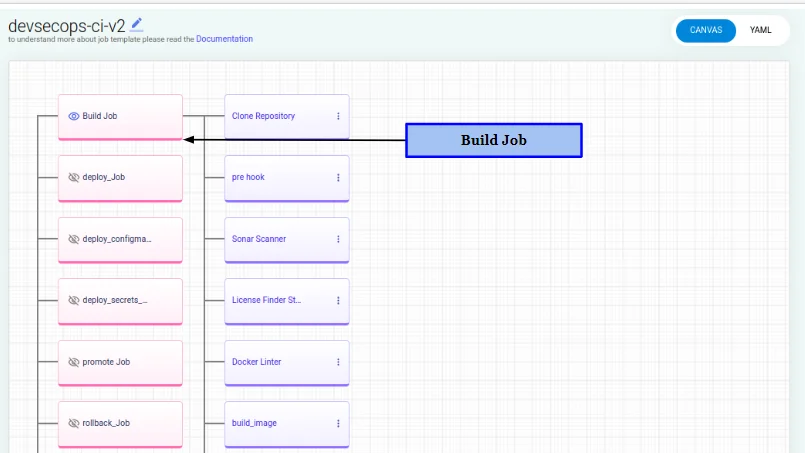
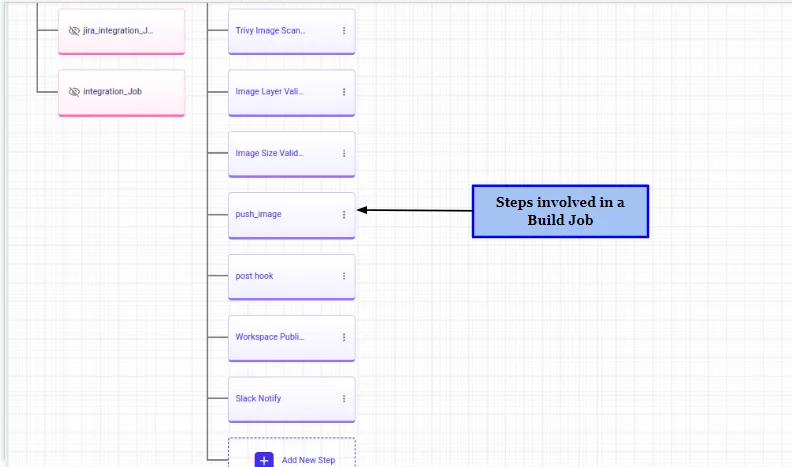
BuildPiper provides Pre-configured CI/CD templates and the ability to create customised Job templates. The Default Job Templates can be used for creating custom Job templates with Jobs supported by BuildPiper. Each Job has a default set of steps via which the jobs are configured. Teams can customise the product behaviour by changing the steps within a Job.
② Step Catalog #
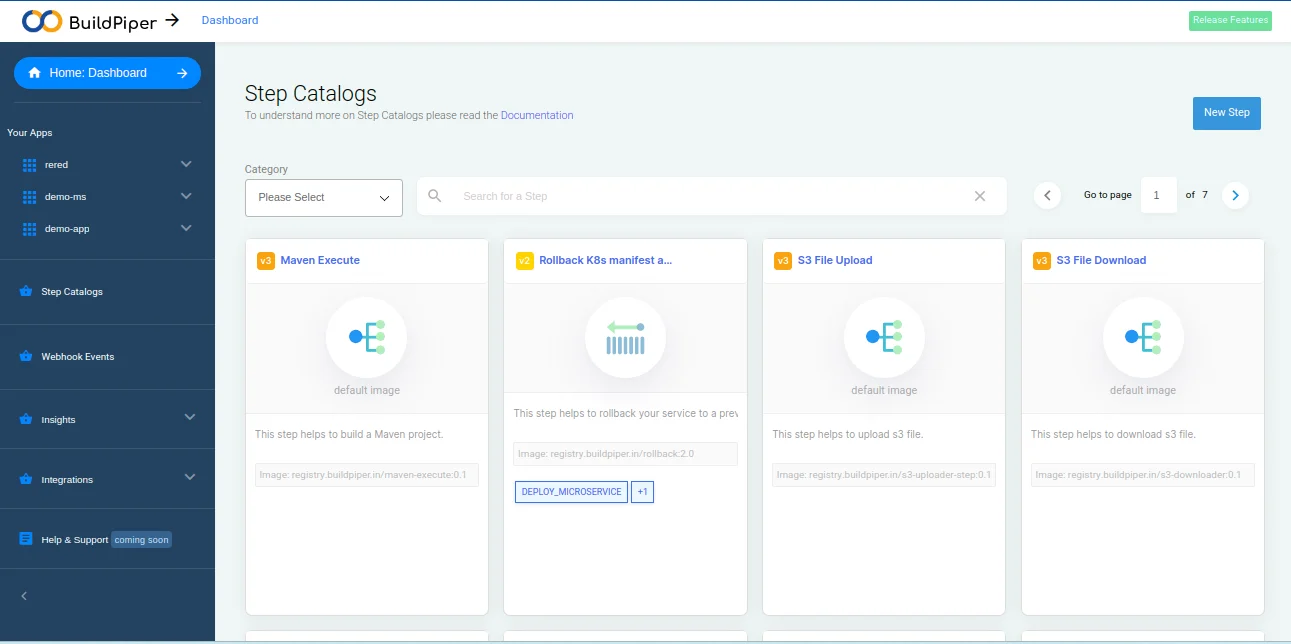
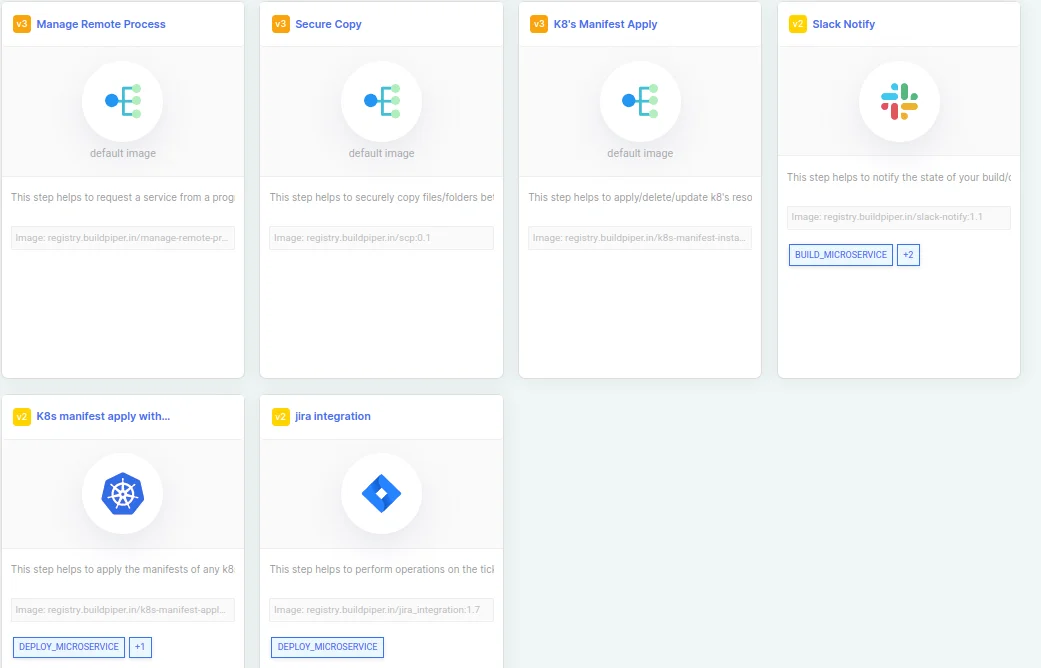
Each Job in the Job Template has a default set of Steps for the configuration and execution of Jobs. You can either add/delete steps or change the order of step execution within a Job template. Teams can choose pre-configured steps from the Step Catalog and even create new steps in the Step Catalog. It is a powerful feature that allows teams to customise the product behaviour so that it can adapt to the customer’s needs.
🌐
Step Catalog — Public Marketplace
What makes Step Catalog an amazing feature is its marketplace positioning. This Step Catalog instilled in the product is a public repo where anyone can view/add their additions to the Job steps.
Read more about Pipeline Workflow and how to set up CI/CD Pipelines here.
📘 BuildPiper Documentation · Fundamental Structure
Last updated: March 2026