An application represents a team that manages a group of microservices, non-microservices, mobile apps, or related workloads to deliver a logically independent functionality. BuildPiper UI provides a simple workflow to onboard a new application.
An application represents a team that manages a group of microservices, non-microservices, mobile apps, or similar components to deliver a logically independent functionality. BuildPiper UI provides a simple workflow to onboard a new application.
Logical Ownership
Applications help group services and workloads under a team or functional boundary.
Platform Workflow
Platform users can onboard application metadata, policy templates, job templates, VM groups, credentials, regions, and clusters.
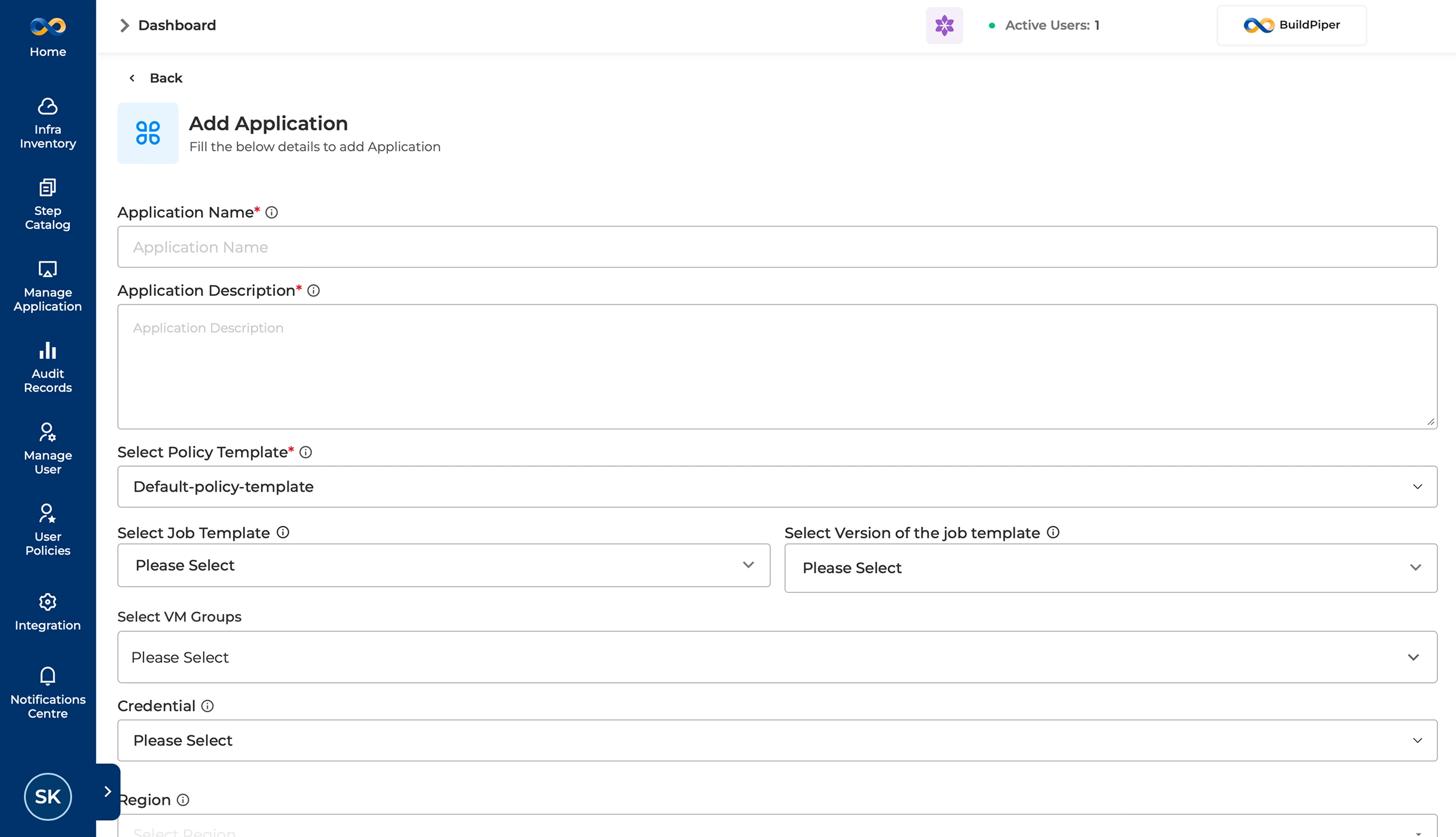
There are certain details that a platform team user should be aware of while onboarding a new application onto BuildPiper. The details are elaborated below.
Field Name
Description & Purpose
Application Name
A unique identifier for the application or team within the platform.
Application Description
A brief description of the application or team.
Select Policy Template
Defines the BP access policy and permission rules. The default template typically creates environment-specific policies that define who can access and modify BP resources such as applications, environments, and feature controls.
Select Job Template
Selects the default global job template used for global pipeline execution. A job template acts as a workflow blueprint for execution of jobs on the BP platform.
Select Version of Job Template
Allows the user to select the appropriate job template version, such as v1-stable or v2-test.
Select VM Groups
Defines the VM infrastructure boundary for this application or team. The selected VM groups become available to the team for configuring and managing deployments.
Credential
Provides the SSH keys and credentials required to access cloud provider or LDC resources. These configurations are used in non-microservice application onboarding.
Region
The geographic location, such as us-east-1 or eu-central-1, where resources will be physically provisioned to minimize latency.
Cluster
Users can choose from Kubernetes clusters already onboarded in BuildPiper. They can allocate a dedicated cluster where all namespaces are mapped automatically, or choose to map only specific namespaces as needed.
Workflow: Onboarding a Microservices Application via BP UI #
BuildPiper workflow to onboard a microservice application is described below.
Navigation PathHow to Access / Navigate
Login to BP→Manage Application→Add Application
Final Step: Fill in the Application Form and hit Save.
Note: BP Manage Application page is only accessible via the admin portal.
For bulk onboarding of applications to BuildPiper, users can leverage the advanced BPCTL command-line utility. They need to prepare a CSV file in the required format containing all relevant application metadata, which can then be executed via SSH.
CSV Metadata
Prepare the application metadata in the required CSV format before executing BPCTL.
SSH Execution
Run the BPCTL-based onboarding process via SSH for bulk application creation.