

1. Service Configuration Overview #
There are certain details that a platform team user should be aware of while onboarding a new service onto BuildPiper. The platform supports multiple service architectures and build strategies, allowing teams to align onboarding with their existing development practices.
Multi-Architecture Support
BuildPiper supports microservices (containerised), VM-based legacy systems, and Android mobile builds from a single onboarding workflow.
Flexible Build Strategies
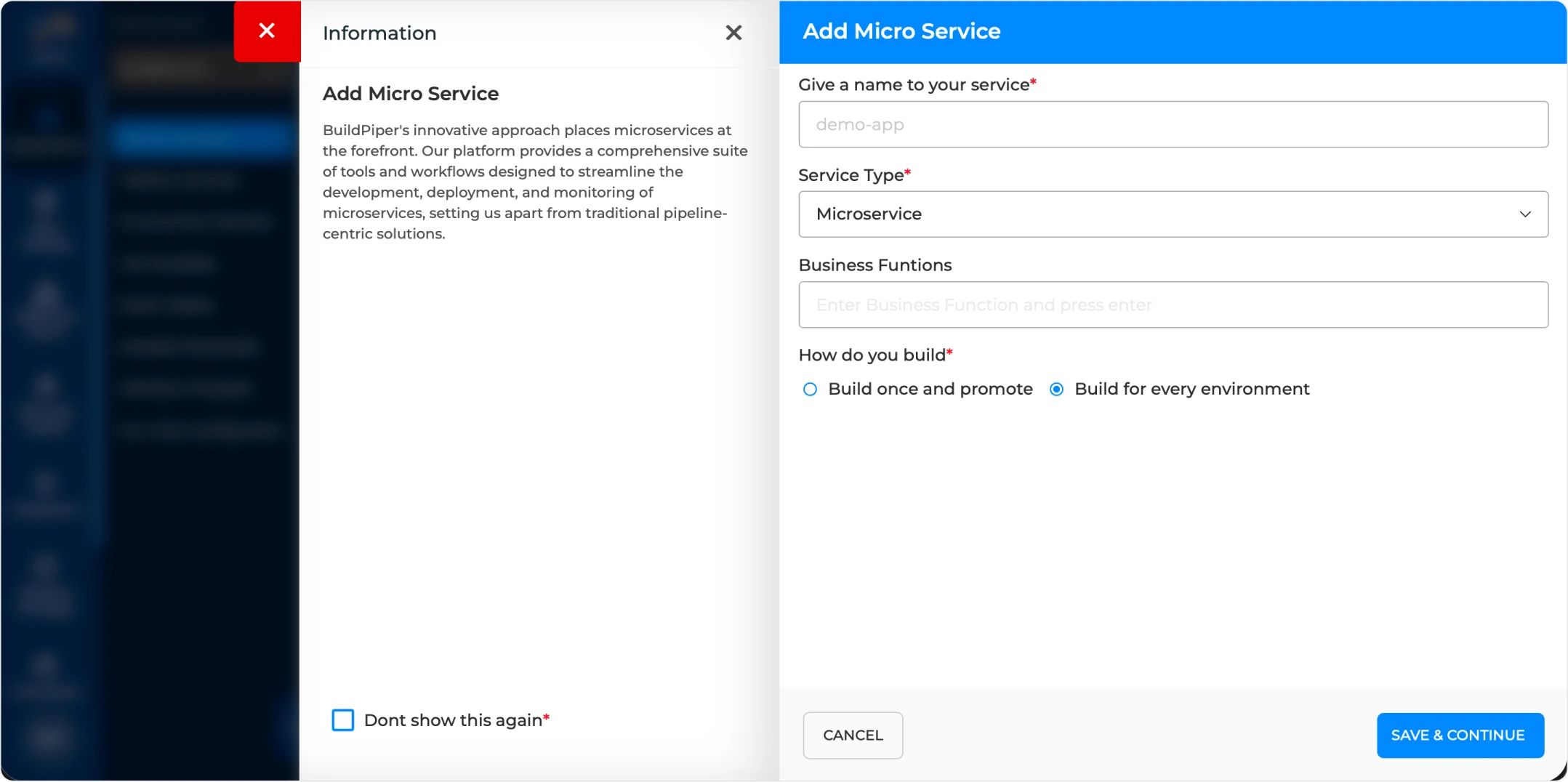
Choose between “Build once and promote” for Docker-based workflows or “Build for every environment” depending on your release model.
Configuration Fields #
The following fields are required when onboarding a new service through the BuildPiper UI.
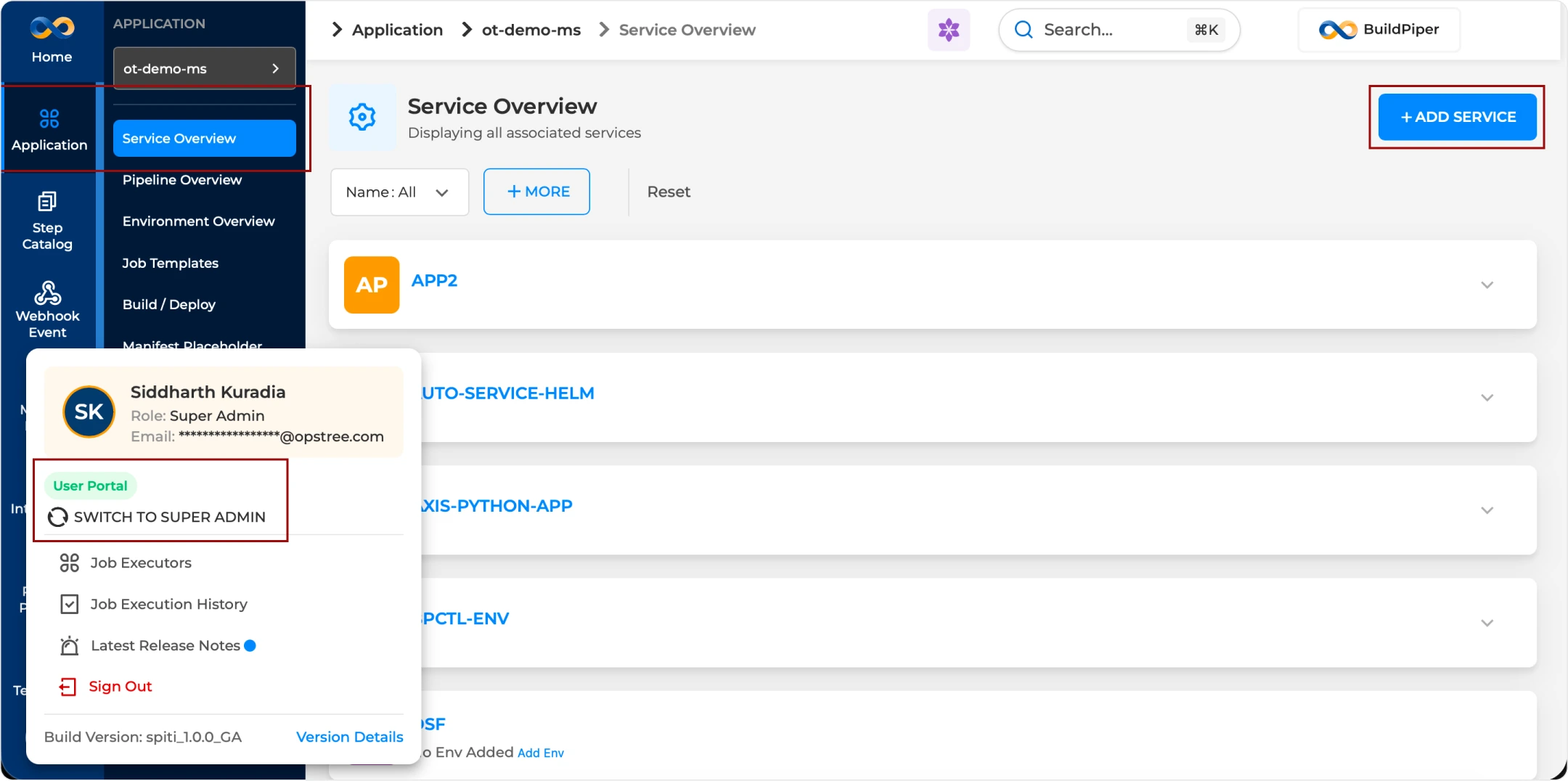
Workflow: Onboarding a Service via BP-UI #
The BuildPiper workflow to onboard a service is detailed below.
Note: The BP Service onboarding page is accessible inside the User Portal.
Strategic Considerations for Onboarding Services #
Keep these two best practices in mind to simplify tracking and avoid environment-drift issues.
Naming Consistency
It is best practice to match the service name with your Git repository name to simplify tracking across the CI/CD pipeline.
Build Strategy
“Build once and promote” is the industry standard for Docker-based workflows. It ensures the exact code tested in lower environments reaches production, reducing “it worked in Dev but not in Prod” scenarios.
BP Snapshots #
Reference screenshots showing the service onboarding flow inside BuildPiper.
BP Snapshot: Onboarding a new service onto an application in BP.
BP Snapshot: Onboarding a sample service by providing relevant details.
BuildPiper Documentation · Service Configuration
Last updated: June 2026