KubeOps
Secrets
User Portal
Secret Management #
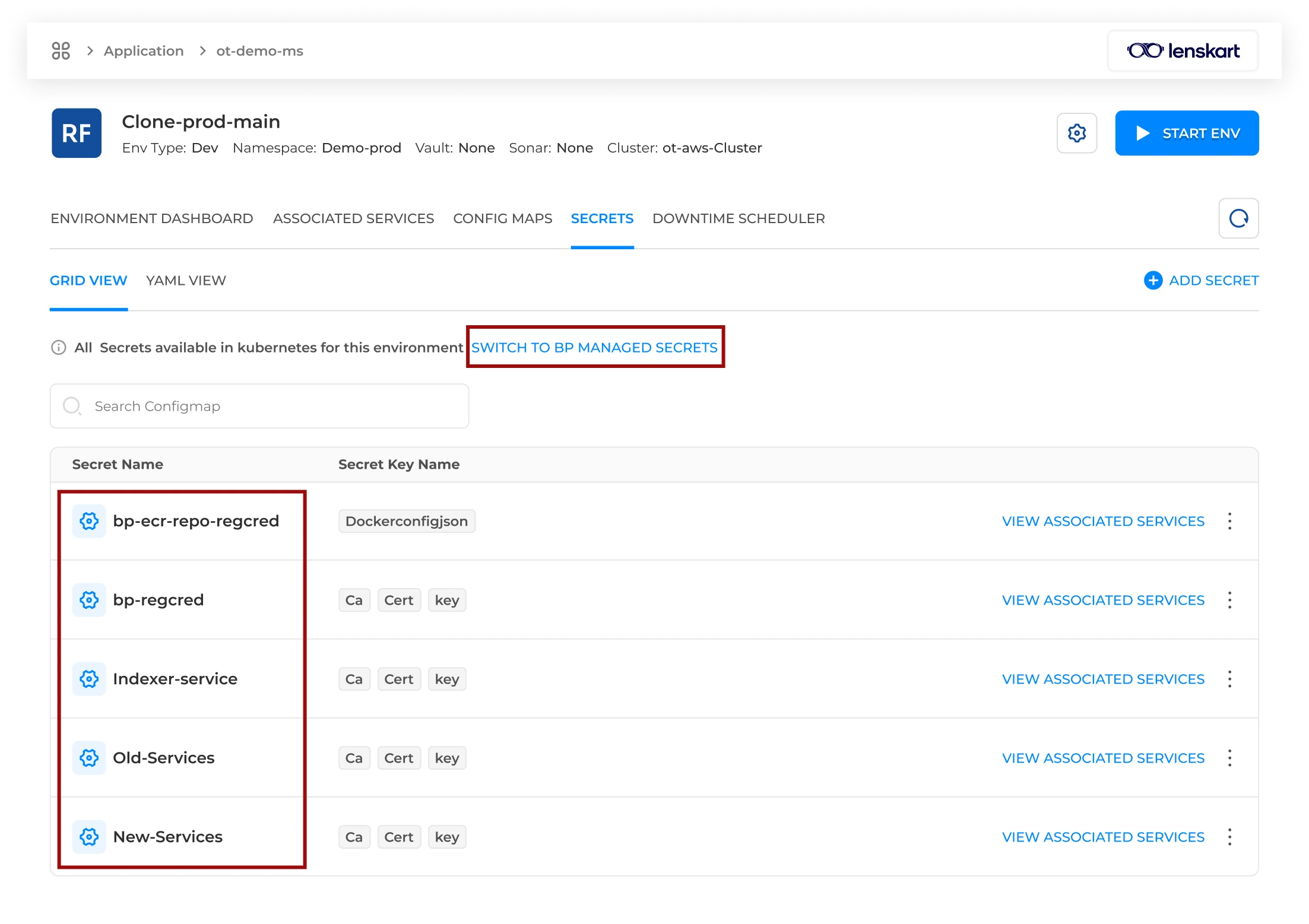
BuildPiper simplifies secret management through a centralised and secure interface for managing sensitive Kubernetes resources. It connects directly with Kubernetes clusters to fetch real-time secret data, giving users complete visibility from a single platform.
Secret Management Capabilities #
Centralised Secure Interface
Manage sensitive Kubernetes resources directly from BuildPiper with real-time cluster visibility.
Track BuildPiper-created secrets and detect external secrets deployed directly to the cluster.
Create fresh secrets using guided forms, uploaded manifests, editor mode, or YAML editor.
Secret Management Overview #
Users can create, configure, and deploy secrets directly from the BuildPiper UI, eliminating manual terminal operations and simplifying management.
Real-Time Secret Visibility
BuildPiper connects directly with Kubernetes clusters to fetch real-time secret data from a single platform.
Simplified Operations
Users can create and deploy secrets without relying on manual terminal-based Kubernetes operations.
Dual-Layer Secret Tracking #
To strengthen governance, BuildPiper provides dual-layer secret tracking. It manages the full lifecycle of BuildPiper-created secrets while also detecting external secrets deployed directly to the cluster. This ensures accurate cluster visibility and helps identify unmanaged or shadow credentials before they become a security risk.
BuildPiper-Created Secrets
Secrets created through the BuildPiper UI are lifecycle-managed by the platform.
External Secrets
Secrets deployed directly to the cluster are detected for governance and security visibility.
Workflow: Accessing Secrets #
Navigation PathHow to Access / Navigate
Login to BP→Application→Environment Overview→Select Environment→Secrets→Add Secrets
Final Step: Fill in the Secret form and hit Save.
Note: The BP Secrets page is accessible only via the user portal. To onboard and create a fresh secret, users can click the Add Secrets button.
Secret Configuration Fields #
The following configuration fields are available when creating or onboarding a secret from BuildPiper.
| Field Name |
Mandatory |
Description |
| Secret Name |
Yes |
Assign a unique name to this secret. This name is referred to as the secret name in deployment settings later. |
| Enable Versioning |
No |
When active, the system saves a history of changes, allowing users to track or revert to previous versions of the configuration. |
| Input Method |
Yes |
Select the preferred way to provide data: Guided Form for key-value pairs, Upload Manifest for YAML from computer/Git/Helm templates, Editor Mode for text area key-value input, or YAML Editor for full YAML configuration. |
| Multiline Quotes |
No |
If enabled, the system automatically wraps data that spans multiple lines in quotes to ensure correct formatting. |
| Double Quotes |
No |
Enable this if configuration values specifically require double quotes around them. |
| Server Side Apply |
No |
An advanced Kubernetes feature that lets the cluster server manage configuration merges and updates instead of the local client. |
BuildPiper Documentation · Secret Management
Last updated: May 2026