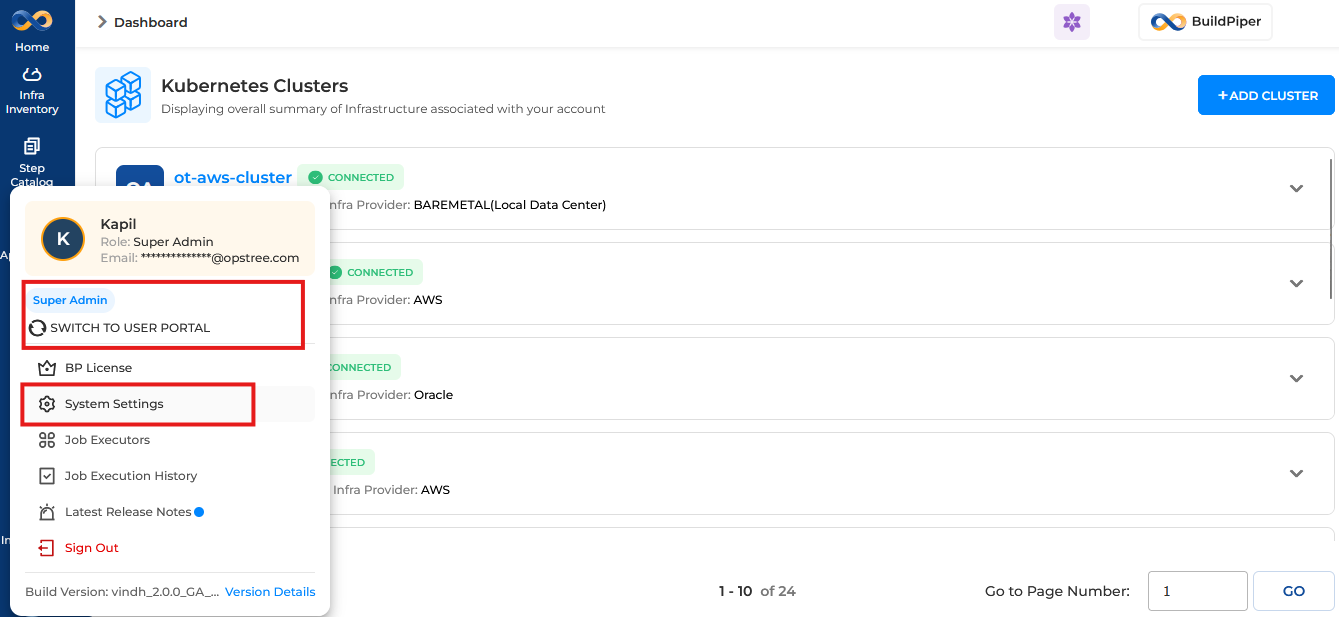
To ensure reliable communication with approved external services, you must whitelist your domains in BuildPiper. This allows the platform to securely connect with all configured integrations and endpoints.
This is a Day 0 task — it must be completed during initial platform setup by the Platform Engineering team before any third-party integrations are used.
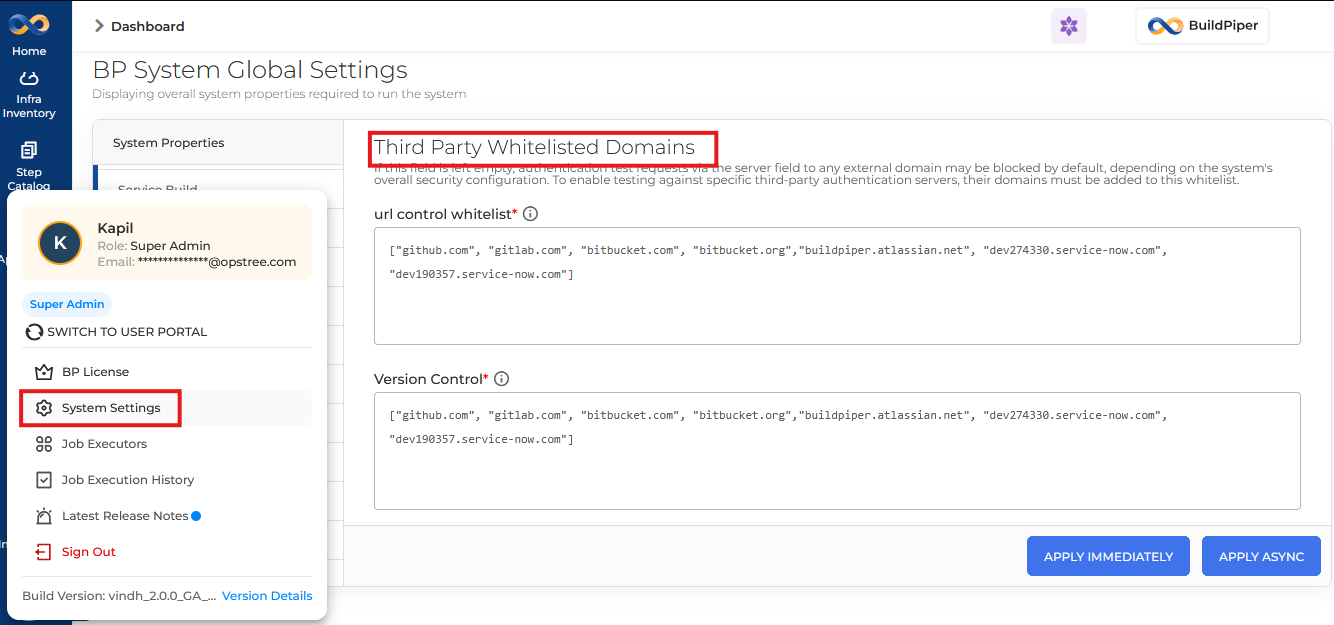
If the URL control whitelist field is left empty, authentication test requests via the server field to any external domain may be blocked by default — depending on the system’s overall security configuration.
To enable testing against specific third-party authentication servers, their domains must be added to this whitelist. The Platform team must add all third-party domains they want BuildPiper to access.
⚠️
Why This Matters
Without proper domain whitelisting, BuildPiper may fail to reach external services like JIRA, Slack, Git providers, or custom SSO endpoints — causing integration failures during pipeline execution.
The Third Party Whitelisted Domains setting is accessible exclusively via the Admin Portal. A user must have Super Admin credentials to configure this setting. Regular users cannot view or edit this section.
The System Settings → Third Party Whitelisted Domains section contains two fields. Both accept a JSON array of domain strings.
FieldsBP System Global Settings — Whitelist Configuration
Field 1URL Control WhitelistRequired
Controls which external domains BuildPiper is permitted to make outbound requests to — covering authentication tests, API calls, and webhook endpoints.
If left empty, outbound requests to external domains may be blocked by the system’s security configuration.
Field 2Version ControlRequired
Whitelists domains specifically for version control interactions — including Git repository hosts, SCM providers, and CI/CD webhook sources.