

1. Public Ingress #
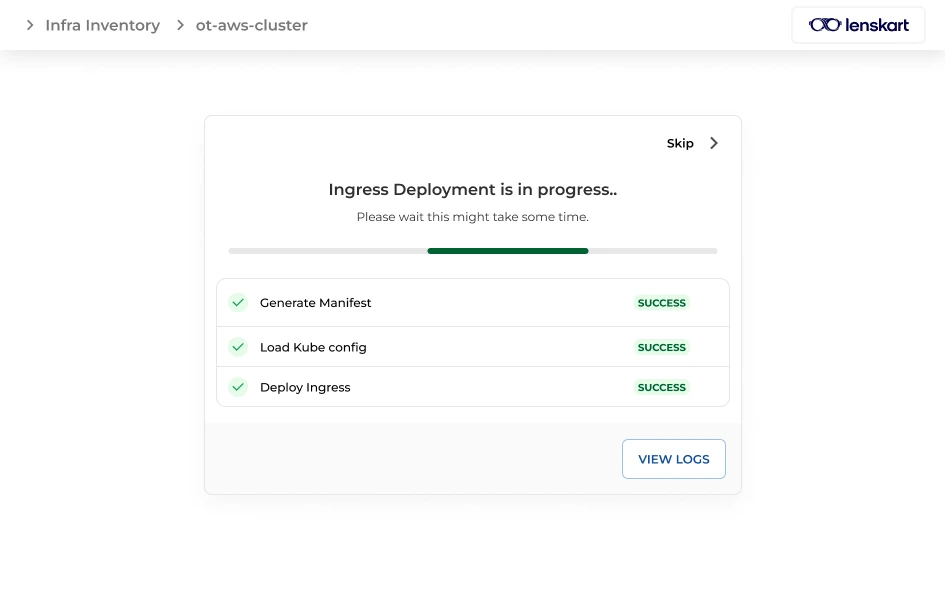
2. Protected Ingress #
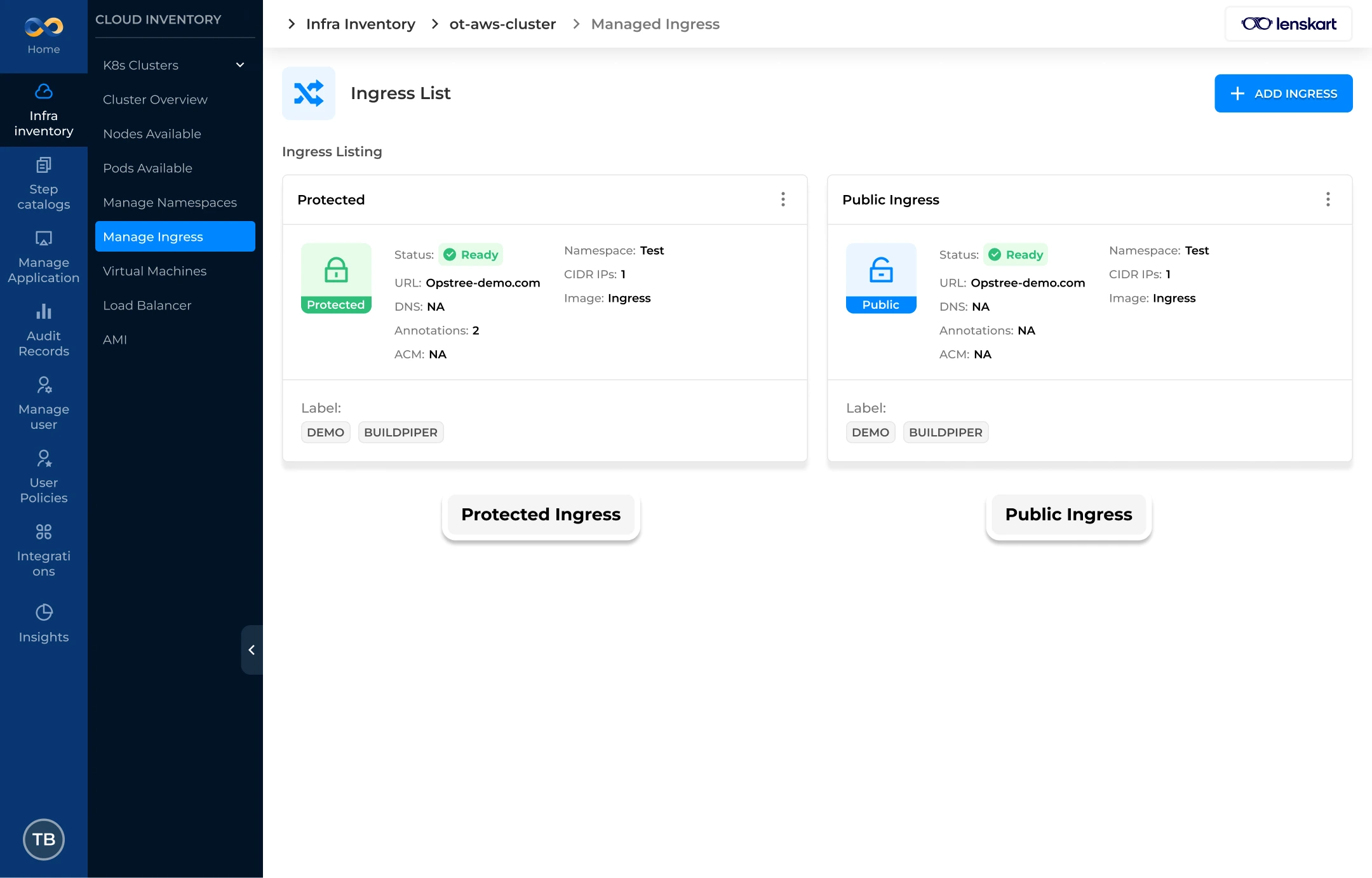
Ingress Configuration #
| Field Name | Mandatory Status | Description |
|---|---|---|
| Name | Yes | A unique identifier for the Ingress resource within the cluster. |
| Url | Yes | The external hostname/domain used to access the application (e.g., ingress-public.buildpiper.io). |
| Ingress Type | Yes | Selection between Public Access (internet-facing) or Protected Access (internal). |
| Ingress Class | Yes | Specifies the controller that should implement the Ingress (e.g., public, nginx). |
| Select Namespace | Yes | The Kubernetes namespace where the Ingress and target services are located. |
| Choose Ingress Setup Strategy | Yes | Choice between Guided Form (UI-based) or Upload Custom Ingress file / GitOps. |
| Do you want Access Control Management | No | Toggle to enable or disable integrated authentication and authorization. |
| Select Protocol | Yes | The network protocol for the traffic, such as HTTP, HTTPS, or GRPC. |
| Add Annotations | No | Custom metadata used to configure specific Ingress controller features. |
| Add Labels | No | Key-value pairs used for organizing and identifying Kubernetes objects. |
| Resource Quota Apply | No | Toggle to apply specific resource constraints to the Ingress resource. |
| Want your Ingress to be auto scalable? | No | Enables Horizontal Pod Autoscaling (HPA) for the Ingress controller pods. |
| Desired Replica Count | Yes | The fixed number of pods to run (visible and required when auto-scaling is disabled). |
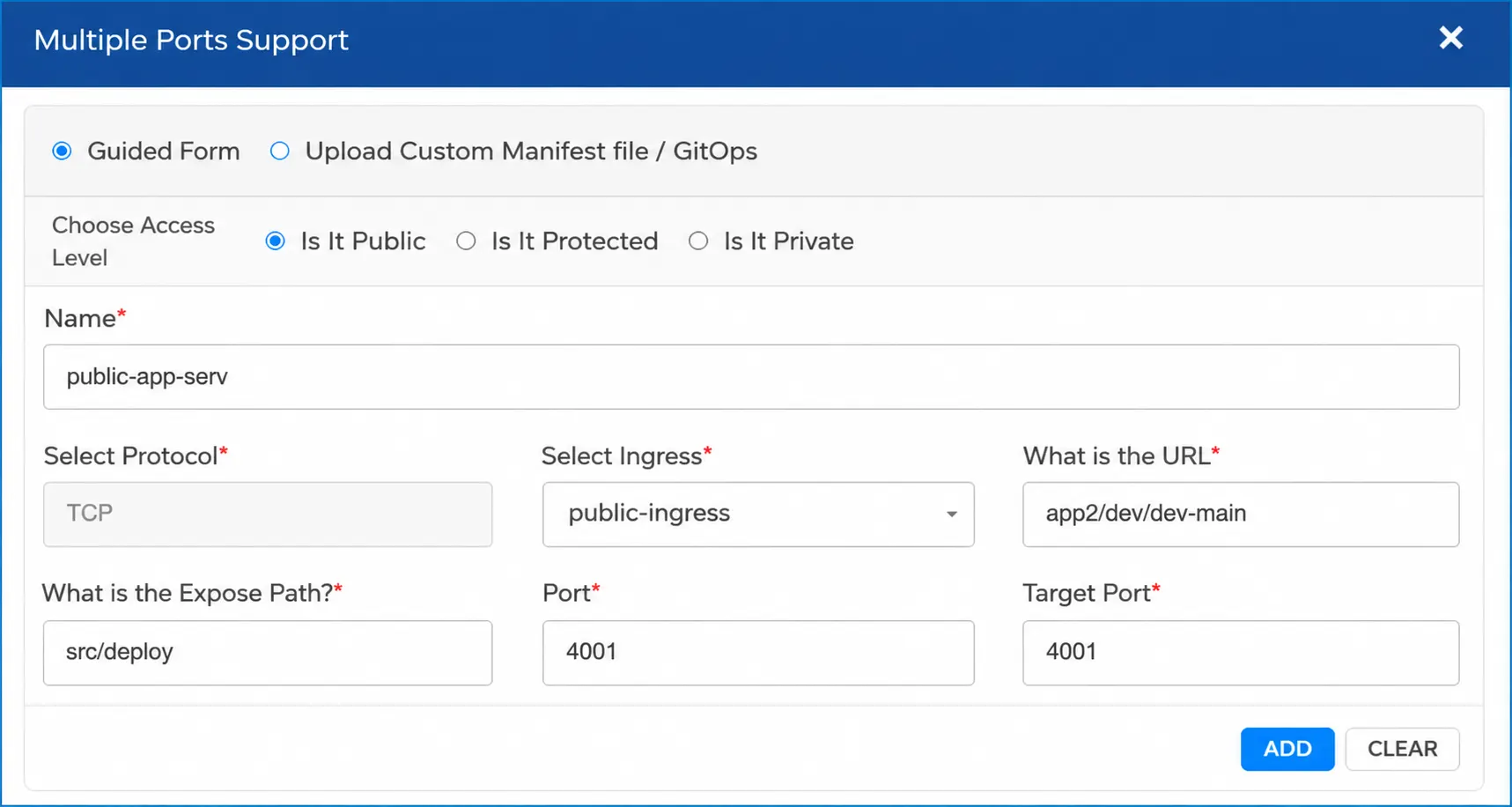
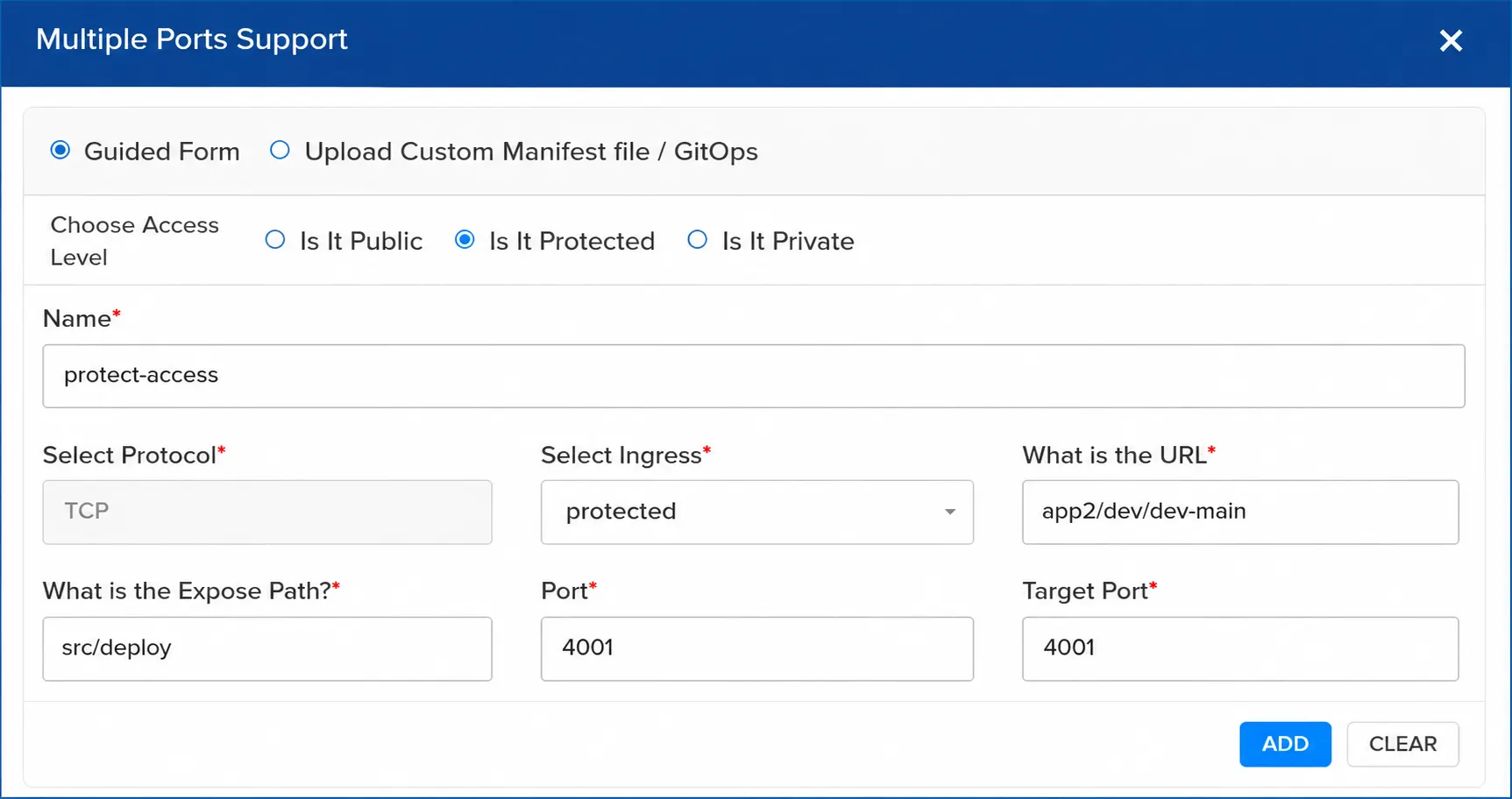
Once the ingress is deployed on the cluster, these ingress configurations will be visible to the user in the deployment configuration to use the required ingress to access the public and private services.
Workflow: Accessing Ingress #
These ingress points decide if the application is exposed publicly or is available behind the VPN.
BuildPiper Documentation · Ingress & Gateway Management
Last updated: June 2026