

1. Pipeline Constructs Overview #
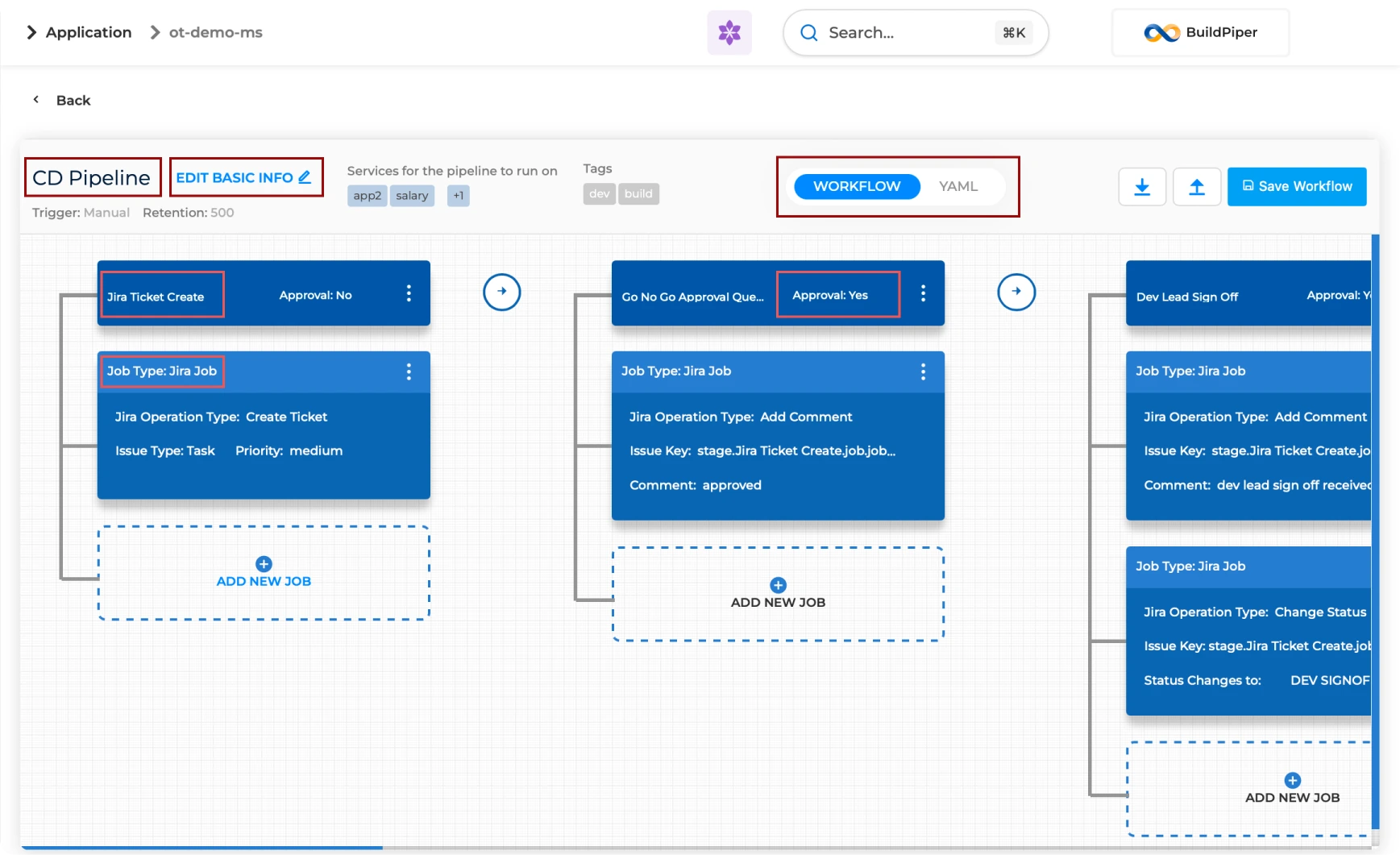
A pipeline’s construction consists of stages, jobs and steps. With BuildPiper, you can organise your pipeline into jobs and stages following the hierarchy below.
Stage
A logical grouping of jobs within a pipeline. Stages define when and how jobs run — for example, tests run only after code compilation.
Job
A series of steps that run sequentially as a unit. Jobs define what to run — for example, code compilation or test runs.
Step
The smallest unit of work in a BuildPiper Pipeline. Steps are the atomic operations that compose a job.
BP Snapshot: Pipeline construct hierarchy — stages, jobs, and steps.
Stage Execution Outcomes #
Once all jobs in a stage complete, BuildPiper evaluates the stage outcome and either advances or halts the pipeline.
All jobs succeed
When every job in a stage finishes successfully, the pipeline automatically moves on to the next stage.
Stage fails
When a stage fails, subsequent stages are not executed, the pipeline is marked as failed, and execution stops.
Manage Failure — Recovery Options #
To recover from a failed state, BuildPiper provides a Manage Failure option. Users can choose one of two paths instead of re-running the entire pipeline.
Re-Trigger Failed Execution
Re-trigger the failed execution after addressing the underlying issue.
Ignore & Continue
Ignore the failed microservice execution and continue the pipeline with services that completed successfully.
Note: This flexibility allows users to avoid re-running the entire pipeline when only specific services encounter failures.
Pipeline Configurations #
In BuildPiper, pipeline configuration is divided into two key sections. Click either card to jump to its details.
Basic Information
▸
Core properties and execution behaviour — name, version, retention, triggers, variables.
Pipeline Workflow Builder
▸
Visual interface for designing the end-to-end execution flow of the pipeline.
Basic Information #
The Basic Information section defines the core properties and execution behaviour of a pipeline. These settings control how the pipeline is identified, triggered, executed, and managed within BuildPiper.
Pipeline Versions #
Standard CI/CD
Ready out of the box CI/CD, auditing and compliance workflow enabling quick pipeline creation.
Dynamic & Custom
A more dynamic way of creating pipelines — enables dynamic jobs and dynamic workflows. Gives more control and freedom to create custom workflows and powerful automation.
Trigger Methods #
Manual Trigger
User must manually click the trigger button to start execution.
Scheduled Trigger
Auto-triggers based on a user-provided cron schedule.
Webhook Trigger
Auto-triggered via Git events like commit, merge, pull request, etc.
Pipeline Workflow Builder #
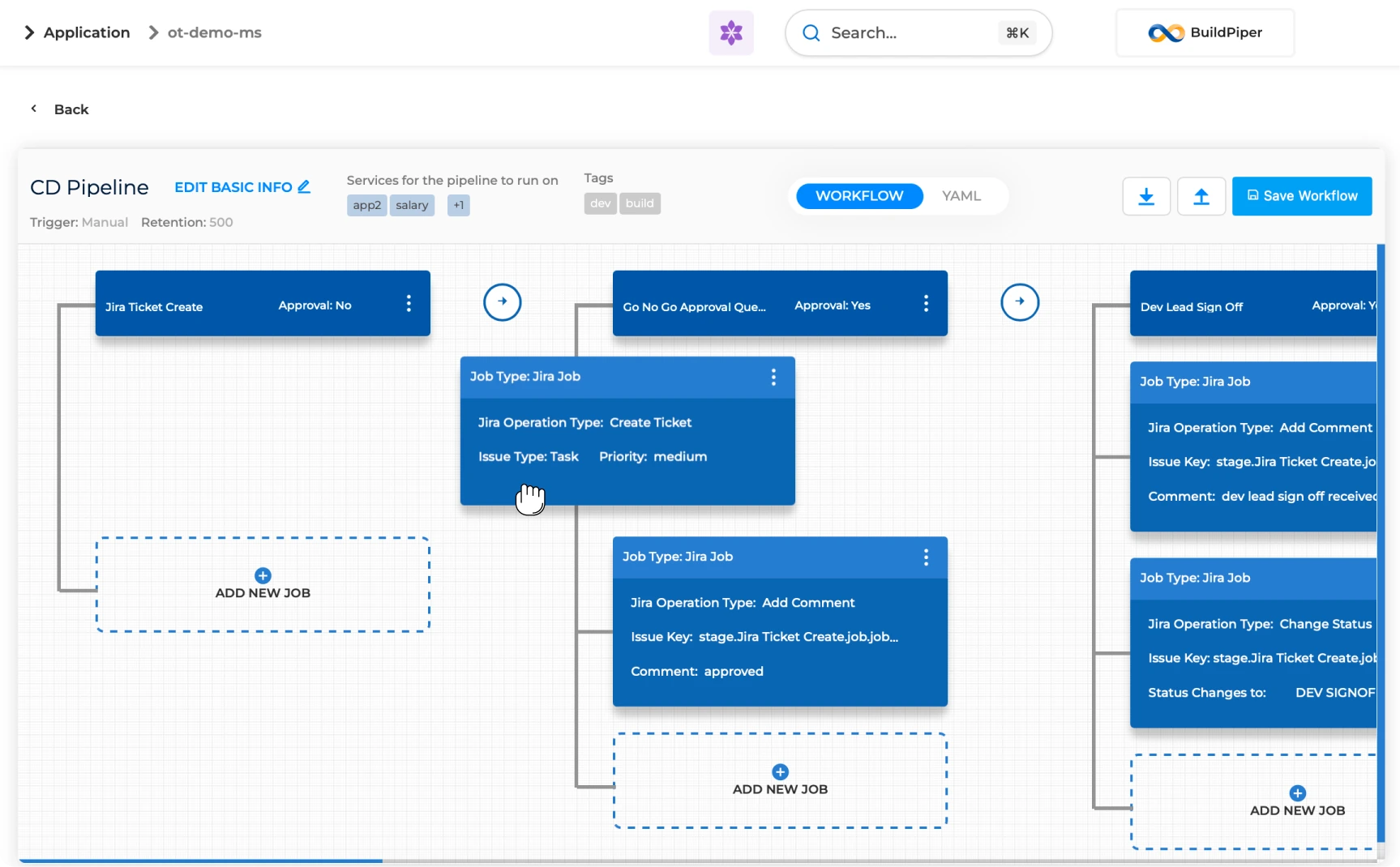
The Pipeline Workflow Builder provides a visual interface for designing and managing the execution flow of a pipeline. Each stage within the builder represents a logical unit of work and can contain one or more jobs that execute in sequence.
If a pipeline is running for more than one service, a job runs for all services in parallel depending upon the availability of executors.
Builder Canvas Capabilities #
Define Execution Flow
Arrange stages and configure dependencies between them to define the end-to-end execution flow.
Configure Stage Settings
Set stage-level settings, approvals, notifications, and execution conditions.
Monitor Execution Progress
Track job status, approvals, and stage outcomes through a visual representation of the pipeline.
Reuse & Standardise
Reuse delivery processes across teams and projects through standardised workflow templates.
Standard Templates: BuildPiper provides a set of standard pipeline workflow patterns that organisations can adopt as-is. These cover build, deployment, approvals, change management, and release governance. Templates can be customised to align with internal processes, compliance requirements, approval chains, deployment gates, ticketing integrations, validation steps, and release controls.
V2 Pipeline Jobs #
BuildPiper pipelines support execution of the following 14 job types, covering CI build, deployment, approvals, integrations, and recovery.
JIRA System Settings Required #
To effectively use the JIRA Ticket job, the following system settings must be configured.
JIRA Integration
Defines the JIRA configuration, supported JIRA ticket type selection, and JIRA workflow transitions.
JIRA Proxy Support
Configures proxy settings required for JIRA connectivity in restricted network environments.
JIRA Custom Fields
Maps and manages custom JIRA fields required during ticket creation or updates.
JIRA Pattern
Defines the ticket identification or naming pattern used for JIRA issue association within pipeline workflows.
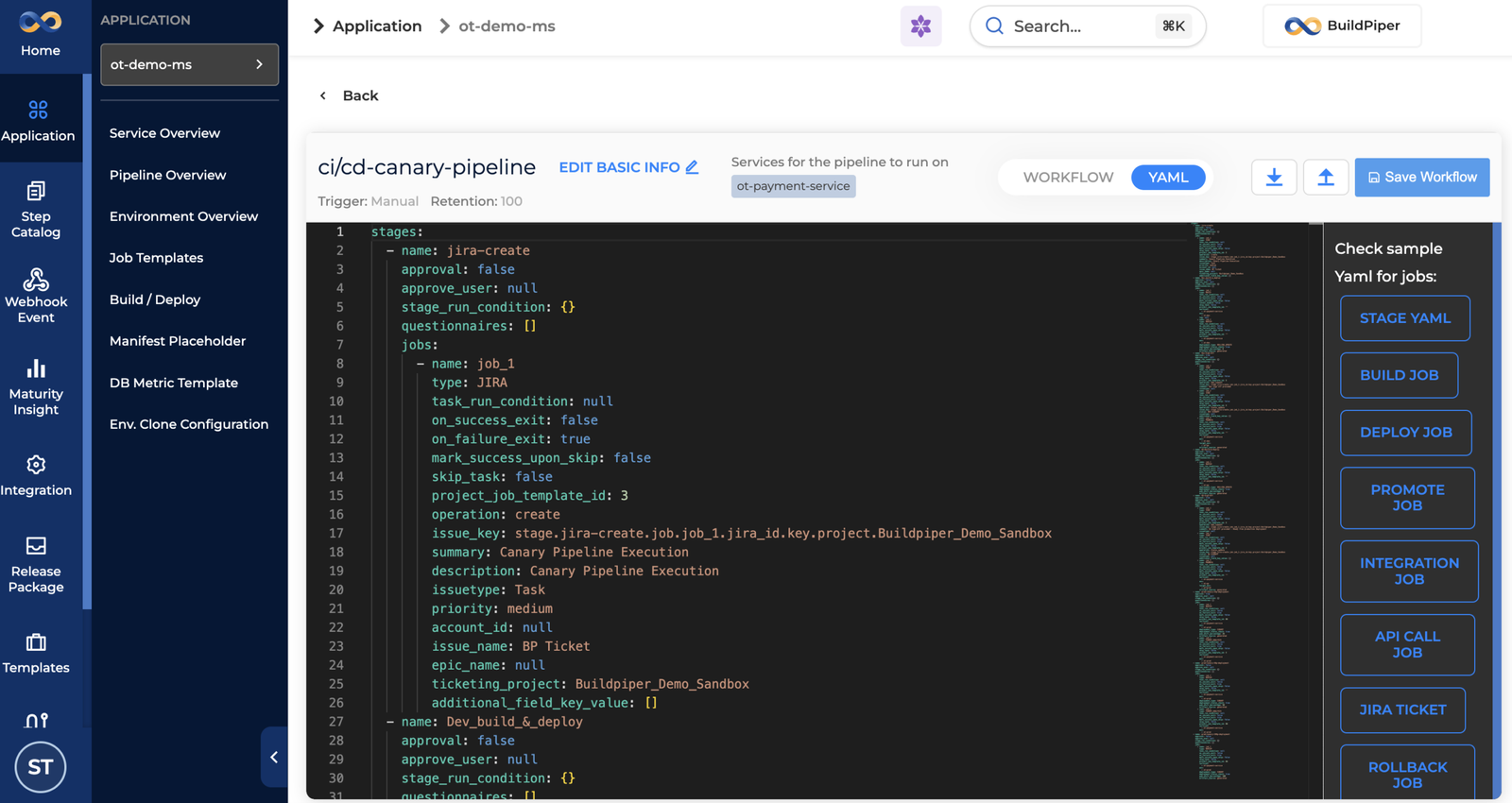
Pipeline Creation Methods #
BuildPiper supports multiple approaches for creating and managing pipelines, allowing teams to choose the method that best aligns with their workflow and automation requirements.
Types of BP Pipelines #
In BuildPiper, pipelines fall into two distinct types based on their scope and purpose.
Application Pipeline
Scoped to a single application — manages CI/CD for the services that belong to one application’s delivery lifecycle.
Global Pipeline
Scoped across multiple applications — handles cross-application orchestration, shared automation, and enterprise-wide delivery patterns.
BuildPiper Documentation · Pipeline Constructs
Last updated: May 2026