

Environment Overview #
Typically, technology teams require a set of environments such as Development (Dev), Quality Assurance (QA), Staging (Stage), User Acceptance Testing (UAT), and Production (Prod) to ensure a reliable and structured release process for end users.
At the application level, project administrators can create the necessary environments, allowing team members to work, test, and validate their services. BuildPiper supports creating multiple environments within the same category.
Example: Two QA environments can be created — one for Feature 1 testing and another for Feature 2 testing.
In BuildPiper, an environment represents both a logical and physical construct. During environment creation, users must specify the Cluster and the Namespace within that cluster. This ensures that any service configured for that environment is deployed only in the selected namespace of the specified cluster. From a logical perspective, builds generated for a particular environment are available for deployment only within that environment. If the same build needs to be deployed to higher environments, it must be promoted accordingly.
Environment Configuration Details #
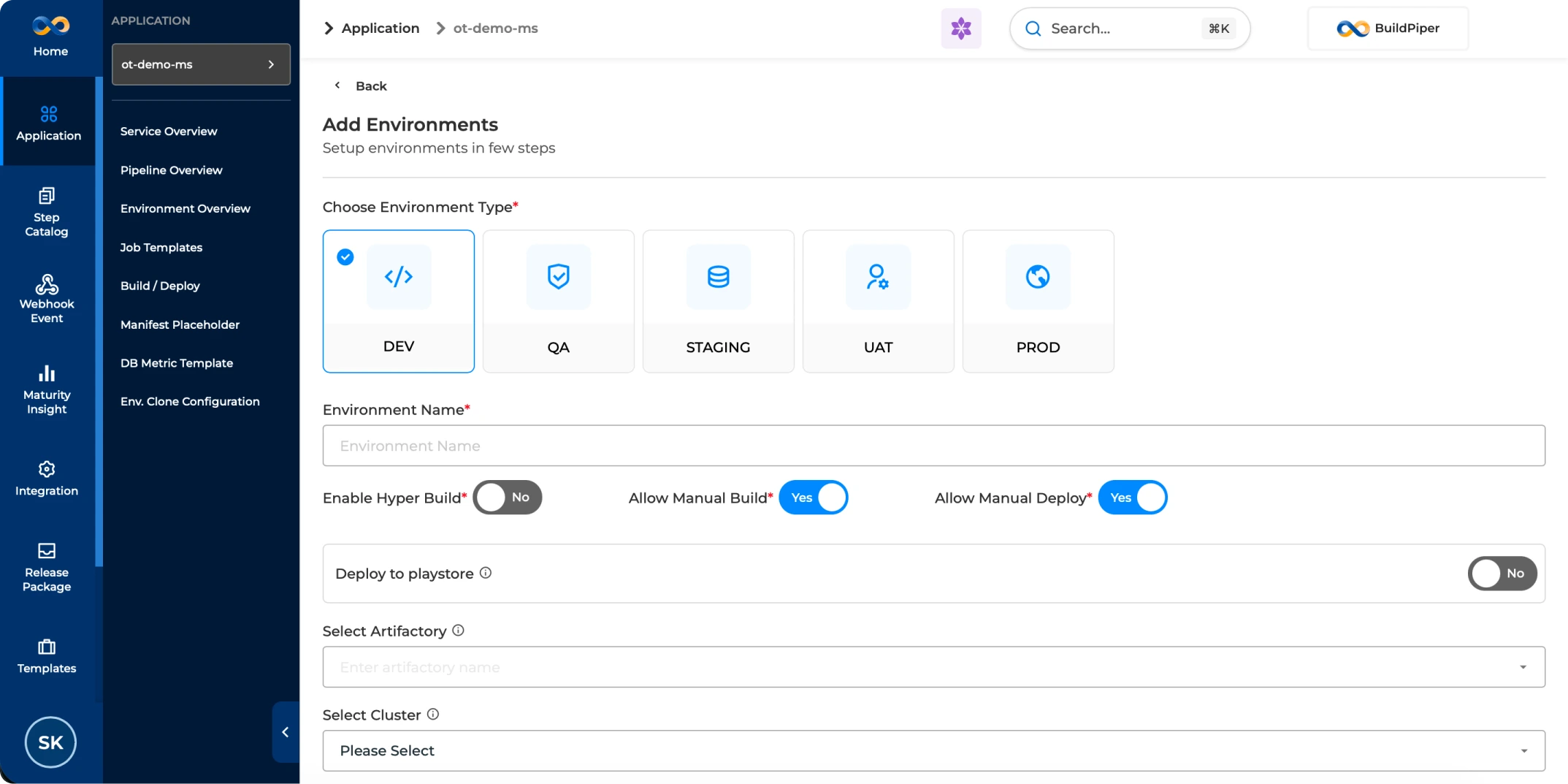
There are certain details that a platform team user should be aware of while onboarding a new environment onto BuildPiper. The details are elaborated below:
Workflow: Onboarding an Environment via BP-UI #
BuildPiper (BP) workflow to onboard an environment is detailed out below:
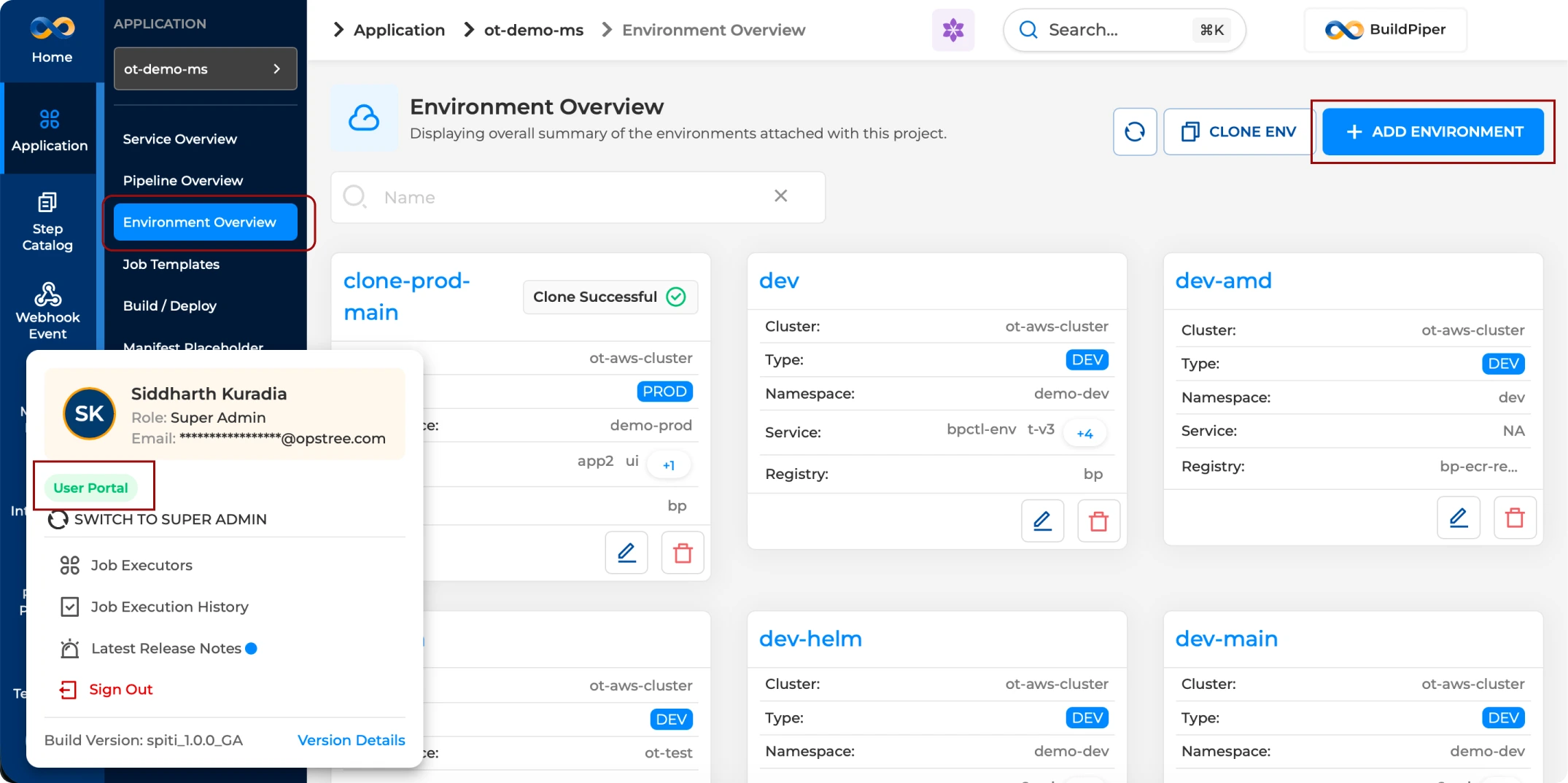
Note: The BP Environment onboarding page is accessible inside the User Portal.
BP Snapshots #
Reference screenshots showing the environment onboarding flow inside BuildPiper.
BP Snapshot: Onboarding a new environment onto an application in BP.
BP Snapshot: Editing already onboarded environment in BP.
BuildPiper Documentation · Environment Onboarding
Last updated: May 2026