

Associated Services #
BuildPiper Documentation · Environments
Overview
Associated Services is a list view of all the services associated with a single environment of an application, such as dev, prod or UAT. For each service it shows the status, for example Running or Not Deployed, so you can see everything in one place.
1. Open Associated Services #
- 1
Log in to BuildPiper.
- 2
Click Application.
- 3
Click Environment Overview.
- 4
Select the environment.
- 5
Click the Associated Services tab.
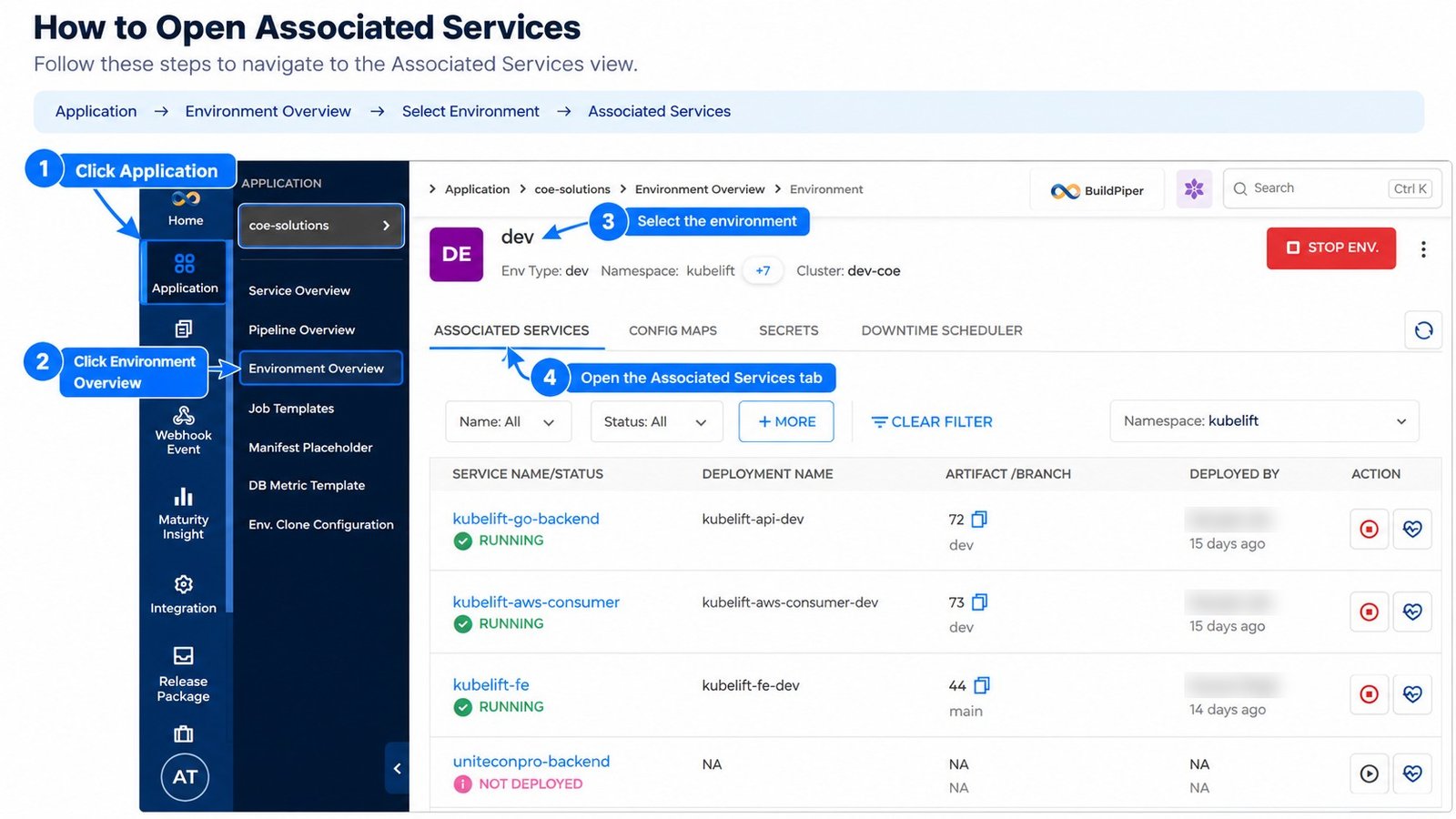
Figure 1: Associated Services tab of an environment
2. Service List #
The list shows one row for each service.
| Column | What it shows |
|---|---|
| Service Name / Status | The name of the service and its status. Running means the service is deployed and running. Not Deployed means the service is attached to the environment but is not deployed yet. |
| Deployment Name | The name of the deployment, for example kubelift-api-dev. It shows NA when the service is not deployed. |
| Artifact / Branch | The artifact number that is deployed, and the branch it was built from, for example dev or main. |
| Deployed By | The user who deployed the service, and how long ago. |
| Action | Two buttons for each service: one to stop the single service, and one to check the health of the service. Stopping a service is covered in the Environment Controls document. |
Read more: Environment Controls > 2. Stop a Service
Environment Controls > 5. Start a Service
3. Service Health #
Click the health button in the Action column to open the Service Health window of that service.
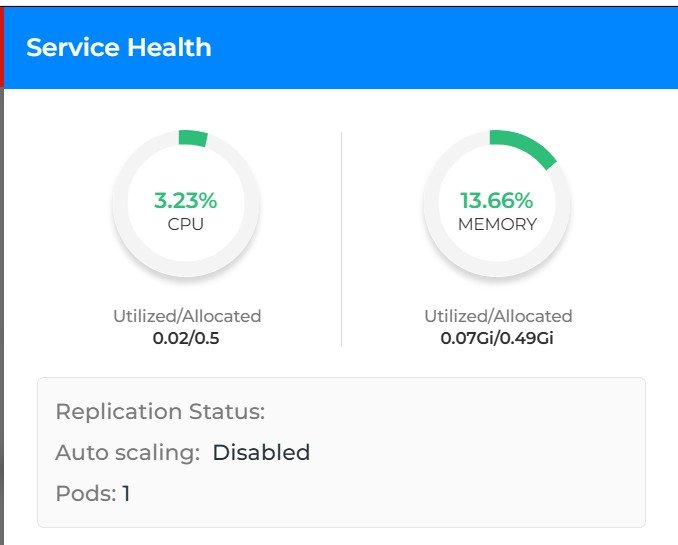
Figure 2: Service Health window
| Item | What it shows |
|---|---|
| CPU | The percentage of CPU in use. Below it, Utilized/Allocated shows the CPU used against the CPU allocated. |
| Memory | The percentage of memory in use. Below it, Utilized/Allocated shows the memory used against the memory allocated. |
| Replication Status | The replication status of the service. |
| Auto scaling | Shows whether auto scaling is enabled or disabled for the service. |
| Pods | The number of pods running for the service. |