

Quickstart: BuildPiper User Flow #
Overview
This quickstart shows the end-to-end onboarding flow in BuildPiper, from your Kubernetes cluster to your application up and running.
1. Onboarding Flow #
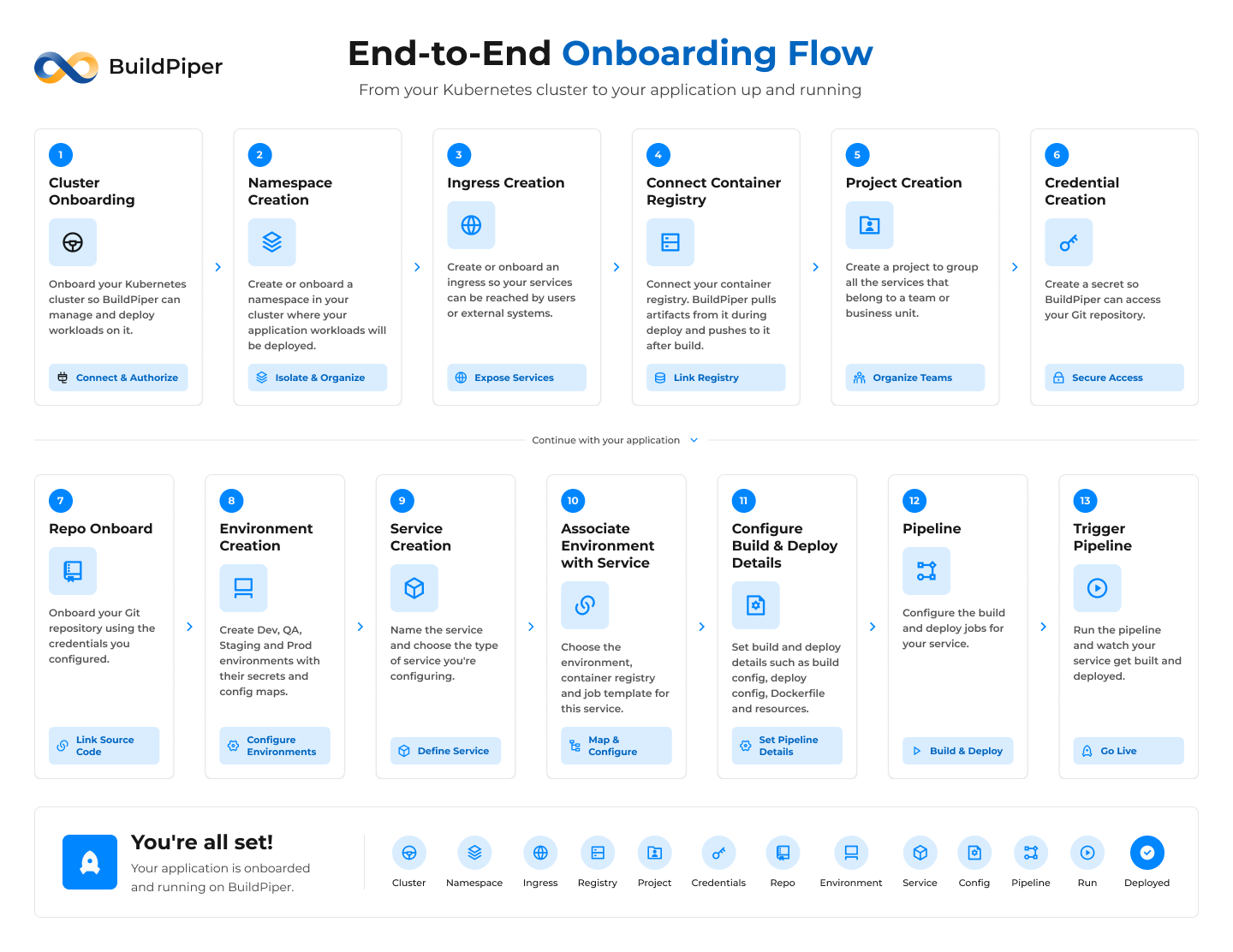
Figure 1: End-to-end onboarding flow
2. Steps #
Swipe horizontally to view all columns →
| Step | Name | What you do |
|---|---|---|
| 1 | Cluster Onboarding | Onboard your Kubernetes cluster to BuildPiper, so that BuildPiper can manage and deploy workloads on it. |
| 2 | Namespace Creation | Create or onboard a namespace in your cluster, where your application workloads will be deployed. |
| 3 | Ingress Creation | Create or onboard an ingress, so that your services can be accessed from users or external systems. |
| 4 | Connect Container Registry | Connect your container registry in BuildPiper. The registry is used for pulling artifacts during deploy, and pushing artifacts after build. |
| 5 | Project Creation | Create a project to logically group all the services belonging to a team or business unit. |
| 6 | Credential Creation | Create a secret in BuildPiper, so that BuildPiper can interact with your Git repository. |
| 7 | Repo Onboard | Onboard your Git repository in BuildPiper, using the configured credentials. |
| 8 | Environment Creation | Create the secrets, configmaps and environment details for your environments (dev, QA, staging, prod). |
| 9 | Service Creation | Provide the name of the service, and select the type of service being configured. |
| 10 | Associate Environment with Service | Select the environment, the container registry and the job template at this level. |
| 11 | Configure Build & Deploy Details | Configure the required build and deploy details, for example the build config, deploy config, Dockerfile and resources. |
| 12 | Pipeline | Configure the build and deploy jobs for your service. |
| 13 | Trigger Pipeline | Trigger the pipeline and monitor the execution. You can see your service being built and deployed. |
After step 13, your application is onboarded and ready with BuildPiper.