

Getting Started Guide #
BP Portal Ecosystem #
BuildPiper is organized into three portals. Each portal is built for specific roles and stages of work, from setting up infrastructure and delivering software to leadership-level governance and analytics.
| At a glance | Details |
|---|---|
| Portals | 3 (Admin, User, Insights) |
| Access control | Role-based (RBAC) |
| Operations covered | Day 0 to Day N |
| Metrics | DORA |
Overview #
BP’s portals are designed to match how real organizations work. Instead of putting every team into one interface, BP separates the work. Each portal is limited to the tasks, workflows, and decisions of the people who use it. This way, the right teams get the right capabilities at the right stage of software delivery.
| Portal | Used for | Used by |
|---|---|---|
| Admin Portal | Day 0 operations, infrastructure onboarding, and global platform configuration | DevOps and Platform teams |
| User Portal | BAU operations, CI/CD pipelines, deployments, and microservice lifecycle management | App and Delivery teams |
| Insights Portal | Governance, compliance, DORA metrics, and organization-wide engineering analytics | Executive leadership |
1. Admin Portal #
Day 0 operations, infrastructure, and platform configuration
Target audience: DevOps Engineers, Platform Teams, CISO, and Support Teams.
Primary function: The Admin Portal focuses on Day 0 operations. This is the foundational setup that must be done before any application team can start building or deploying. It includes infrastructure onboarding, artifactory repository configuration, container repository configuration, and network and domain whitelisting within BuildPiper.
Key activities #
| Activity | What it covers |
|---|---|
| Infra Onboarding | Provisioning and managing Kubernetes clusters and compute resources |
| Third-Party Integrations | Connecting essential tools such as Registry, Jira, Slack, and security scanners |
| Platform Configuration | Defining global guardrails, environment settings, and access policies |
How to tell you are in the Admin Portal #
- 1
Open the Bottom User Panel
- 2
Look for the Super Admin label. It marks the Super Admin Portal
- 3
To move to the other portal, click Switch to User Portal
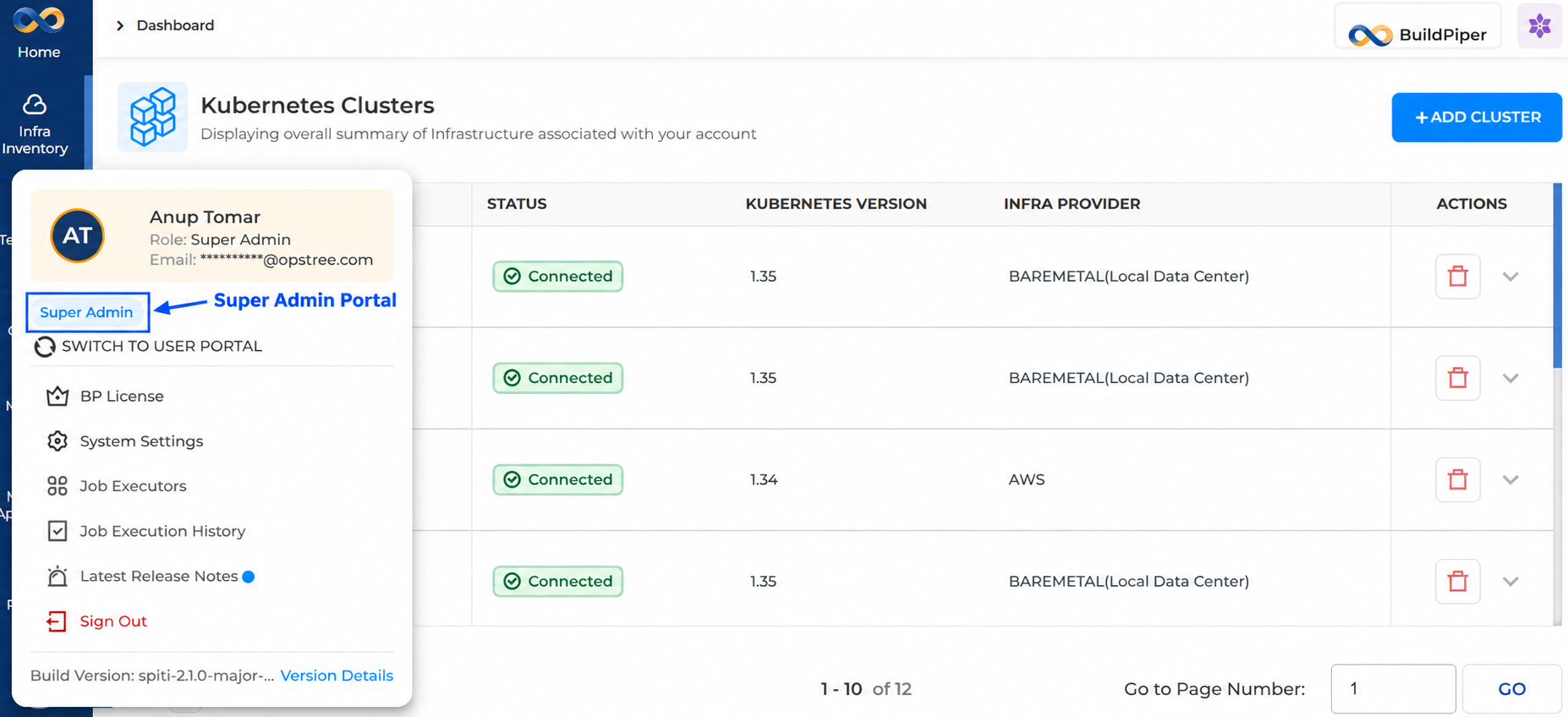
Super Admin Portal, with the Switch to User Portal option
2. User Portal #
BAU operations, CI/CD, deployments, and service lifecycle
Target audience: Application Teams, QA Teams, Release Managers, and Technical Leadership (CTO / CISO).
Primary function: The User Portal manages BAU (Business-As-Usual) operations. It is the main workspace for the software delivery lifecycle, from writing code and triggering builds to managing complex deployment strategies and monitoring live services.
Key activities #
| Activity | What it covers |
|---|---|
| CI/CD Management | Orchestrating builds and managing complex, multi-stage deployment strategies |
| Continuous Delivery | Handling production rollouts and controlled, environment-specific releases |
| Service Lifecycle | Monitoring the health, performance, and availability of active microservices |
How to open the User Portal #
- 1
In the Admin Portal, open the Bottom User Panel
- 2
Click User Portal
- 3
The User Portal opens in a new tab
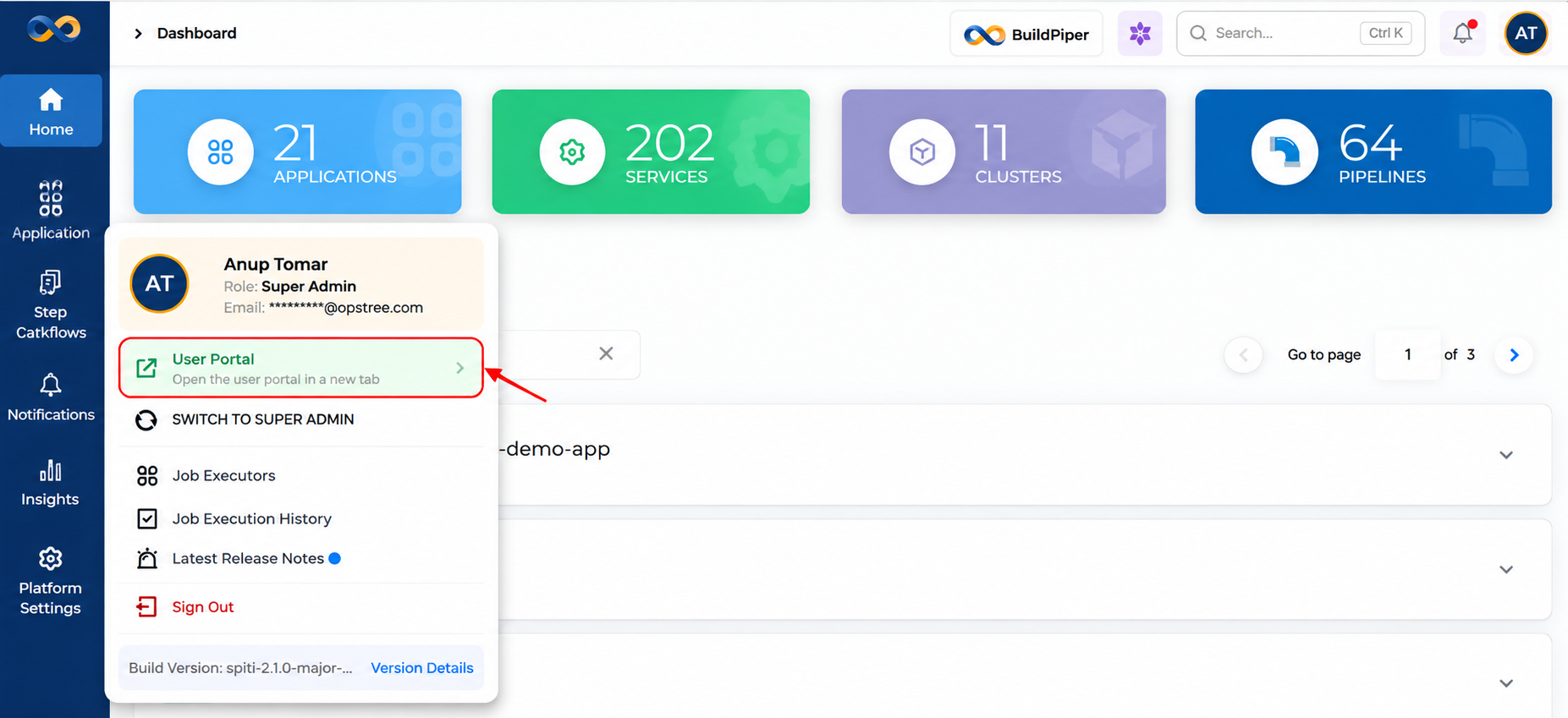
Opening the User Portal from the Bottom User Panel
3. Insights Portal #
Governance, analytics, DORA metrics, and compliance
Target audience: Executive Leadership, such as the CEO, CISO, VP of Engineering, and senior management.
Primary function: The Insights Portal provides high-level governance and analytics. It is a central place for organization-wide visibility. Leaders can track engineering maturity, enforce compliance, and make data-backed decisions without having to use operational tools.
Key activities #
| Activity | What it covers |
|---|---|
| Compliance & Security | Identifying which teams meet security protocols and regulatory standards |
| Maturity Metrics | Tracking how DORA metrics, code quality, and engineering practices change across business units |
| Developer Productivity | Analyzing DORA metrics and team efficiency to support data-backed decisions |
How to open the Maturity Insights Portal #
The Maturity Insights Portal is available from both the Admin Portal and the User Portal. You can also open it directly in your browser. Use either option.
Option 1: From the Admin Portal or User Portal #
- 1
Log in to BP
- 2
In the left menu, click Maturity Insight
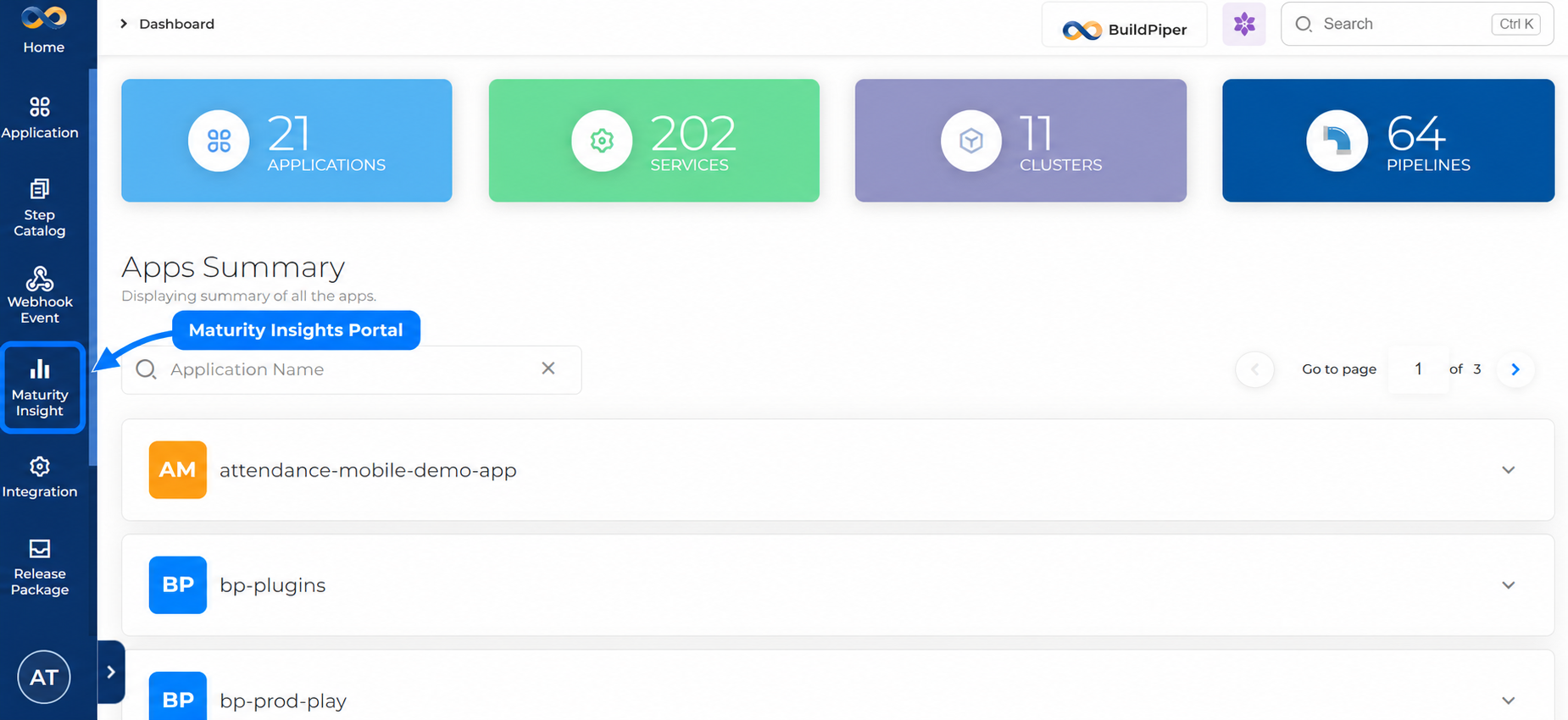
Opening the Maturity Insights Portal from the left menu
Option 2: Open it directly #
- 1
Go to https://mi.buildpiper.io
- 2
Log in
Stakeholder–Portal matrix #
This table shows which portal each stakeholder group mainly uses, and what they do there.
| Stakeholder group | Primary portal | Key activities |
|---|---|---|
| Platform Engineering | Admin Portal | Cluster / VM onboarding, global integrations, system health monitoring |
| Application Delivery | User Portal | CI builds, CD deployments, step catalog, application monitoring |
| Executive Management | Insights Portal | Velocity tracking, compliance audits, maturity metrics, DORA analytics |