

Global Job Template #
Overview #
A Global Job Template is designed to be shared across multiple applications, business units, and teams. These templates are centrally managed and typically contain organisation-approved delivery processes and governance controls.
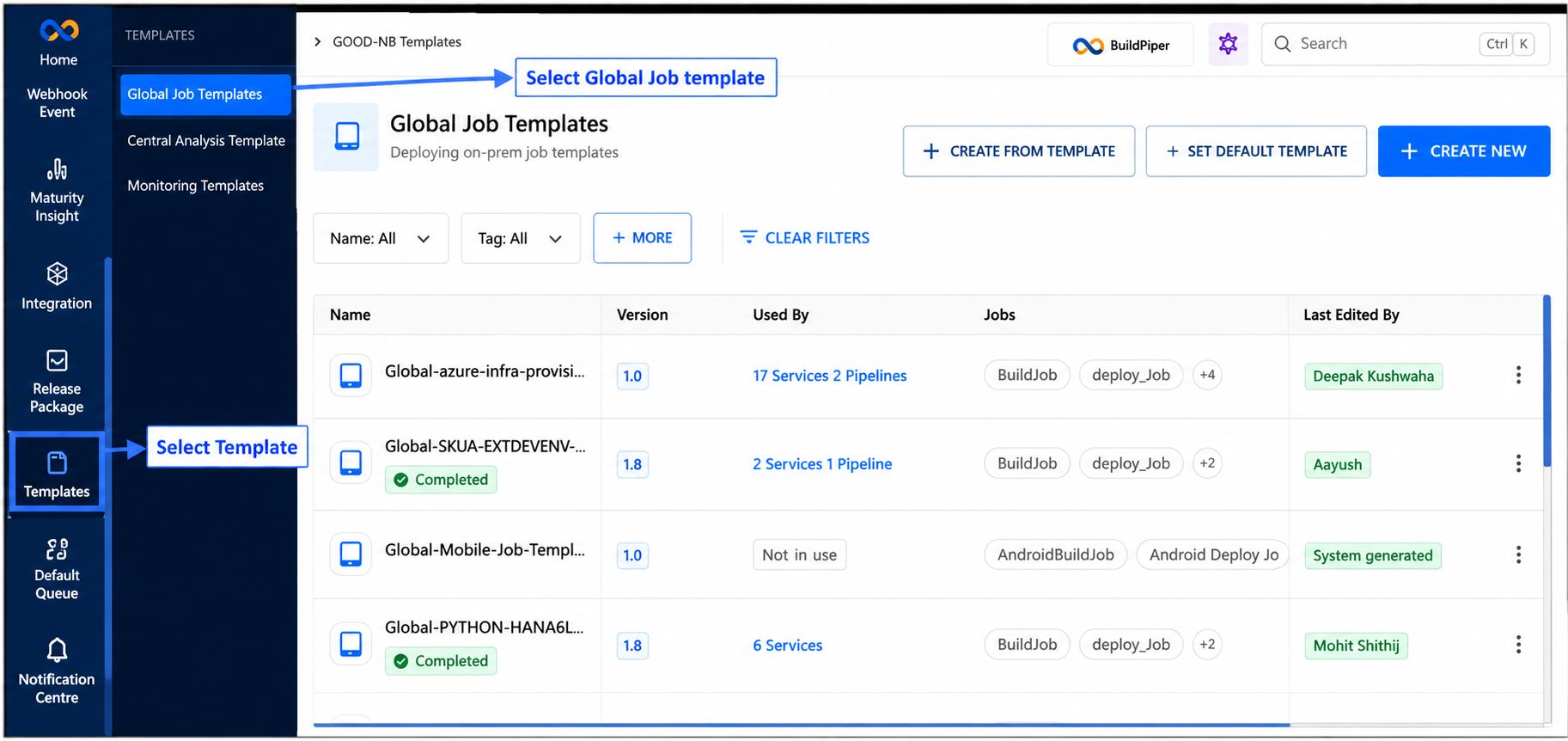
Workflow: How to navigate to the Global Job Template. #
How to Access/Navigate: #
- 1
Log in to BP
- 2
Click on ‘Templates’ on the left pane
Note: BP Global Job Template page is accessible inside both portal.
Scope and Availability #
The only real difference is where you start and who it’s for:
• Application-Level Job Template — created from within a specific Application, and scoped to that application only.
• Global Job Template — available for any application, service, and environment to use once created.
Creating and Editing a Global Job Template #
The end-to-end process for a Global Job Template — creating it, adding jobs and steps, and attaching it to a service — is exactly the same as described throughout this document for the Application-Level Job Template. Both V2 and V3 types are available for Global Job Templates as well, and behave the same way described in Section 4.
Everything else — cloning a default template, choosing V2 or V3, adding jobs, adding Normal/Parallel/Conditional steps, and attaching the finished template to a service — works exactly as documented in the earlier sections of this guide.
Shared Workflow and Template Versions #
Read more: Application Job Template > 5. Creating a Job Template
Read more: Job Templates > Template Versions: V2 and V3