

System Settings: Integrations and Feature Flags #
This document covers five categories: Integration & External Systems (13 settings), Feature Flags & Compatibility (9), BP Maturity Insights (1), AI Configurations (3) and Webhook (1).
1. Integration & External Systems #

Figure 1: Integration & External Systems, Configurations table
Webhook Provider #
Lists the IPs or URLs that are allowed to send Git webhooks, which controls the sources that can trigger pipeline events. It also sets how webhook data is stored.
| Field | What it does |
|---|---|
| Git Webhooks Whitelisted IPs | The IPs or URLs that are allowed to send webhooks. Others are blocked. |
| Write Pipeline Webhook Trigger Data in File | Stores webhook payloads in a workspace file instead of the database. |
Read more: Webhook Events
Jira Integration #
Sets up the basic Jira integration and workflow mapping, to connect pipeline events with Jira issues.
| Field | What it does |
|---|---|
| Possible Transitions | The Jira workflow transitions that pipeline stages can trigger. |
| Supported Ticket Type | The Jira issue types that are supported, such as Story, Bug and Task. |
| Jira Issues Listing API | The REST endpoint used to list the issues of a release, based on the release package rules. |
Read more: Ticketing Systems
Jira Transition Name Pipeline Mapping #
Maps Jira transition names to BuildPiper pipelines, for automated issue status updates during deployments.
| Field | What it does |
|---|---|
| Jira Transition Pipeline Mapping | JSON that maps transition names to pipeline IDs, to trigger the pipelines automatically. |
| Enable Multi Pipeline Trigger | Lets one transition trigger several pipelines in a project. |
| Jira Transition Multi Pipeline Mapping | JSON that maps a transition to several pipeline IDs. |
| Fetch Service Associated Project | Finds the BuildPiper project from the service before it triggers the pipeline. |
| Enable Global Multi Pipeline Trigger | Triggers pipelines across projects. |
Read more: Ticketing Systems
Jira Pattern #
Sets the pattern that is used to detect and extract Jira issue IDs from commit messages or branch names.
| Field | What it does |
|---|---|
| Jira Issue Key Regex | A regular expression that finds issue keys such as PROJ-123 in commits and branch names. |
Read more: Ticketing Systems
Jira Additional Fields #
Controls custom fields in Jira tickets.
| Field | What it does |
|---|---|
| Enable Custom Fields in Jira Ticket Creation | Includes custom Jira fields when BuildPiper creates or updates issues. |
Read more: Ticketing Systems
Pre Defined Subtask Summary Description #
Controls predefined summaries for Jira subtasks.
| Field | What it does |
|---|---|
| Predefined Summary Description Enabling | Uses templates for the subtasks that pipelines create. |
Read more: Ticketing Systems
Snow Fields #
Sets the required fields of ServiceNow (SNOW) jobs. The ServiceNow integration links deployment events with SNOW change records.
| Field | What it does |
|---|---|
| Snow Mandatory Field Enabled | The ServiceNow fields that users must fill in on a ServiceNow job. The options are description, short_description, ticket type, service, category, configuration_items, implementation_plan, justification, risk_impact_analysis, backout_plan, test_plan, start_date, end_date, impact, risk and priority. |
Read more: ServiceNow Ticket
Self Hosted Settings #
Routes API calls to self-hosted instances.
| Field | What it does |
|---|---|
| Jira / ServiceNow / Bitbucket / GitLab Self Hosted and GitHub Enterprise Hosted | Send API calls to your self-hosted instance instead of the cloud service. |
Read more: Git Repositories
Jira Custom Fields #
Maps BuildPiper values to Jira custom fields.
| Field | What it does |
|---|---|
| Custom Field Names | The custom-field names that hold the build-and-deploy services, linked issue types, pre-build services, release version, target environment, release description, pipeline schedule and pipeline name. |
Read more: Ticketing Systems
AWS Resource Load Limit #
Limits the AWS resources that are fetched at one time.
| Field | What it does |
|---|---|
| AWS Resource Load Limit Count | The number of AWS resources that are fetched per API request during discovery. |
Edit Release Package #
Controls editing of release packages.
| Field | What it does |
|---|---|
| Edit Release Package | Allows release packages to be edited after they are created. |
Read more: Release Packages
Git Provider Whitelisting #
Specifies the domain that is allowed for each Git provider, which controls the Git sources that can interact with BuildPiper.
| Field | What it does |
|---|---|
| URL Domain Control Whitelisting for Bitbucket / GitHub / GitLab | The trusted domains for self-hosted or Enterprise Git providers. |
Read more: Git Repositories
Jira Proxy Support #
Sets a proxy for Jira connections, so that BuildPiper can communicate with Jira through a proxy server.
| Field | What it does |
|---|---|
| Enable Jira Proxy Support, HTTP Proxy and HTTPS Proxy | Routes Jira API calls through the proxy. |
Read more: Ticketing Systems
2. Feature Flags & Compatibility #
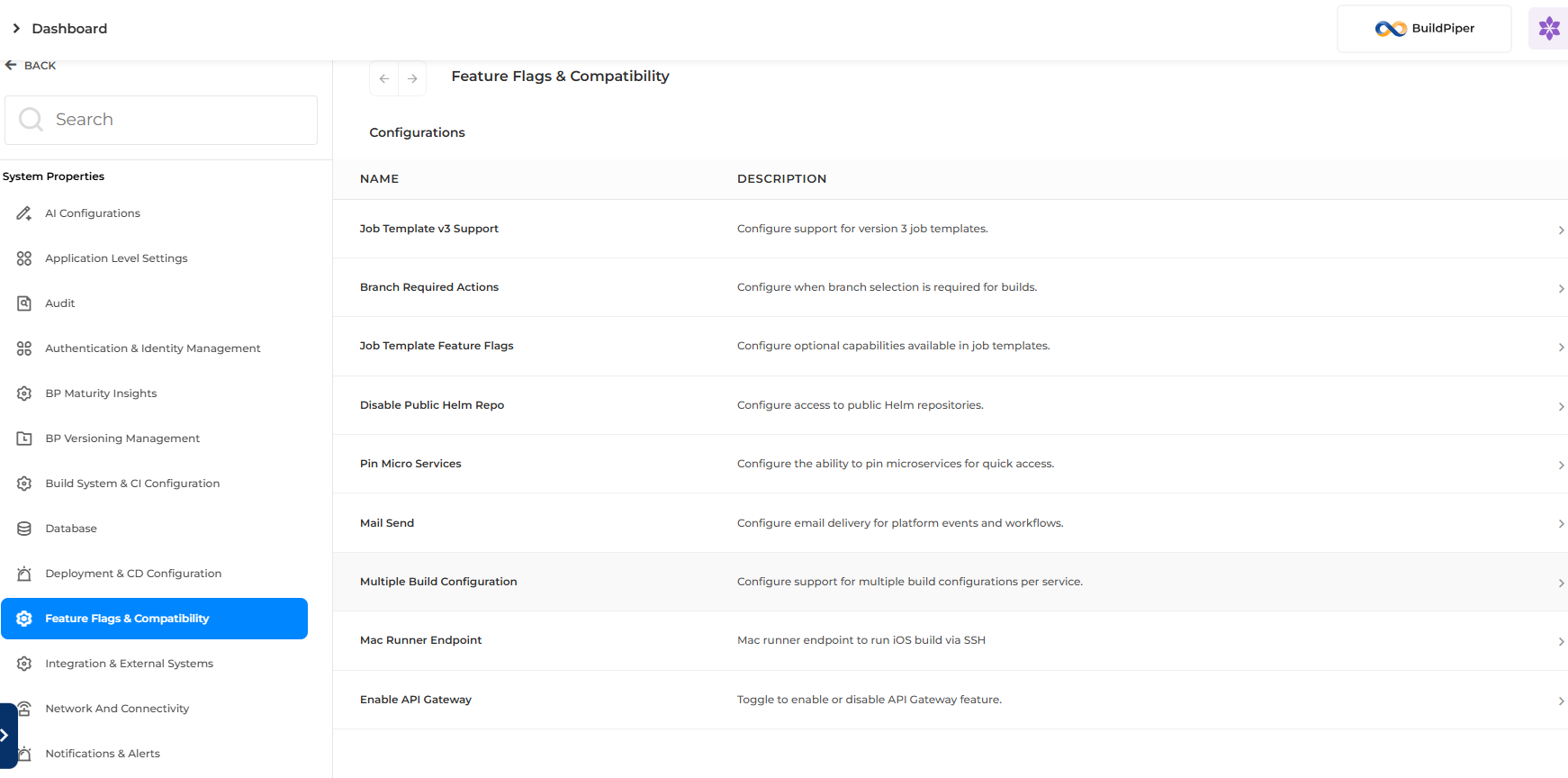
Figure 2: Feature Flags & Compatibility, Configurations table
Job Template v3 Support #
Controls support for Version 3 job templates, which allow dynamic and custom job definitions.
| Field | What it does |
|---|---|
| Job Template v3 Support | Turns on Version 3 job templates, with backward compatibility. |
Read more: Job Templates
Branch Required Actions #
Sets when users must choose a Git branch.
| Field | What it does |
|---|---|
| Branch Selection Required in Select Branch & Tag Popup | Users pick a Git branch as a runtime parameter before they start a pipeline. |
| Branch Selection Required for Every Build | Users must pick a branch for every build, even if they chose one before. |
Read more: Actions
Job Template Feature Flags #
Sets options for Version 3 job templates.
| Field | What it does |
|---|---|
| Custom Volume Path Enabled | Allows custom volume mount paths in Version 3 job templates. |
Read more: Job Templates
Disable Public Helm Repo #
Restricts Helm repositories.
| Field | What it does |
|---|---|
| Disable Public Helm Repo Support | Allows only the configured private Helm repositories. |
Pin Micro Services #
Controls pinning of services and applications.
| Field | What it does |
|---|---|
| Pin Micro Services | Lets users pin services to the top of Service Overview. |
| Pin Application | Lets users pin applications to the top of the Applications list. |
Mail Send #
Controls the emails that BuildPiper sends for specific events.
| Field | What it does |
|---|---|
| Saas_Project_Creation_With_Default_Parameters_Mail_Send | Sends an email when a SaaS project is created with the default settings. |
| send_pipeline_approval_email | Sends an email when a pipeline stage needs manual approval. |
Read more: Pipeline Approval
Multiple Build Configuration #
Controls multiple build configurations.
| Field | What it does |
|---|---|
| Enable Multiple Build Support | Allows several build configurations (variants) for each service. |
Read more: Build Configuration
Mac Runner Endpoint #
Sets the Mac runner used for iOS builds.
| Field | What it does |
|---|---|
| Mac Runner Endpoint | The SSH details of the Mac runner for iOS builds, as JSON such as {“ip”: “192.168.1.100”, “user”: “admin”}. |
Read more: iOS Pipeline
Enable API Gateway #
Controls the API Gateway feature.
| Field | What it does |
|---|---|
| Enable API Gateway | Turns the API Gateway feature on or off for the whole platform. |
Read more: API Gateway
3. BP Maturity Insights #
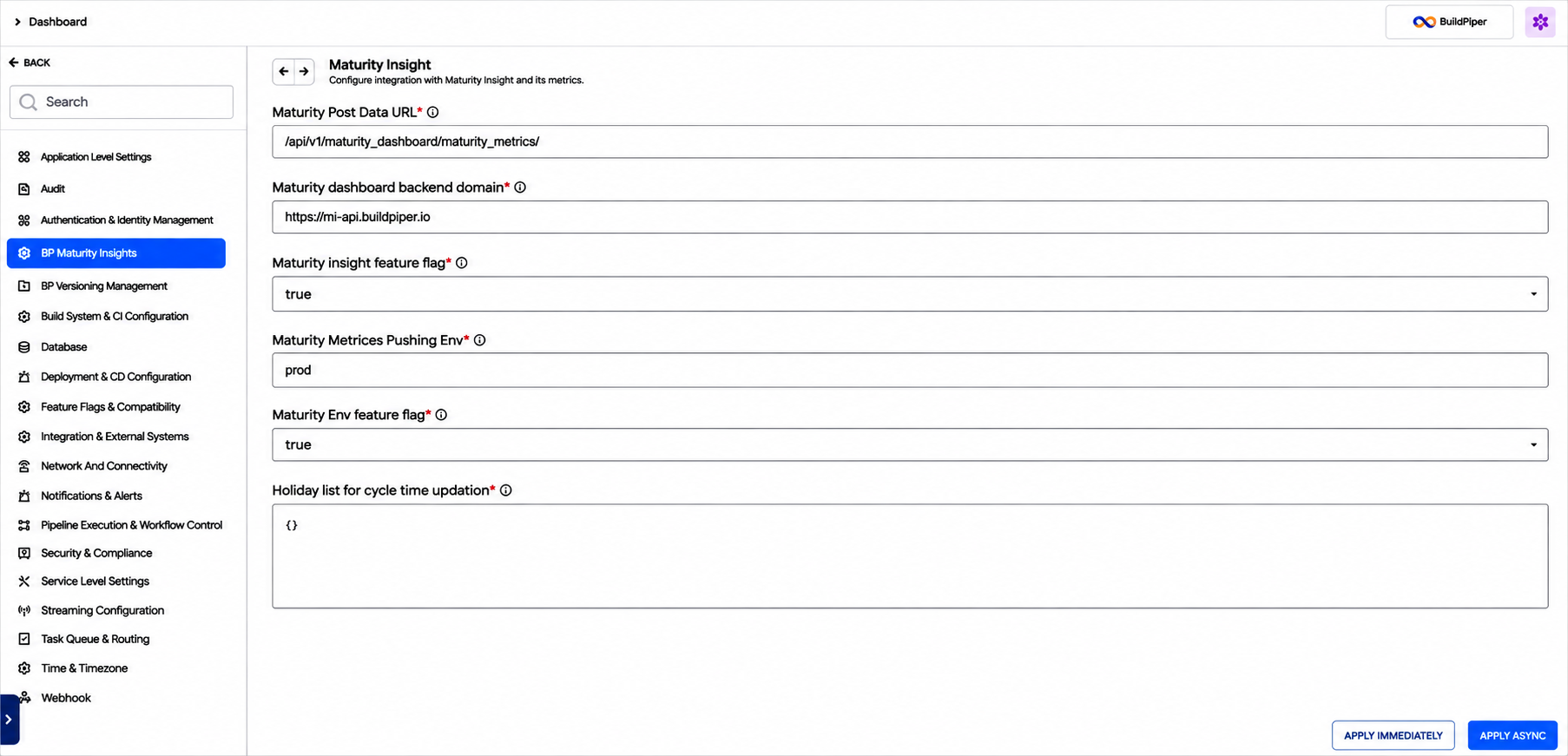
Figure 3: BP Maturity Insights, Maturity Insight settings
Maturity Insight #
Sets up the connection to Maturity Insight and the metrics that BuildPiper sends to it.
| Field | What it does |
|---|---|
| Maturity Post Data URL | The URL of the Maturity Insight service that receives deployment and job data for maturity analysis. |
| Maturity Dashboard Backend Domain | The backend domain of the Maturity Insight service, used for API calls. |
| Maturity Insight Feature Flag | Turns on publishing of pipeline data to Maturity Insight. |
| Maturity Metrics Pushing Env | The default environment whose deployment and pipeline data is sent to Maturity Insight. |
| Maturity Env Feature Flag | Turns on publishing of environment-specific data to Maturity Insight. |
| Holiday List for Cycle Time Updation | The holiday dates that are excluded from working-day metrics. Weekends are non-working days by default. |
Read more: Connecting Tools to Maturity
4. AI Configurations #
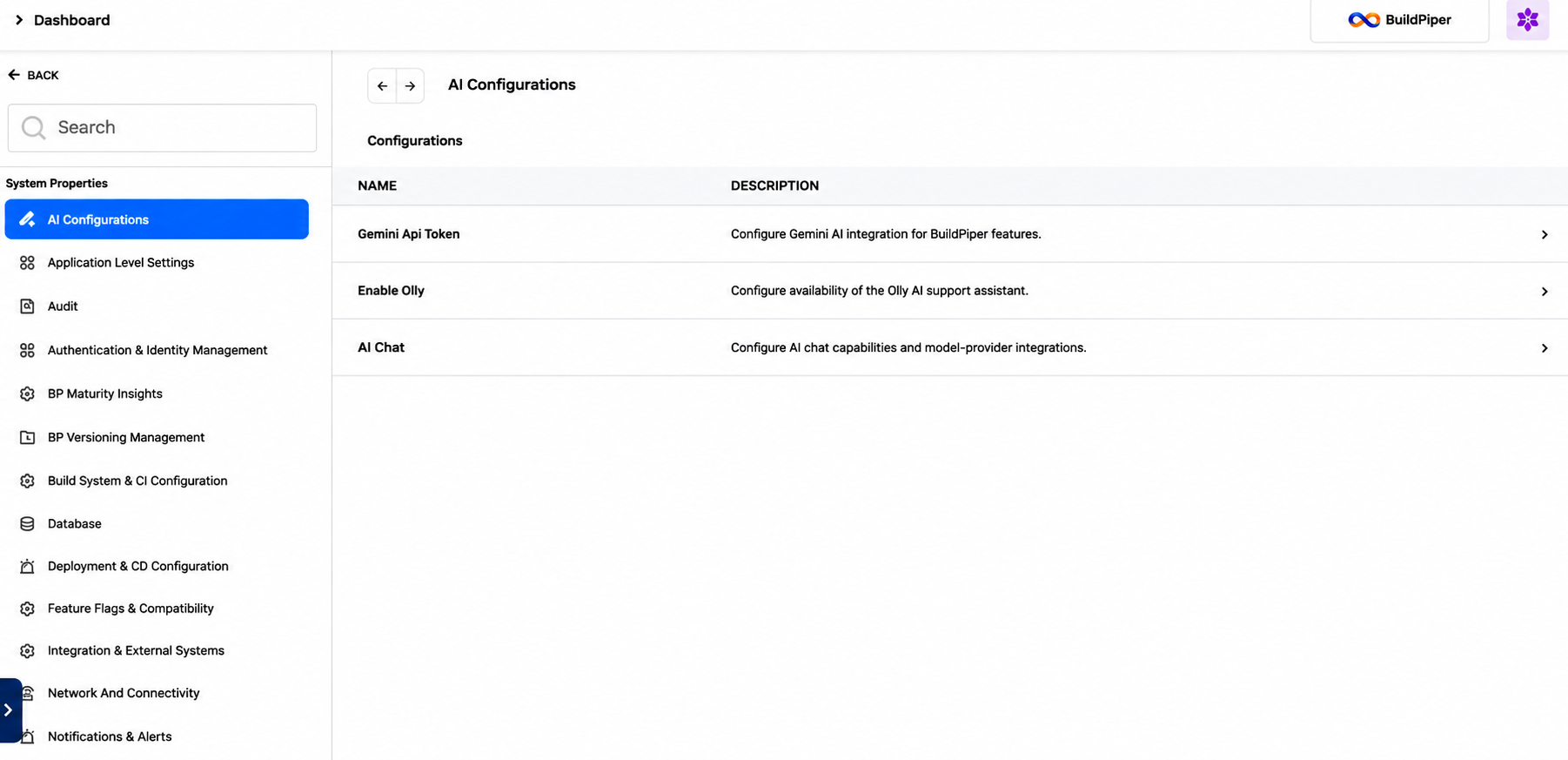
Figure 4: AI Configurations, Configurations table
Gemini API Token #
Sets up the Gemini AI integration for BuildPiper features.
| Field | What it does |
|---|---|
| Gemini API Token | The API key used to authenticate requests to the Gemini AI service. |
| Gemini API Model Name | The Gemini model used for AI-powered features in BuildPiper. |
Enable Olly #
Controls whether the Olly AI support assistant is available.
| Field | What it does |
|---|---|
| Enable Olly | Turns the Olly AI assistant on in BuildPiper. |
AI Chat #
Sets up AI chat and the model provider that it uses.
| Field | What it does |
|---|---|
| MCP Server Configuration | The list and configuration of the Model Context Protocol (MCP) servers that AI chat can use. |
| LLM Provider | The large language model (LLM) provider that AI chat uses, for example OpenAI, Gemini or Ollama. |
| API Key | The API key used to authenticate requests to the selected provider. |
| Model Name | The model used for AI chat. |
| Ollama Endpoint | The URL of the self-hosted Ollama server that AI chat uses. |
5. Webhook #
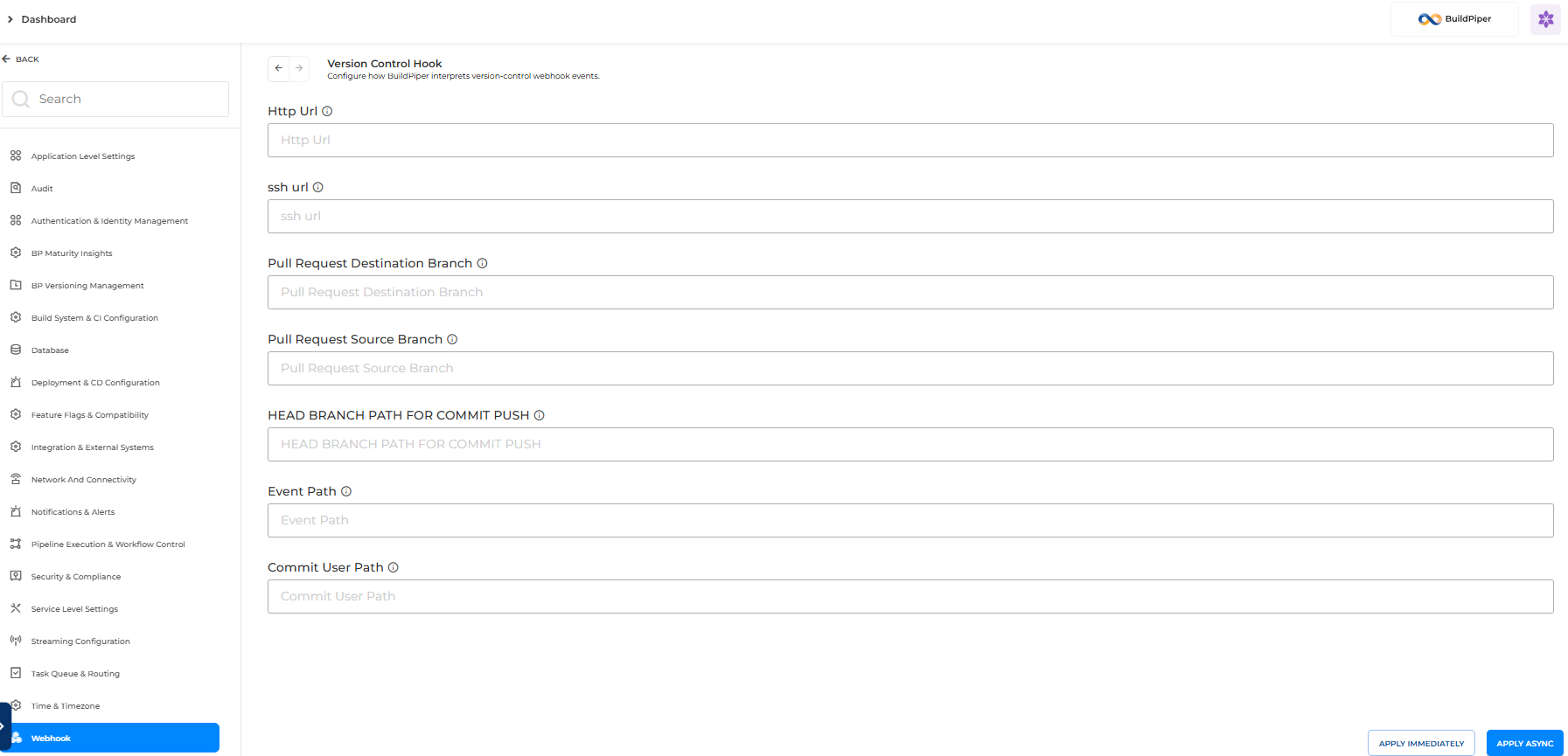
Figure 5: Webhook, Version Control Hook
Version Control Hook #
Sets the response paths that BuildPiper uses to read webhook payloads.
| Field | What it does |
|---|---|
| HTTP URL and SSH URL | The repository URLs (Bitbucket). |
| Pull Request Destination Branch | The path of the destination branch of a pull request. |
| Pull Request Source Branch | The path of the source branch of a pull request. |
| Head Branch Path for Commit Push | The path of the branch of a commit push. |
| Event Path | The path of the event type. |
| Commit User Path | The path of the committer’s username. |