

System Settings: Security, Audit and Network #
This document covers three System Settings categories in BuildPiper: Audit (2 settings), Security & Compliance (6 settings), and Network and Connectivity (5 settings). It outlines the available settings in each category and their purpose in supporting platform security, auditability, and network configuration.
1. Audit #
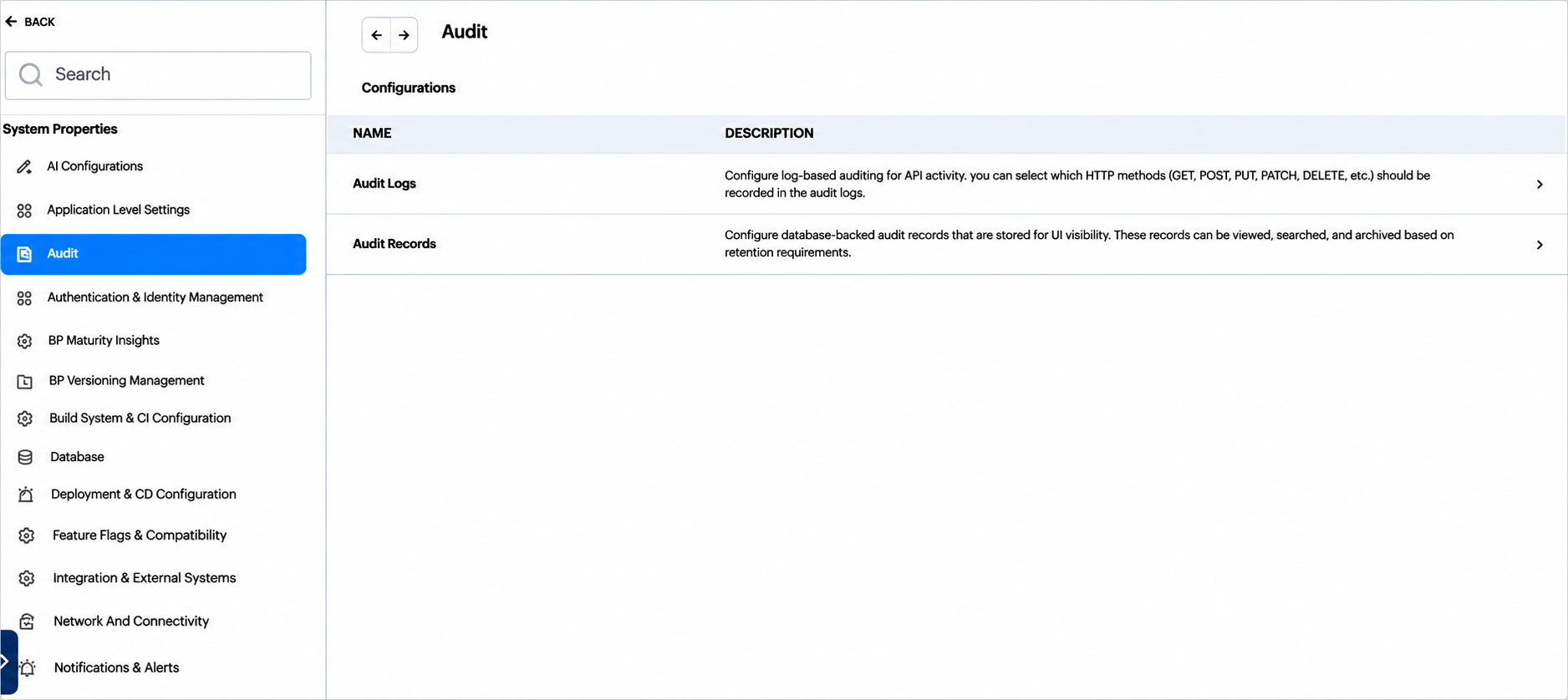
Figure 1: Audit, Configurations table
Audit Logs #
Sets up log-based auditing of API activity. You can choose which HTTP methods (GET, POST, PUT, PATCH, DELETE and so on) are recorded.
| Field | What it does |
|---|---|
| Audit Logs Enable | Turns on audit logging, which records user actions and API requests for auditing and compliance. |
| Audit Logs Request Methods | The HTTP methods, for example POST, PUT and DELETE, that are recorded in the audit logs. |

Figure 2: Audit Logs setting
Audit Records #
Sets up the audit records that are stored in the database so that they can be viewed in the UI. The records can be viewed, searched and archived according to the retention period.
| Field | What it does |
|---|---|
| Audit Archival Enable | Turns on automatic archival. Records older than the retention period move from the database to folder storage, and can be reloaded later. |
| Audit Retention Days | The number of days that audit records stay in the database before archival. When archival is turned on, older records become eligible for archival. |
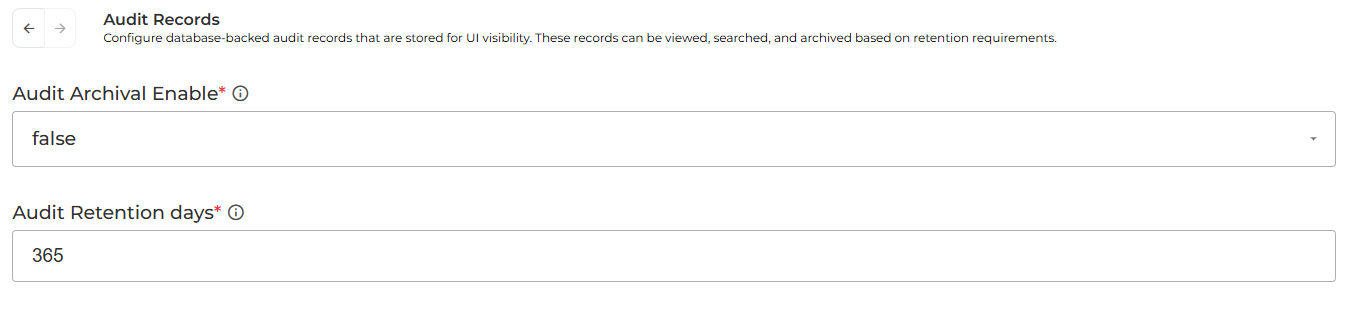
Figure 3: Audit Records setting
2. Security & Compliance #

Figure 4: Security & Compliance, Configurations table
Hidden Command #
Controls whether hook commands appear in logs.
| Field | What it does |
|---|---|
| Hook Command Hidden | Hides pre-hook and post-hook commands in build and deploy logs. |
Change Freeze Approve #
Controls who can approve deployments during a change freeze, and whether pods restart on each deployment.
| Field | What it does |
|---|---|
| Change Freeze Approve User Groups | The user groups that may approve deployments during a change freeze. |
| Restart Pod on Each Deployment | Forces a rolling restart of the pods after every deployment. |
Email Masking #
Controls whether email addresses are masked.
| Field | What it does |
|---|---|
| Enable Email Masking | Masks email addresses in the UI and in API responses. |
Kubernetes Resource Control #
Controls whether users can delete Kubernetes resources from the UI.
| Field | What it does |
|---|---|
| Allow K8s Resource Deletion | Shows or hides the delete option for Kubernetes resources in the UI. |
ConfigMap Value Visibility #
Controls whether ConfigMap values are returned by the API.
| Field | What it does |
|---|---|
| Show ConfigMap Value | When it is on, ConfigMap API responses include values. When it is off (the default), they return keys only. |
Registry Network Allowlist #
Lists the registries that may connect to private network addresses.
| Field | What it does |
|---|---|
| Registry URLs | The registry URLs that are allowed to connect to private network addresses. |
3. Network and Connectivity #

Figure 5: Network and Connectivity, Configurations table
Proxy Support #
Sets up a proxy for the outbound requests that BuildPiper makes.
| Field | What it does |
|---|---|
| Enable Proxy Support | Routes outbound requests through the proxy. |
| HTTP Proxy | The proxy address for HTTP requests. |
| HTTPS Proxy | The proxy address for HTTPS requests. |
TLS Step #
Controls TLS verification for secure and non-secure registries.
| Field | What it does |
|---|---|
| Step for Secure and Non-Secure Registries | Sets TLS verification for registry operations. Turn it off only for self-signed or untrusted certificates. |
Third Party Whitelisted Domains #
Lists the domains that BuildPiper trusts for third-party calls.
| Field | What it does |
|---|---|
| URL Control Whitelist | The trusted domains for third-party authentication and integration calls. |
| Version Control | The trusted version-control domains. |
Note: The trusted domains of self-hosted Git providers are set in Git Provider Whitelisting, in the Integrations and Feature Flags document.
Enable Strict-Transport-Security #
Controls the HTTP Strict Transport Security (HSTS) header.
| Field | What it does |
|---|---|
| Enable Strict-Transport-Security | Adds the HSTS header, so that browsers must use HTTPS. |
Git TLS Verify #
Controls certificate verification for Git operations.
| Field | What it does |
|---|---|
| TLS Settings for Git Operations | Sets certificate verification for Git. Turn it off only for self-signed Git servers. |